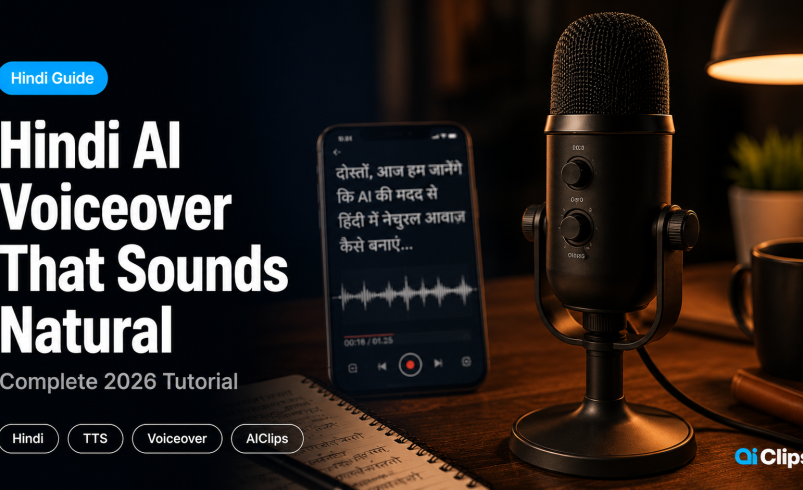

Hindi voiceover AI has one universal complaint — it sounds like a robot reading a government circular. This guide explains exactly why that happens and how to fix it using the tools on AIClips to generate hindi text to speech that sounds like a real person.
Whether you are a YouTuber, brand, or educator — this guide covers script formatting, voice selection, emotion cues, and every fix you need for natural ai hindi voiceover output.
| The problem | Most hindi voiceover AI fails on schwa deletion, compound words, and emotional flatness — making the output sound mechanical even when pronunciation is technically correct. |
| The fix | Script formatting + right hindi voice generator selection + emotion cues. All three together. |
| Tools on AIClips | Realistic Voiceovers app, ElevenLabs TTS v2.5, Minimax Speech 2.6, Qwen 3 TTS — all in one dashboard. |
| Cost | ₹349/month (Creator plan). Realistic Voiceovers app is unlimited on Agency plan (₹999/month). |
| Best for | YouTube creators, educators, brand video narrations, Instagram Reels in Hindi. |
Why Most Hindi Voiceover AI Tools Sound Robotic
It is not just that the output sounds flat. Hindi has specific linguistic features that break most hindi text to speech engines in predictable ways. Understanding them is the first step to fixing the output.
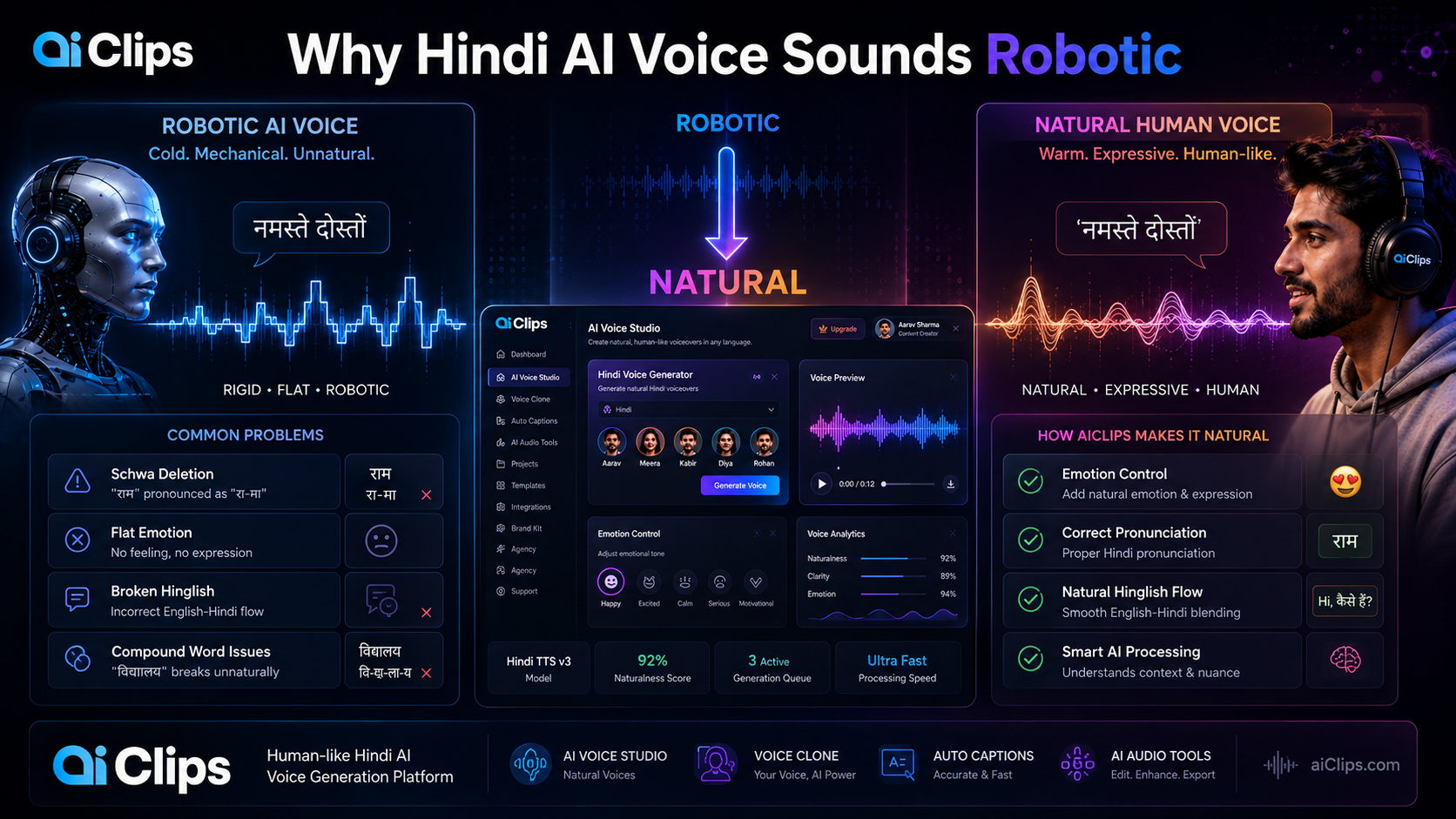
Schwa deletion. In spoken Hindi, the inherent “a” vowel is dropped in many positions. “राम” is spoken as “Raam” not “Raama.” Most AI models trained on English-first data add the schwa back in, making every word sound over-enunciated. This is the single biggest reason ai hindi voiceover sounds unnatural.
Compound word splitting. Hindi uses long compound words — “विद्यालय,” “महाविद्यालय,” “स्वास्थ्य.” A model that does not understand compound structure reads each syllable with equal weight. Native speakers stress the first component and swallow the rest.
Emotional monotone. Older models generate speech at a consistent pitch and speed. Hindi speakers naturally vary pitch dramatically — questions rise sharply, affirmations drop, emphasis shifts mid-sentence. No pitch variation equals robotic output.
Hinglish blind spots. Most Indian creators write scripts that mix Hindi and English naturally. Older engines either mispronounce the Hindi words with an English accent or mispronounce the English words with an over-corrected Hindi accent.
Hindi Voiceover AI Tools Available on AIClips
AIClips has multiple hindi text to speech engines available. They are not all equal for Hindi. Here is what each one does and when to use it.
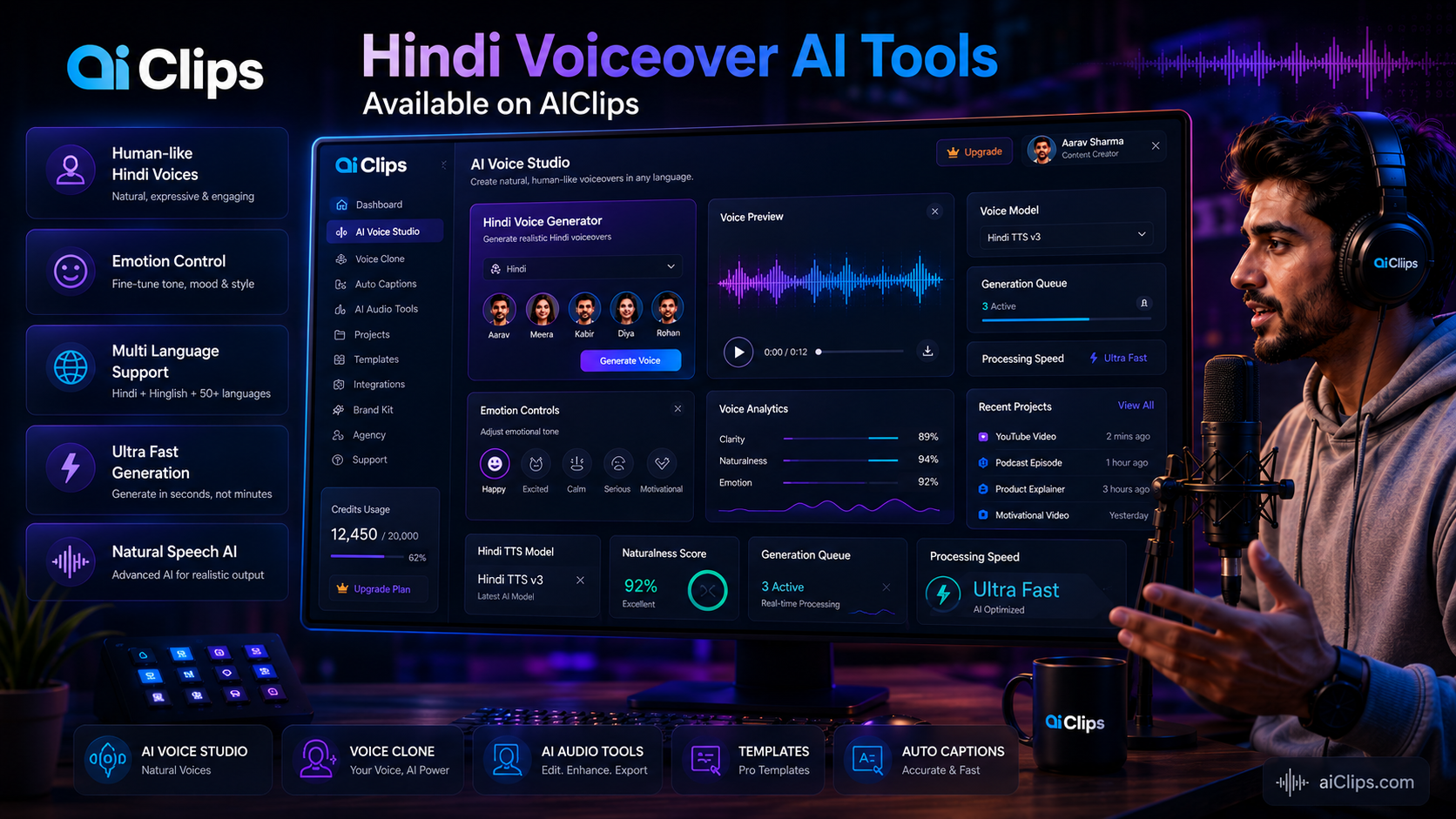
Realistic Voiceovers App
Standalone App · Unlimited on Agency PlanAIClips’ own tool with regional Indian voice selection — male, female, age range, and accent (North Indian, South Indian, neutral). The simplest workflow on the platform with no credits per generation on the Agency plan.
Best for: Daily YouTube narration, Reels, educational content.
ElevenLabs TTS Turbo v2.5
Credits · Best Emotional RangeThe strongest hindi voice generator for emotional output. ElevenLabs’ Hindi TTS library includes native voices like Ravikant (warm narrator), Anant (confident Reels voice), Viraj (energetic narrator), and Riya Rao (professional) — all trained by real Indian voice artists. The emotional range is noticeably better than other models on the platform.
Best for: Brand narrations, ad voiceovers, high-production content.
Minimax Speech 2.6 Turbo
Credits · Best SpeedFast generation with solid multilingual support. Good for volume — if you are iterating through multiple versions to pick the best one, Minimax lets you do that quickly without burning through credits.
Best for: Quick iterations, multiple versions, Hinglish scripts.
Qwen 3 TTS
1.7 Credits/Gen · Most AffordableAlibaba’s multilingual model. Handles Hindi and Hinglish competently at a very low credit cost. Best starting point for testing scripts before committing to a full generation on ElevenLabs.
Best for: Testing scripts, budget use, simple narrations.
Format Your Script for Hindi Text to Speech
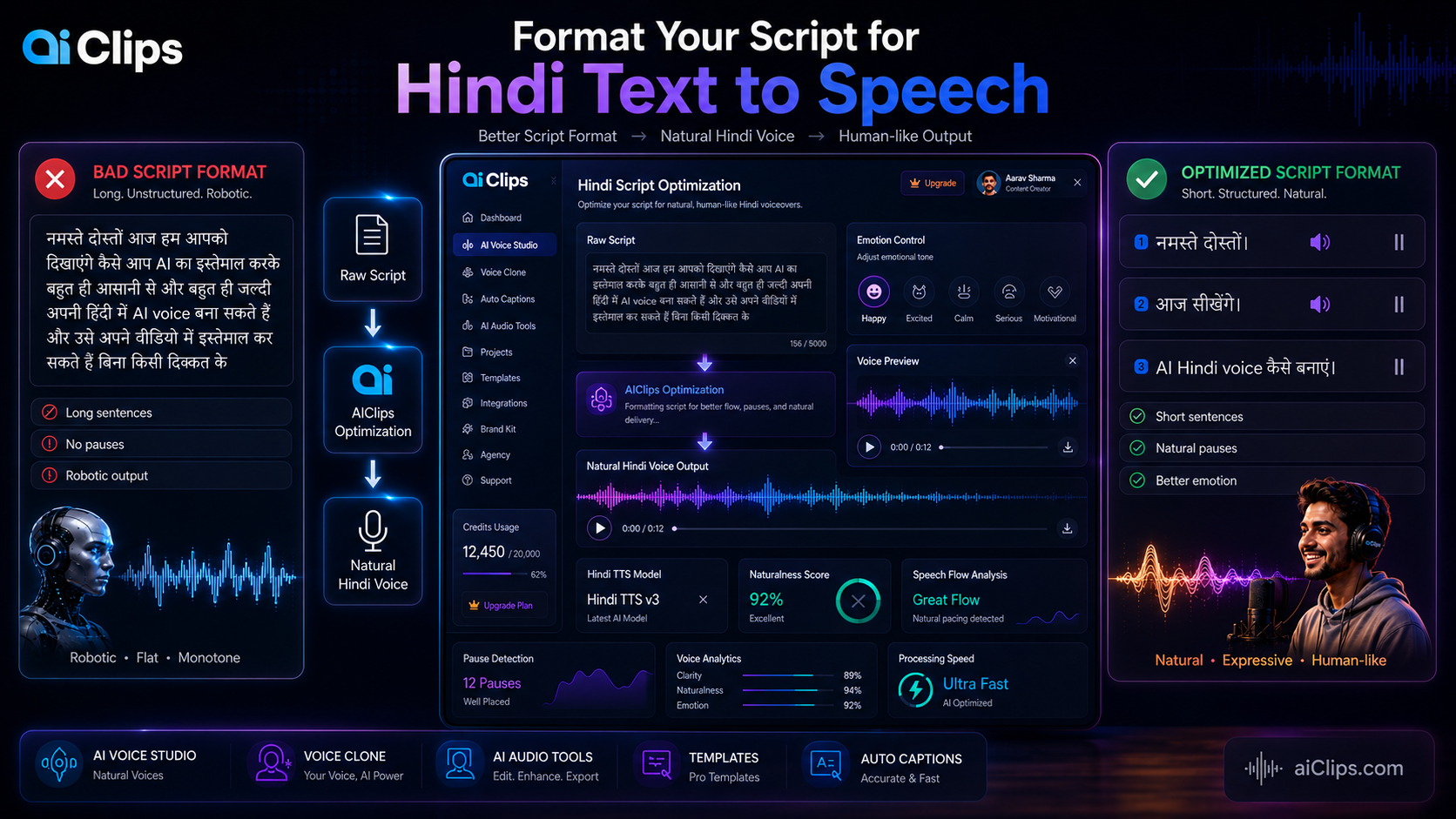
Script formatting is the single biggest lever you have over output quality. The same hindi voice generator will sound completely different on a well-formatted script versus a raw one.
Short Sentences Only
Break every long sentence into two shorter ones. The model handles short sentences better — pitch variation resets between sentences, which is how natural speech works.
Short sentences, dashes for pauses, English words in Roman script. This is exactly what produces natural-sounding output.
Three short punchy sentences. The model delivers each with a natural downward close — exactly how a reviewer would speak.
A question at the start creates a natural pitch rise. Dashes create the pause a teacher would use. Short sentences give the model room to breathe.
Roman vs Devanagari Script Rules
| Situation | Write This | Not This |
|---|---|---|
| English brand names | YouTube, Instagram, AIClips | यूट्यूब, इंस्टाग्राम (causes mispronunciation) |
| English tech words | AI, video, content, upload | एआई, वीडियो |
| Pure Hindi words | Always Devanagari — “आज,” “देखिए” | Roman transliteration — “aaj,” “dekhiye” |
| Numbers in Hindi | Devanagari numerals or spelled out | Roman numerals mid-Hindi sentence |
Choose the Right Hindi Voice Generator on AIClips
Voice selection matters more for Hindi than for English. The same model sounds very different depending on the voice profile you pick.
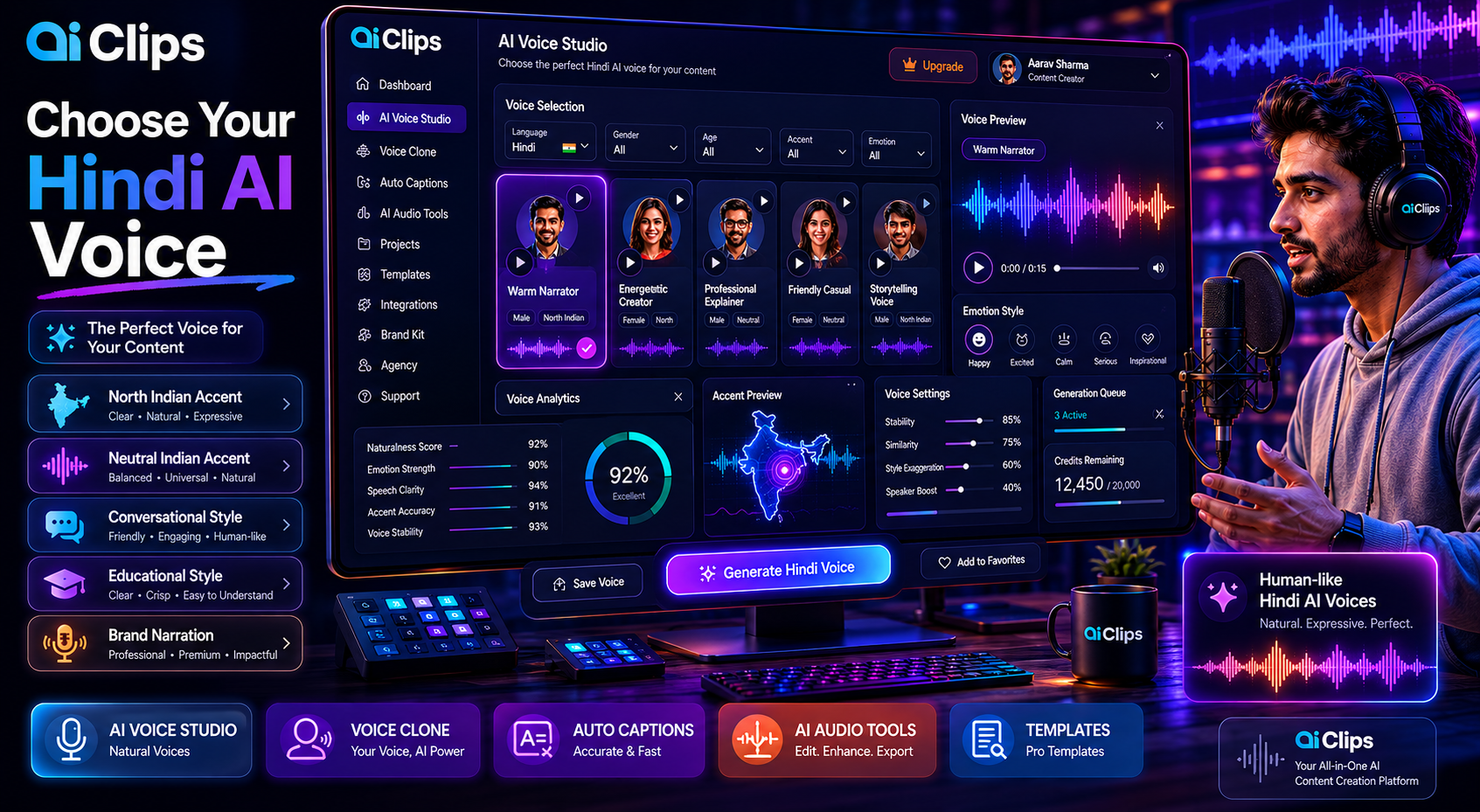
Filters to Use in the Realistic Voiceovers App
| Filter | What to Pick | Why |
|---|---|---|
| Language | Hindi | Ensures correct Hindi phoneme mapping |
| Gender | Match your content tone | Female voices suit education; male voices suit authoritative narration |
| Age | 25–35 for most content | Younger profiles have more pitch variation |
| Accent | Neutral Indian or North Indian | Neutral works across all Indian audiences |
| Style | Conversational for Reels, Narration for YouTube | Style affects pace and tone of the output |
Best ElevenLabs Hindi Voices on AIClips
| Voice Name | Style | Best For |
|---|---|---|
| Ravikant | Warm, native Hindi narrator | Documentary style, educational content |
| Anant | Confident, clear Reels voice | YouTube Shorts, Instagram Reels |
| Viraj | Energetic Hindi narrator | Tutorials, product demos, fast-paced content |
| Muskaan | Casual, friendly | Conversational vlogs, informal narration |
| Riya Rao | Professional, clear | Brand videos, explainers, business content |
Handle Hinglish in AI Hindi Voiceover Scripts
Most Indian creator scripts are Hinglish — a natural mix of Hindi grammar with English vocabulary. This is where most tools fail, and where AIClips models handle things better.
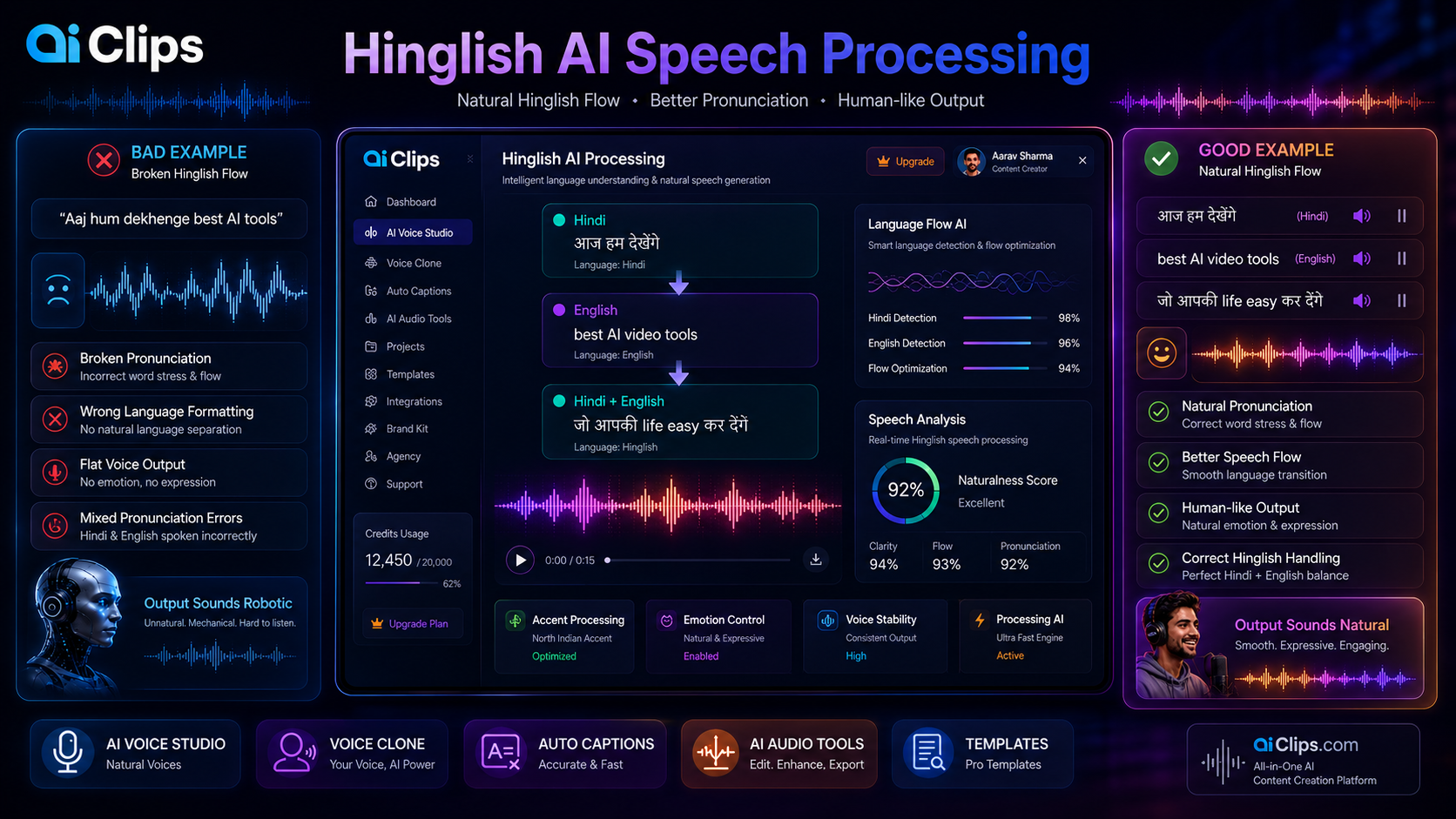
The rule is simple: Hindi words in Devanagari, English words in Roman script. Do not transliterate in either direction. The model handles mixed script naturally.
Hindi in Devanagari, English terms in Roman. Short sentences. Dashes for pauses. This format produces natural output on every model available on AIClips.
Add Emotion to Your Hindi Voiceover AI Output
ElevenLabs TTS on AIClips supports emotion steering through the style prompt field. You do not need SSML tags — just describe the emotion in plain English before generating.
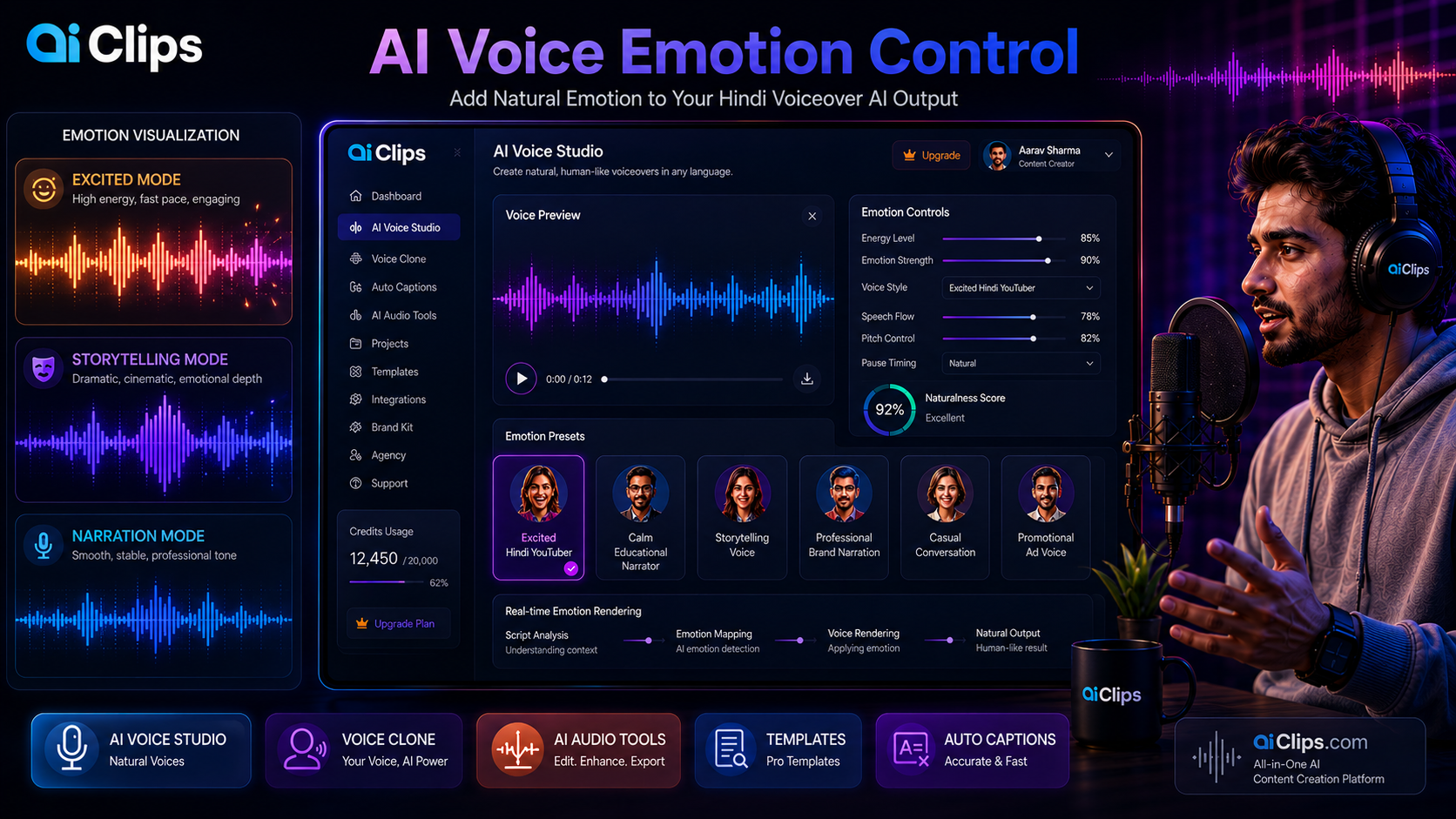
| Emotion You Want | Add to Style Prompt | Good For |
|---|---|---|
| Excited and energetic | “Excited Hindi YouTuber, fast pace, high energy” | Product reveals, Reels intros |
| Calm and trustworthy | “Calm, warm, authoritative news anchor tone” | Educational videos, explainers |
| Conversational | “Casual Hindi conversation between friends” | Vlogs, talking-head content |
| Storytelling | “Dramatic Hindi storytelling, varying pace” | Documentary narration, brand stories |
| Promotional | “Confident, persuasive, like a Hindi TV ad” | Product ads, launch videos |
Generate, Review, and Fix Your Output
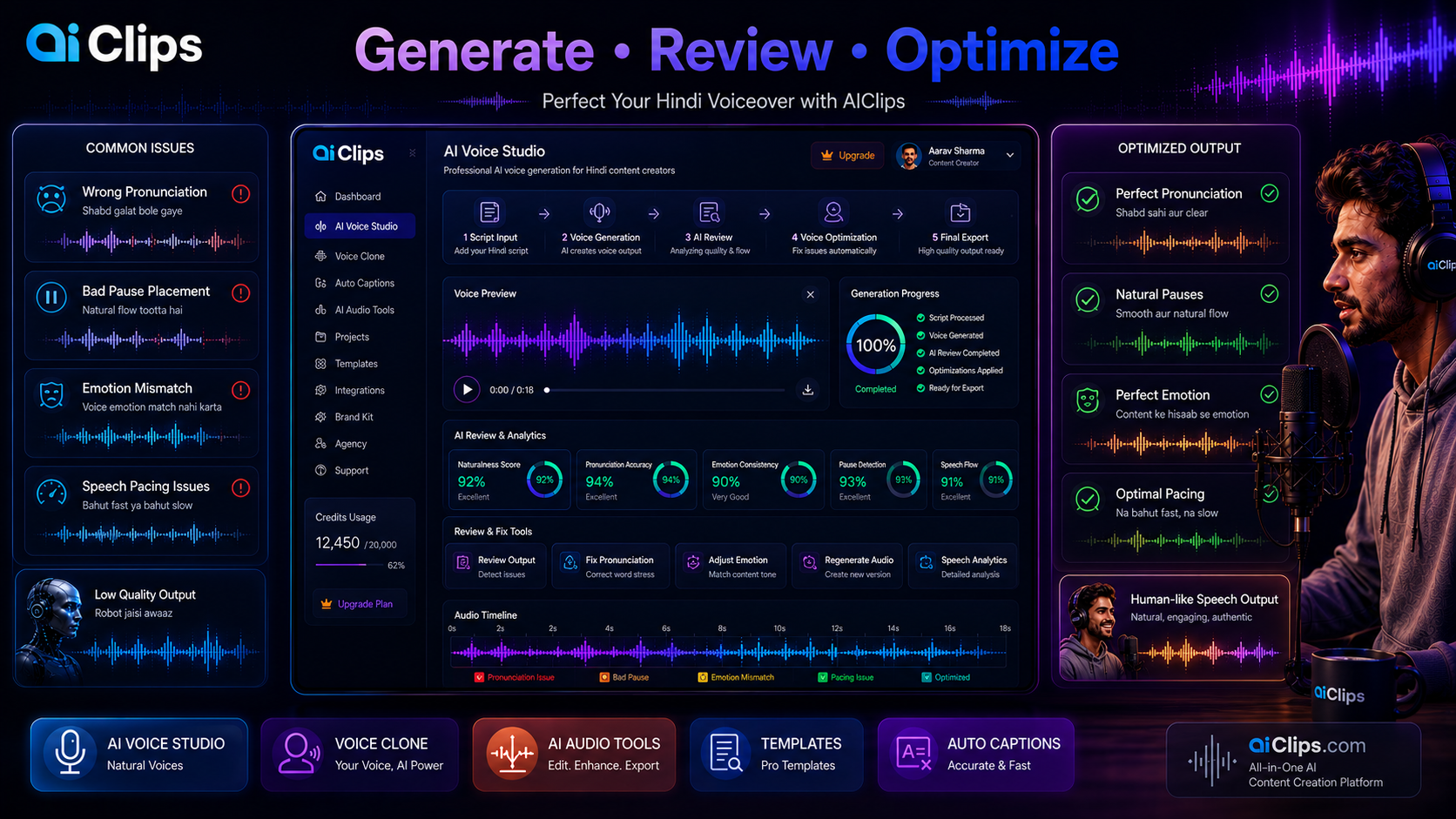
Generate your first version and listen to the full output before making any changes. Check these five things:
- Does any word sound mispronounced?
- Are pauses happening in the right places?
- Does the emotional tone stay consistent throughout?
- Do English words inside Hindi sentences sound natural?
- Is the pace right for your content type?
Common Problems and Fixes
| Problem | Fix |
|---|---|
| Word is mispronounced | Rewrite it phonetically in Devanagari. “Schedule” → “शेड्यूल” |
| Pause in the wrong place | Move the comma or dash to where you want the pause |
| Voice sounds rushed | Add more commas and dashes. Break 2-sentence chunks into 3. |
| English words sound accented | Keep them in Roman script — never transliterate brand names |
| Tone feels flat throughout | Switch to ElevenLabs with an emotion cue in the style prompt |
| Output too slow for Reels | Use Minimax Speech Turbo and add “fast pace, energetic” to style prompt |
Common Mistakes Indian Creators Make with Hindi Voiceover AI
| Mistake | What Happens | Fix |
|---|---|---|
| Pasting raw script without formatting | Long sentences, no pauses, robotic output | Always break into short sentences first |
| Transliterating English brand names to Devanagari | Mispronounced brand names in the output | Keep brand names in Roman script always |
| Using one voice for all content types | Tutorial voice sounds wrong for ads and vice versa | Match voice style to content type |
| Not testing a short clip first | Full script generated on wrong voice — credits wasted | Always test 3–4 sentences before full generation |
| Generating the full script in one block | Pacing issues mid-script that are hard to fix | Generate in sections: intro, body, CTA separately |
Which Plan Do You Need on AIClips?
| How You Create | Best Plan | Why |
|---|---|---|
| 1–2 videos per week | Creator — ₹349/month | Enough credits for Qwen or Minimax generations |
| Daily content, quality matters | Professional — ₹649/month | More credits for ElevenLabs quality output |
| High volume or team use | Agency — ₹999/month | Realistic Voiceovers app unlimited — no credit cost per run |
Frequently Asked Questions — Hindi Voiceover AI
Which hindi voiceover AI tool gives the most natural output on AIClips?
Should I write my script in Devanagari or Roman for hindi text to speech?
Can I generate Marathi, Tamil, or Telugu voiceovers on AIClips too?
How do I handle Hinglish in my ai hindi voiceover script?
Can I use these voiceovers commercially on YouTube?
What is the difference between Realistic Voiceovers and ElevenLabs on AIClips?
Generate Your First Hindi Voiceover AI on AIClips
ElevenLabs, Minimax Speech, and Realistic Voiceovers — all in one dashboard. Starts at ₹349/month.
Try AIClips Hindi Voiceover Tools →