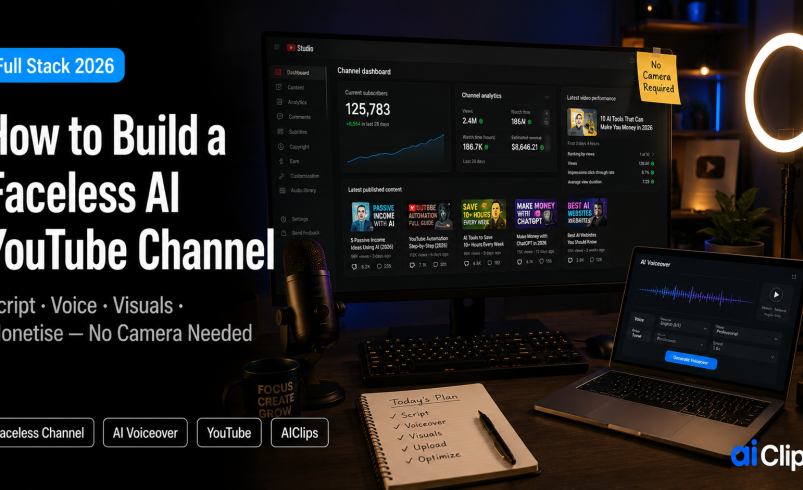

A faceless YouTube channel earns money without you ever appearing on camera or recording your own voice. In 2026, AI handles the scripting, voiceover, visuals, captions, and thumbnails, so one person working a few hours a week can publish consistently. But there is a catch most guides skip: YouTube now removes lazy, fully automated channels. This is how to build one the right way.
Faceless content now makes up roughly 38% of all new creator monetisation ventures, up from 12% three years ago. The opportunity is real. So is the policy line you have to stay on the right side of.
| What it is | A channel that earns on YouTube without the creator appearing on camera. AI handles scripting, voiceover, visuals, captions, and thumbnails. |
| The rule | YouTube’s 2026 “inauthentic content” policy removes recycled, templated, fully automated channels. Human-guided content is fine and fully monetisable. |
| Disclosure | You must tick the “Altered or Synthetic Content” box for realistic AI voices and AI video. Skipping it risks removal from the Partner Program. |
| To monetise | 1,000 subscribers plus 4,000 watch hours in a year, or 10 million valid Shorts views in 90 days. |
| Realistic earnings | Roughly ₹17,000/month early stage, scaling to several lakhs a month for established channels in high-value niches. |
What a Faceless YouTube Channel Actually Is
A faceless YouTube channel is exactly what it sounds like. No host, no on-camera presenter, no personal brand built around your face. The value comes from the content itself: the story, the information, the visuals. Channels like WatchMojo and 5-Minute Crafts built tens of millions of subscribers this way. Audiences follow value, not faces.
The appeal for most people is simple. Privacy, lower production effort, and the ability to publish often. A traditional creator burns hours on lighting, camera, and re-recording. A faceless channel skips all of that and leans on an AI stack instead, which cuts production time dramatically once the system is set up.
The 2026 Policy You Must Know First
Before any of the fun stuff, understand the one change that is quietly getting channels removed. In July 2025, YouTube renamed its “repetitious content” rule to “inauthentic content” and widened enforcement. Channels built on recycled clips, templated structures, or unattributed scripts get flagged.
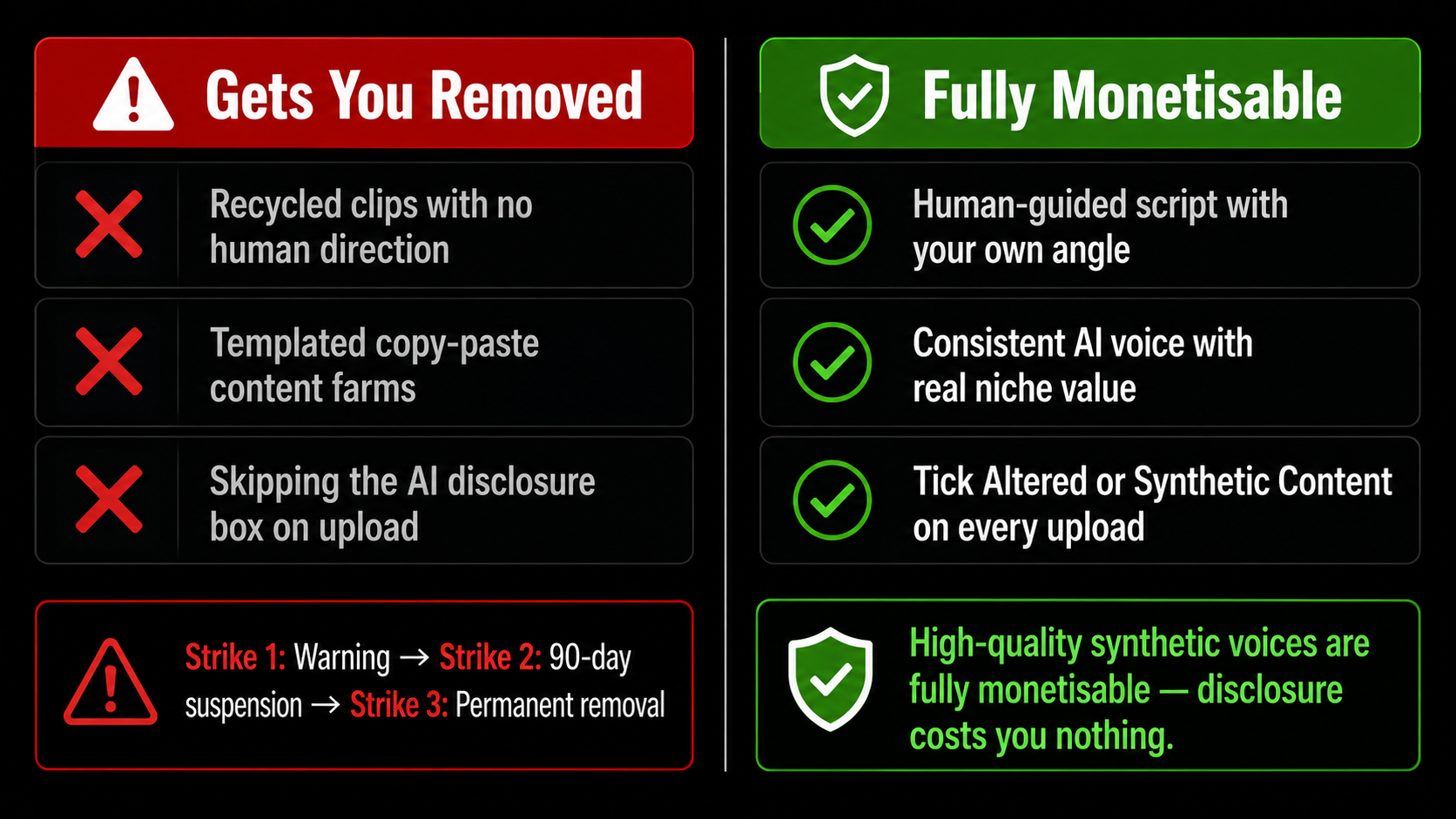
Two things keep you safe. First, add genuine human direction — your own angle, your own research, your own structure — rather than publishing whatever a tool spits out. Second, disclose AI use on every faceless YouTube channel video. YouTube’s 2026 policy requires ticking the “Altered or Synthetic Content” box when you use realistic AI voices or AI-generated video. High-quality synthetic voices are fully monetisable, so the disclosure costs you nothing and protects your channel.
Step 1: Pick a Niche That Pays
Niche choice decides whether a faceless YouTube channel becomes a business or a hobby. Two factors matter: how much advertisers pay in that category, and whether you can keep making videos about it for a year without losing interest.
| Niche | Typical CPM | Notes |
|---|---|---|
| Personal finance | $12–$20 | Highest paying; demanding accuracy |
| Tech and AI tools | $8–$15 | Strong and evergreen |
| Business and health | $5–$10 | Reliable mid-tier |
| Stories, facts, history | $2–$6 | Lower CPM, but easiest to scale on volume |
One honest note for Indian creators. Ad rates for an India-based audience sit lower than for a US or UK audience. You have two sensible paths: make English content aimed at a global audience to chase higher CPMs, or make Hindi and regional content where the CPM is lower but the audience is enormous and the competition lighter. Both work. Just go in with eyes open.
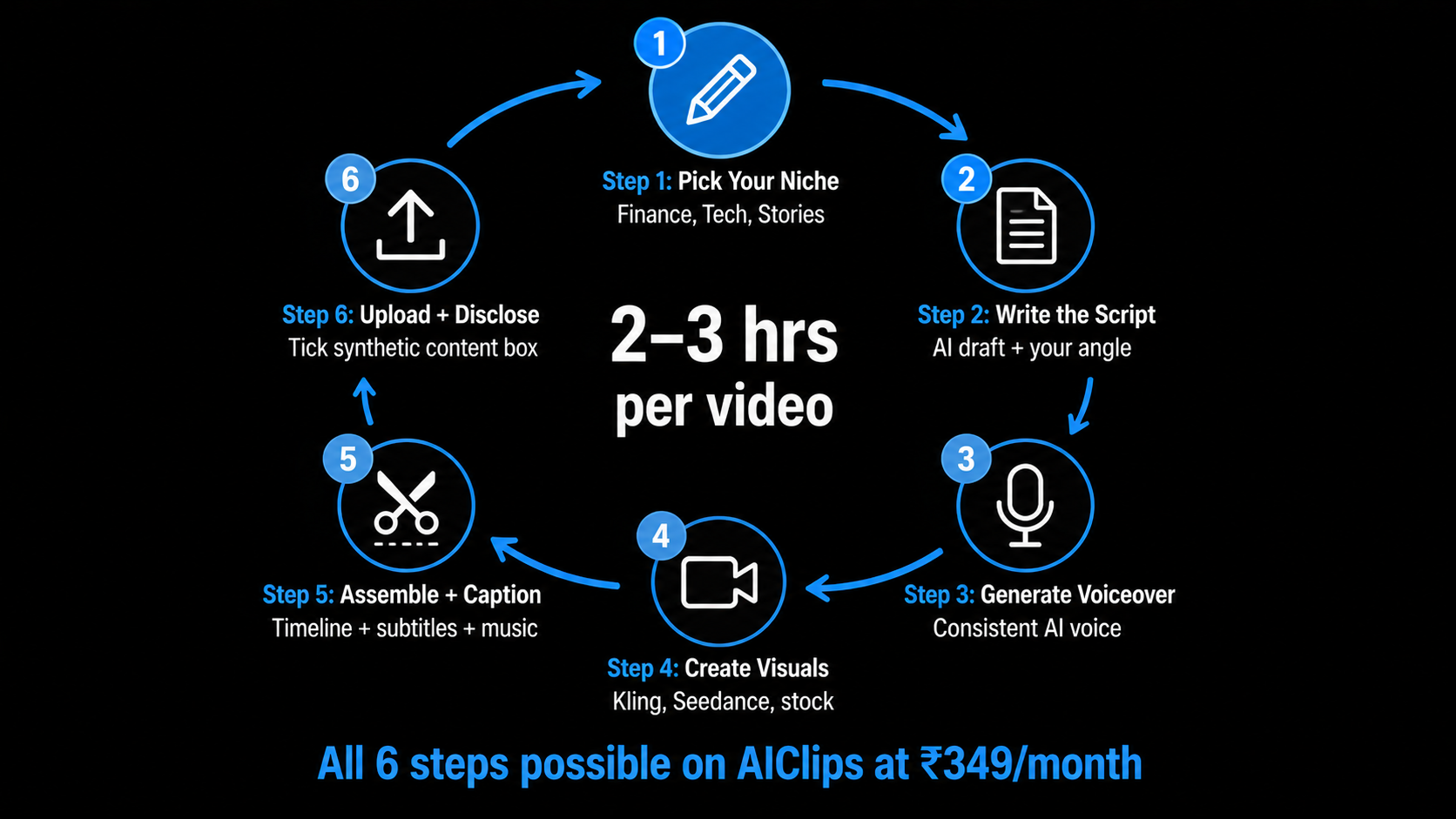
Step 2: Write the Script
The script is the spine of every video, and it is where your human direction shows up most. Use ChatGPT or Claude to draft, but never publish the first output. Give it your angle, your structure, your facts. A tool can write 1,500 words in ninety seconds; your job is to make those words actually worth watching.
Hook hard in the first ten seconds, keep sentences short for narration, and write the way a person speaks. Retention is everything on YouTube, and a flat script kills it no matter how good the visuals are.
Step 3: Generate the Voiceover
This is the voice of your channel, so do not cheap out. A natural AI voice with proper inflection is the difference between a video people finish and one they bounce from. On AIClips you can generate realistic voiceovers, including Hindi and regional voices, and match the tone to your niche.
Step 4: Create the Visuals
Visuals are what stop the scroll on a faceless YouTube channel. You have a few options depending on niche: AI-generated video clips for cinematic or conceptual content, screen recordings for tutorials, or stock footage for talking-head-free explainers. AI video models like Kling and Seedance handle the generated route well. For the full lineup, see our best AI video generators guide.
Match visuals to the words on screen. A mismatch between narration and footage is one of the fastest ways to lose a viewer, so storyboard loosely before you generate anything.
Step 5: Assemble, Caption, and Thumbnail
Now you put it together. Drop the voiceover and visuals onto a timeline, add captions (most social video is watched on mute, so this is not optional), and layer in light music and transitions. Keep edits clean rather than flashy.
The thumbnail does more for your click-through rate than almost anything else. A bold, readable thumbnail with a clear face or focal point and three or four words of text wins. You can generate these fast with an AI image tool — our AI image generator guide covers the best options for clickable thumbnails.
Step 6: Upload, Disclose, and Optimise
On upload, give the faceless YouTube channel video a keyword-rich title and description, add relevant tags, and pick your custom thumbnail. Then tick the synthetic-content disclosure box. Finally, publish on a schedule. Two well-made videos a week beats seven rushed ones, and most channels start seeing real algorithmic traction somewhere between 30 and 100 videos.
How Much Can You Actually Earn?
Let us be realistic, because the hype around this is loud. A new faceless YouTube channel might make around ₹17,000 a month in its early stage. Established channels in high-value niches earn far more, into several lakhs a month, but that is after months of consistent publishing and a library of videos working for you.
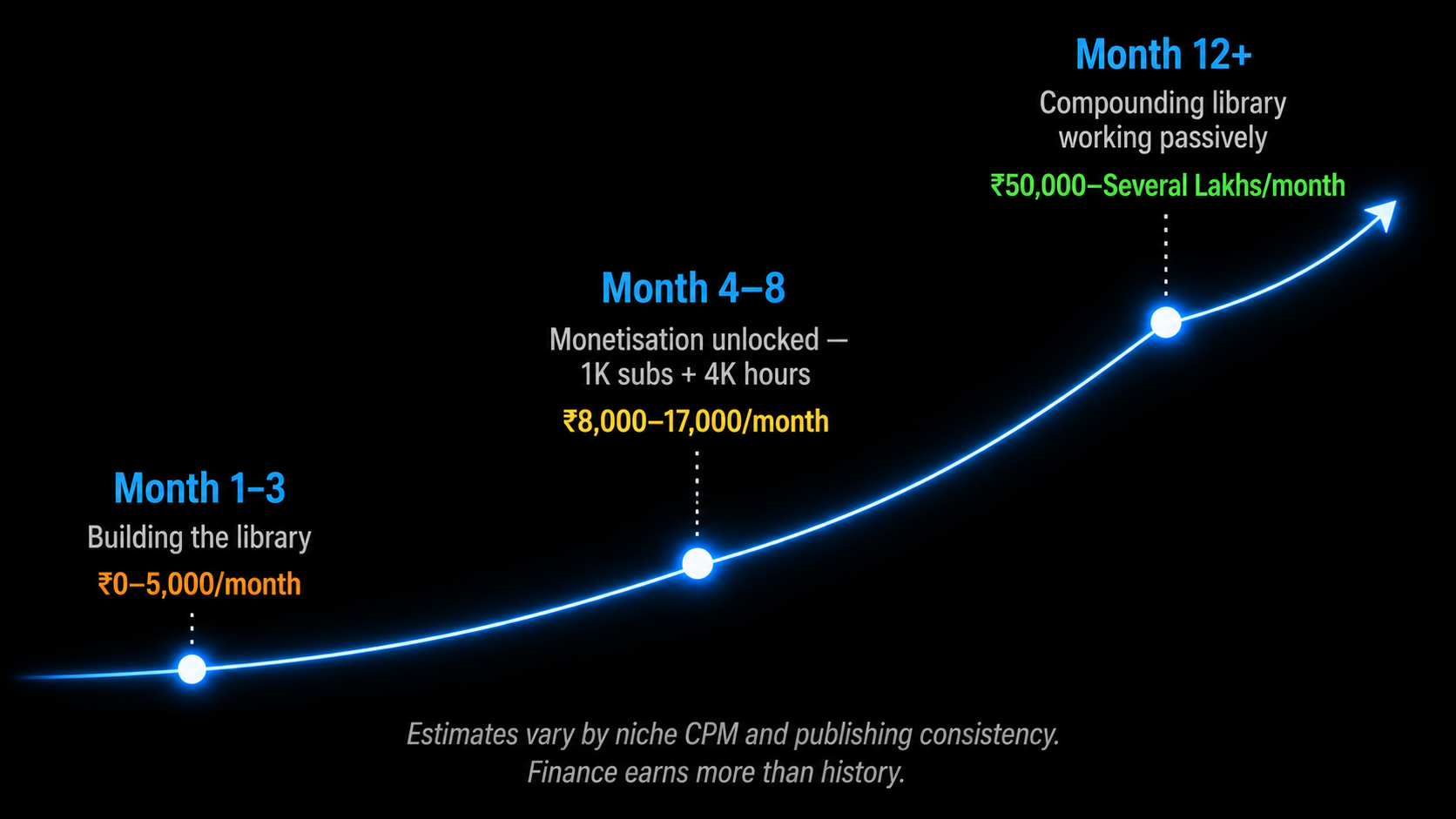
This is not the fastest way to make money online. It has the highest long-term ceiling and the most genuinely passive income once it is built. The creators who win treat a faceless YouTube channel as a real business, not a button that prints cash.
The Full Stack on One Platform
The usual faceless YouTube channel setup means juggling separate tools and bills for scripting, voice, video, music, and captions. AIClips puts the production stack in one place: realistic voiceovers, AI video models, music, and captions, billed in rupees at ₹349/month with UPI. You bring the niche, the angle, and the human judgement. The platform handles the rest of the assembly.
Frequently Asked Questions
Can you actually make money with a faceless YouTube channel?
Will YouTube demonetise a faceless AI channel?
Do I need to disclose that I use AI?
How many videos before a faceless channel grows?
What does it cost to run a faceless YouTube channel?
Build Your Faceless Channel Stack on AIClips
Voiceovers, AI video, music, and captions in one dashboard. INR pricing, UPI, from ₹349/month.
Start on AIClips →