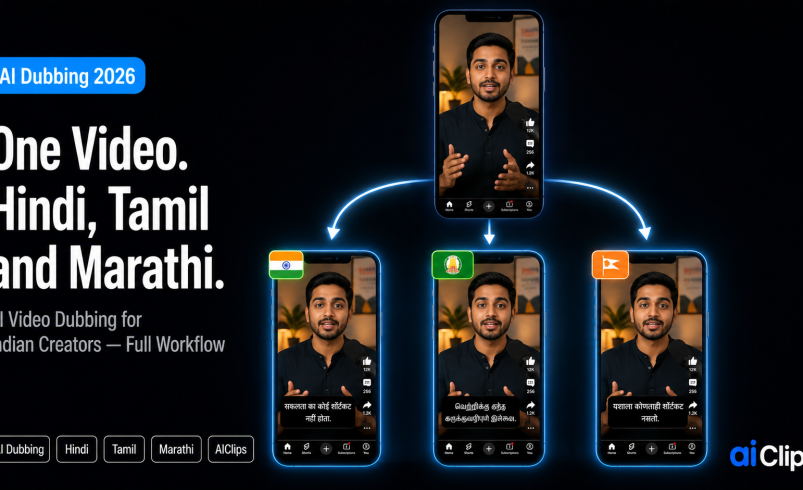

You shoot a video once and reach an audience that speaks five languages. That is the promise of AI video dubbing in 2026 — upload a clip, and AI translates it, speaks it in a natural voice, and even matches the lip movements to the new language. For Indian creators sitting on top of 22 official languages, this is the single biggest reach hack available right now.
This guide covers how AI dubbing actually works, the step-by-step workflow, and the one thing about Indian languages that most global tools get wrong.
| What it does | Takes one video and produces versions in other languages — translated, voiced, and lip-synced so it looks natively spoken. |
| How it works | Transcribe the original, translate it, generate a voice in the target language, then sync the speaker’s lips to the new audio. |
| Indian languages | Hindi, Tamil, Marathi, Telugu, Bengali and more are widely supported, though sync quality varies by tool. |
| The catch | Indian languages have phonetic quirks generic tools mishandle. Always review the result before publishing. |
| On AIClips | Dubbing and voiceover models in one place, ₹349/month with UPI. |
What AI Video Dubbing Actually Does
Old-school dubbing meant booking a studio, hiring voice actors for each language, and spending weeks in post. AI video dubbing collapses that into a single upload. The system listens to your video, works out what is being said, rewrites it in the target language, generates a natural-sounding voice, and re-times the speaker’s mouth to match.
The lip-sync part is what separates modern dubbing from a simple voiceover. Instead of audio that drifts away from the visuals, the mouth movements are reshaped to fit the new language, so the clip looks like it was genuinely spoken in Tamil or Marathi rather than awkwardly overdubbed.
Why This Is the Biggest Reach Hack for Indian Creators
Here is the maths that matters. A creator making content only in Hindi reaches a huge audience, but leaves out the tens of millions who prefer Tamil, Telugu, Bengali, or Marathi. AI video dubbing lets you make a video once and serve it to all of them, without re-shooting, re-scripting, or learning a new language.
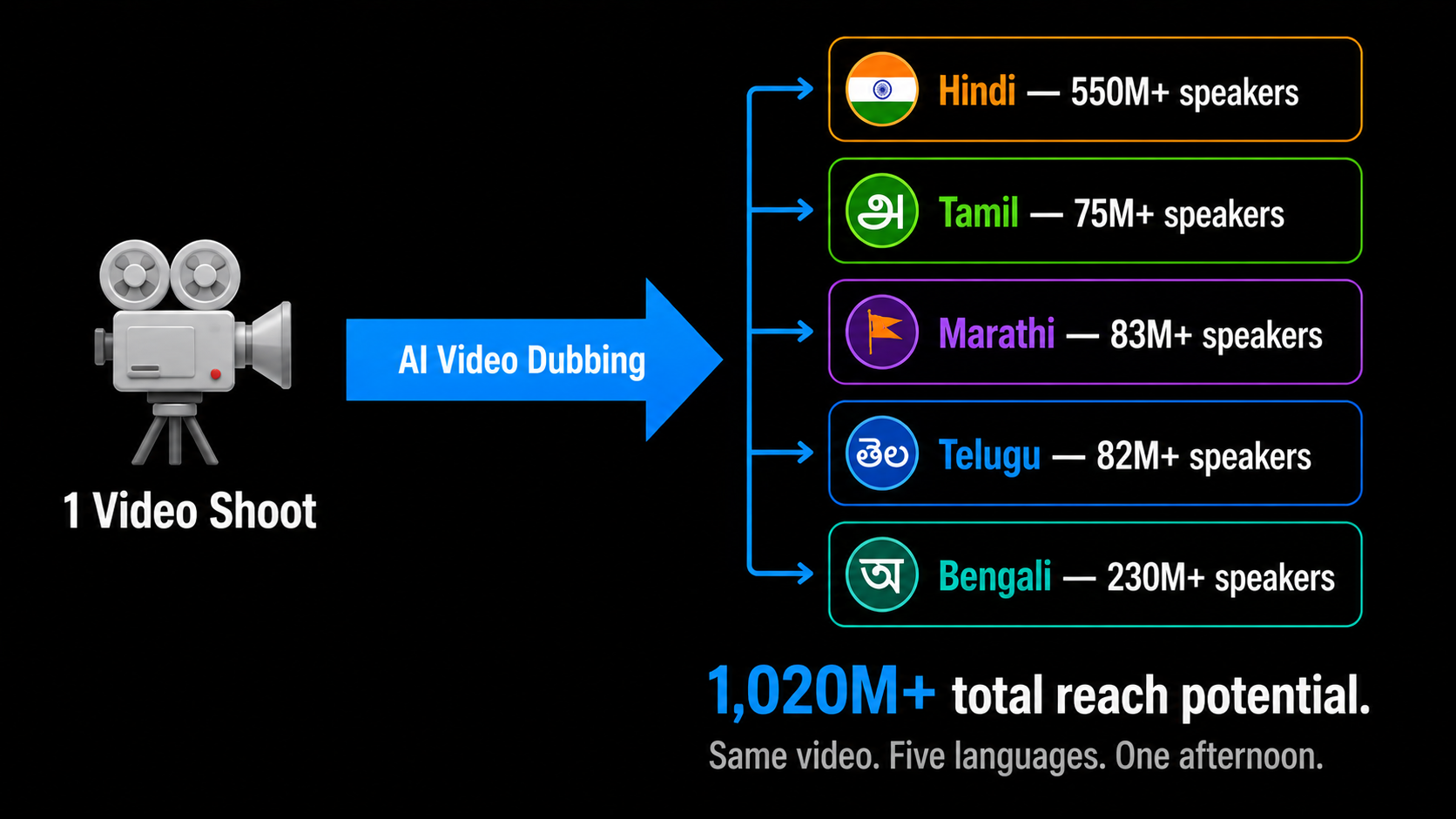
For a small creator this is genuinely transformative. The cost of going multilingual used to be prohibitive. Now a single afternoon of dubbing can multiply your reach across the country. Education, product demos, and storytelling all travel especially well this way.
A few places AI video dubbing earns its keep for Indian creators: a coaching channel turning one Hindi lesson into Tamil and Telugu versions for students down south; a D2C brand dubbing one product video into four languages for regional ad campaigns; a podcaster reaching Marathi and Bengali listeners without re-recording a single episode. The same source video, several audiences, almost no extra effort.
How AI Dubbing Works, Step by Step
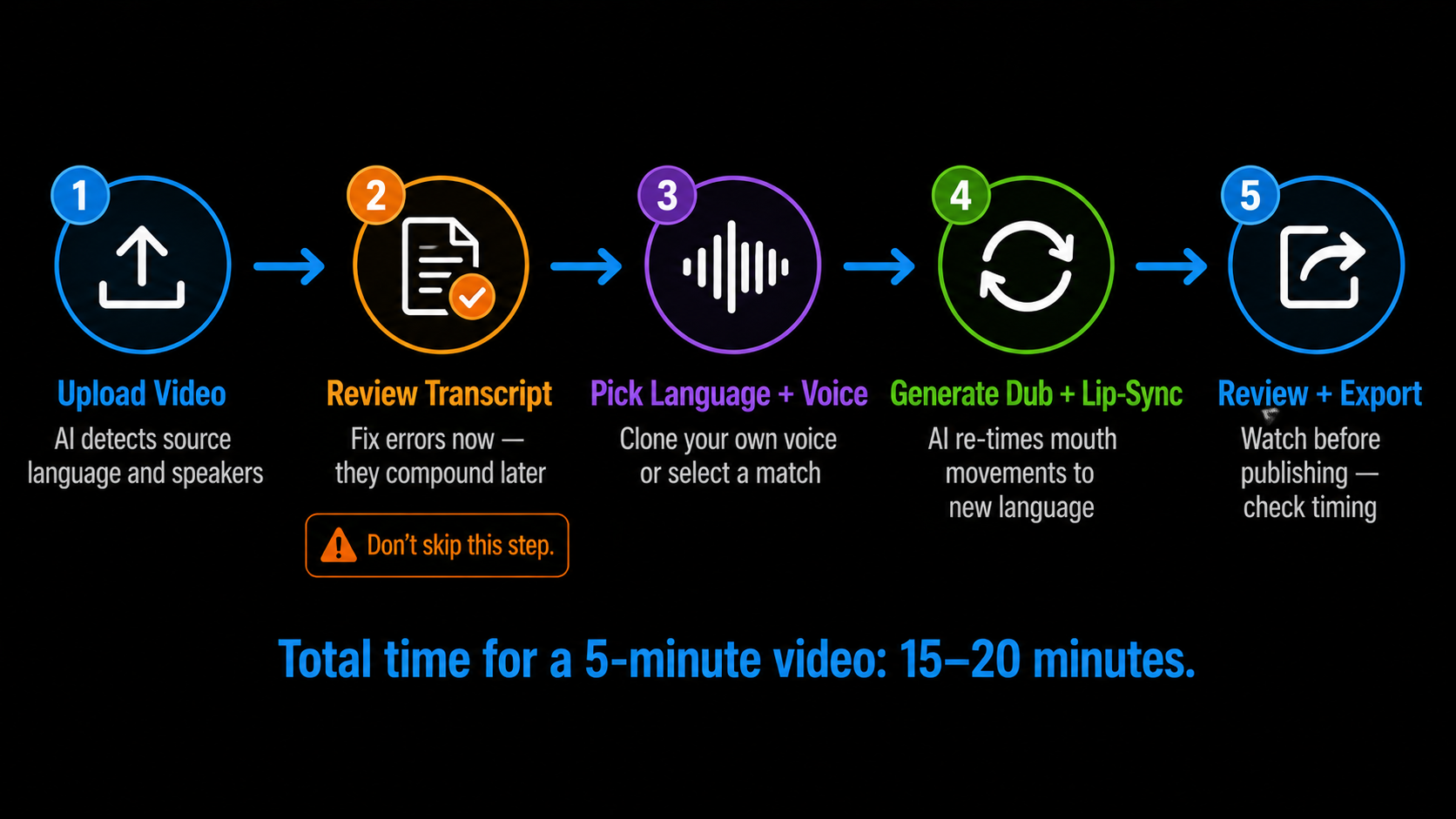
The AI video dubbing workflow is the same across most tools, including the dubbing models on AIClips. Five steps.
1. Upload Your Video START
Upload the clip or paste a link. The AI detects the source language automatically and works out how many speakers are in the video. Clean original audio gives a far better result, so record in a quiet space.
2. Review the Transcript CRITICAL
The tool transcribes your original speech. This is the step everyone skips and shouldn’t. Fix any mis-heard words now, because every error here gets translated and locked into the dub. Two minutes of proofreading saves a broken final video.
3. Translate and Pick a Voice SETUP
Choose your target language and a voice. Many tools can clone your own voice so the dub still sounds like you across Hindi, Tamil, and Marathi. If not, pick a voice that matches the tone of your content.
4. Generate the Dub and Lip-Sync PROCESS
The AI produces the translated audio and re-times the speaker’s lips to match. This takes a few minutes depending on length. Longer videos and multiple speakers naturally take more time.
5. Review, Fix, and Export FINISH
Watch the result before publishing. Check that the timing feels natural and the translation makes sense in context. When it is right, export the MP4 and upload it as a separate language version.
The Indian-Language Catch Most Tools Get Wrong
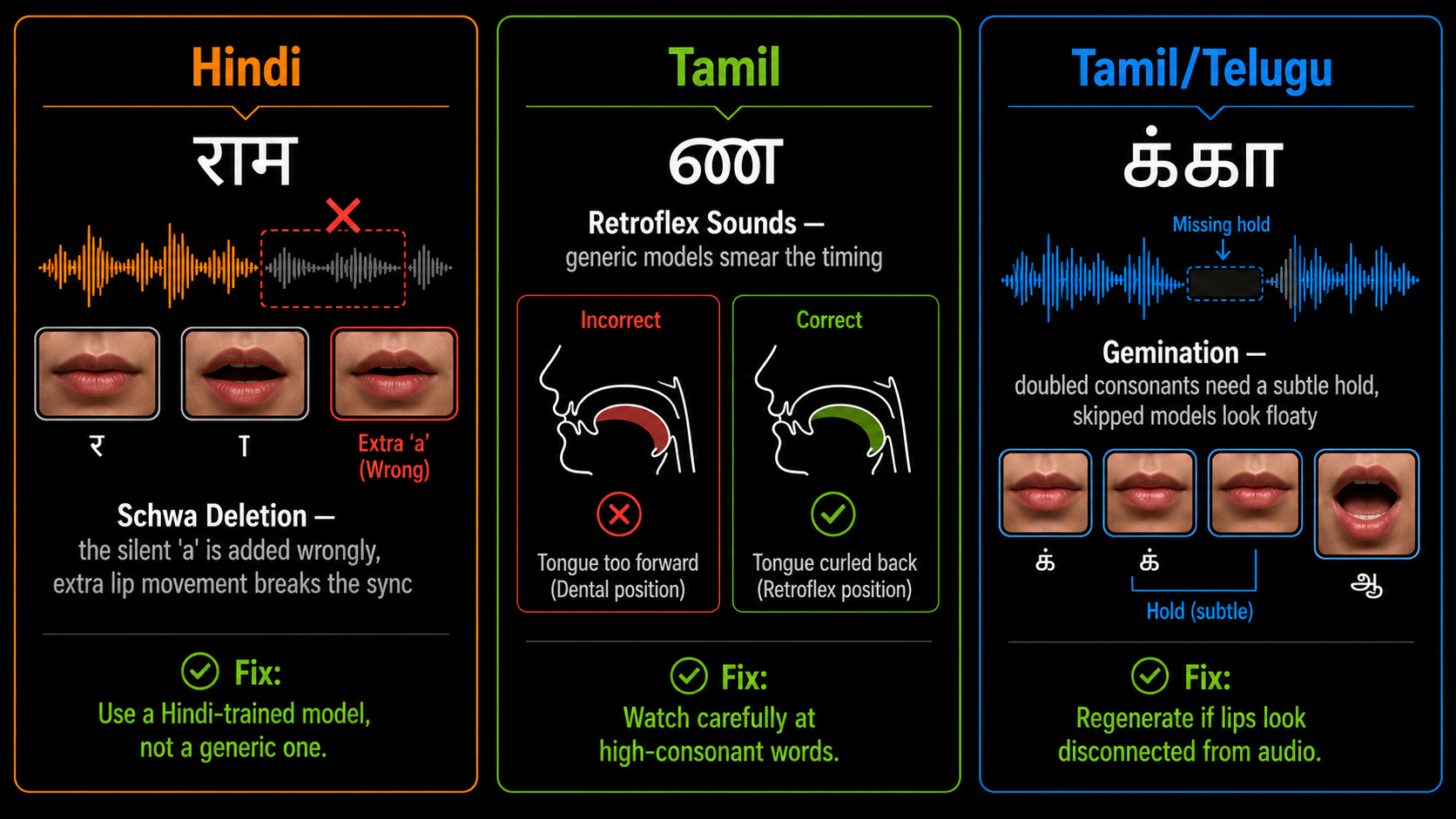
This is where generic global tools quietly fail, and where it pays to know what to look for. Indian languages carry phonetic features that English-first models were never built to handle.
- Schwa deletion in Hindi. Hindi often drops the silent “a” at the end of a word. Models that miss this add unnecessary lip movements, which breaks the illusion instantly.
- Retroflex consonants in Tamil and Telugu. Sounds like ण and ळ need precise tongue and lip positioning. Generic models smear the timing and it looks off.
- Gemination in Tamil. Doubled consonants need a subtle hold in the lip movement. Skip it and the dub looks floaty, disconnected from the audio.
When to Use Lip-Sync and When to Skip It
AI video dubbing with lip-sync is brilliant when a person is clearly speaking to camera. For a talking-head explainer or a piece to camera, it is worth the extra processing. For voiceover-style content where the speaker is not the focus — B-roll with narration, slideshow videos, faceless content — you often do not need lip-sync at all. A straight translated voiceover is faster, cheaper, and avoids the sync issues above entirely.
What This Costs in India
Standalone AI video dubbing tools price in dollars and often cap your free minutes hard. Here is the honest comparison for an Indian creator.
| Option | Price | Notes |
|---|---|---|
| Free dubbing trials | ₹0 | Usually one short clip, watermarked output |
| AIClips Creator | ₹349 / month | Dubbing and voiceover models plus 460 others, UPI |
| Separate dubbing tools | $24+ / month each | Per-tool, dollar billing, foreign card fees |
Running dubbing alongside your scripting, video, and captions on one rupee bill is what makes a multilingual workflow practical rather than a luxury. For the language-infrastructure picture behind all of this, see our piece on why Indian creators are building their own AI tools.
Frequently Asked Questions
Can AI dubbing keep my own voice?
Is AI dubbing accurate for Indian languages?
How long does it take to dub a video?
Do I need lip-sync for every video?
Which Indian languages can I dub into?
Dub Your Videos into Every Indian Language on AIClips
Dubbing, voiceovers, video, and captions in one dashboard. INR pricing, UPI, from ₹349/month.
Start Dubbing on AIClips →