
Not long ago, a proper brand identity meant weeks of back-and-forth with a designer and a bill that could run past ₹50,000. For a founder trying to launch this month, that was a wall. An AI logo generator knocks it down. You can now go from a business name to a usable logo and a matching brand kit in an afternoon, for a tiny fraction of the cost. This guide covers how it works, which tools are worth it, and — the part most articles skip — who actually owns the result.
I will be honest about the trade-offs throughout, because there are real ones. AI logos are fast and cheap and good enough for most businesses, but they can also look templated, and the ownership rules have genuine catches. Knowing both sides is how you get a brand you can build on rather than one you quietly replace in a year.
| What it does | You enter a name and style, and the tool generates logo options plus a matching kit of colours, fonts, and templates. |
| Good enough for? | Yes for most startups, D2C brands, and small businesses. Not for luxury or fashion, where a distinctive human mark still wins. |
| Top tools | Looka for all-round, Canva for free, Ideogram and Recraft for text and true vectors, Nano Banana for exploring ideas. |
| Cost | Free to design; roughly ₹1,700–₹16,000 for vector files and a full brand kit, versus ₹10,000–₹1,00,000+ for a designer. |
| The catch | A fully AI-made logo may not get copyright, and trademark is a separate step. Customise it and register the mark. |
What an AI Logo Generator Actually Does
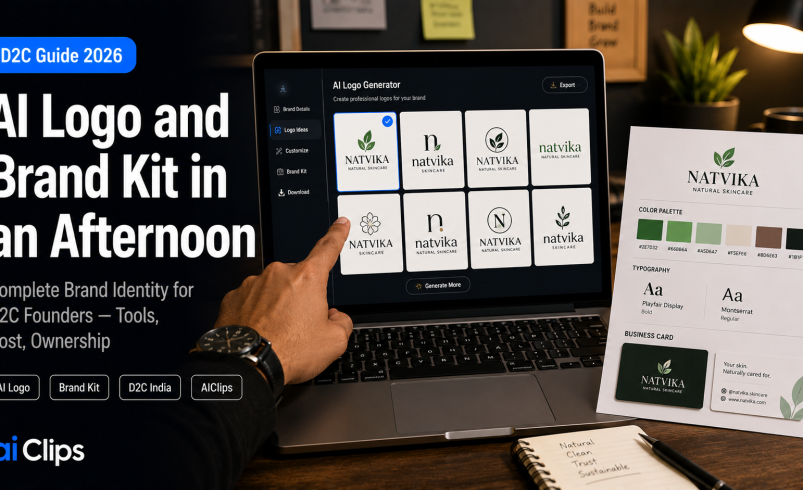
An AI logo generator makes the workflow refreshingly simple. You type in your business name, pick an industry, choose a few colours and styles you like, and the tool generates a batch of logo options in seconds. From there you customise — swap the icon, adjust the font, change the layout and palette — until one feels right. No design software, no brief, no waiting on someone else’s schedule.
The better tools do not stop at the logo. They build out a whole brand kit around it: a matching colour palette, chosen fonts, and ready-made templates for business cards, social posts, and more. That is the real shift. An AI logo used to just hand you a picture; now the better AI logo tools hand you a starting identity you can actually run a business on from day one.
Logo vs Brand Kit: Know the Difference
These two get muddled, and the difference decides how consistent your brand looks. A logo is the single mark — the symbol and wordmark people recognise. A brand kit is the whole system around it: the colours, the fonts, the spacing rules, and the templates that keep every future post, label, and ad looking like it came from the same company.
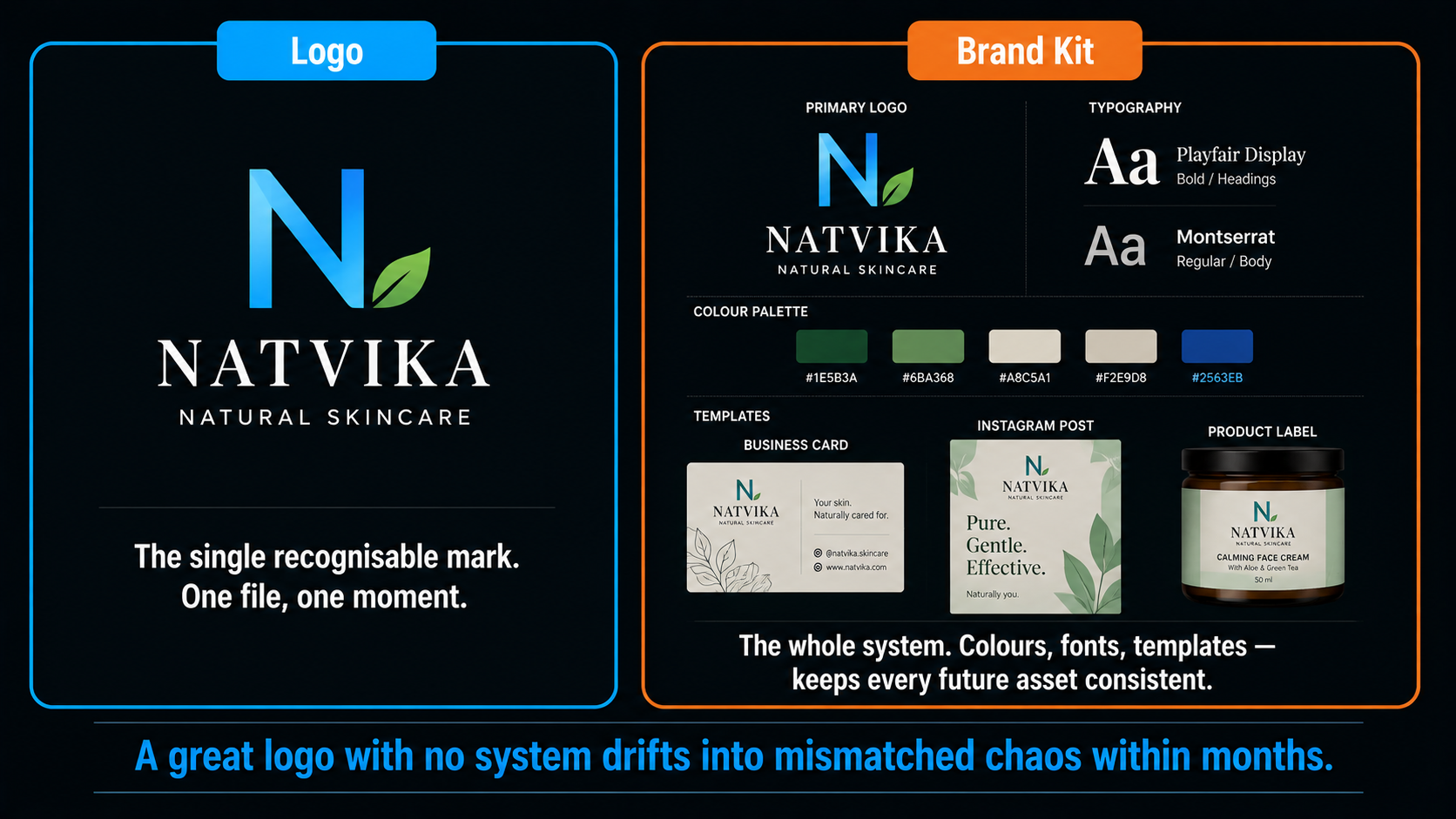
Here is why the kit matters more than most founders realise. The best modern brand kit is not a folder of files you forget in Google Drive. It is a reusable identity profile that keeps your future output consistent, so the thumbnail you make in six months still matches the packaging you designed today. A great logo with no system around it drifts into a mess of mismatched fonts and colours within months. The kit is what stops that.
Are AI Logos Good Enough in 2026?
For most businesses, an AI logo is more than good enough now, and it is not a close call anymore. An AI logo generator now produces clean, professional marks that hold up perfectly well on a website, a business card, packaging, and social media. For a startup, a D2C brand, a freelancer, or a small business, the output is genuinely good.
But I will not oversell it. If you are building a luxury or fashion label, where the visual identity carries enormous weight and needs to feel truly one-of-a-kind, a skilled human designer still beats the machine. The honest weakness of an AI logo is that it can feel templated — many tools draw from similar libraries, so an untouched result risks looking like ten other brands. The fix is to treat the generated logo as a strong first draft and customise it enough to make it yours. Originality is the one thing you have to add by hand.
The Best AI Logo Tools in 2026
Each of these is good at something specific. Pick by what matters most for your launch.
1. Looka BEST ALL-ROUND
The strongest overall AI logo generator for most founders. It pairs professional output with a guided process and a deep brand kit of matched templates, and its one-time Premium tier gets you vector files and ownership without a subscription trap. The trade-off is that its results can feel a little templated, so customise before you finalise.
2. Canva BEST FREE
The best free and beginner option, and unbeatable if you already live in Canva. You get a logo plus a whole content ecosystem to apply it across, though vector export needs the Pro tier. For a founder who wants their logo and their social graphics in one familiar place, this is the easy pick.
3. Ideogram & Recraft TEXT & VECTOR
When readable words inside the logo matter, Ideogram leads on text rendering. Recraft goes further for the technically minded, generating true native vectors — real editable paths — straight from a prompt, which is rare and genuinely useful for a clean, scalable wordmark.
4. Nano Banana 2 FREE EXPLORING
Google’s Nano Banana 2 is the most generous free image generator around, with a healthy number of free images a day. It is not a dedicated logo maker, but it is brilliant for exploring visual directions and moods at zero cost before you commit to a paid tool for the final file.
5. Adobe Express LEGAL CLARITY
Built on Firefly, Adobe Express offers the cleanest commercial-rights story of the group, which matters if you are trademark-bound and nervous about usage terms. It has a usable free tier too, making it a sensible choice when legal peace of mind is a priority.
How to Create Your Logo and Brand Kit, Step by Step
1. Nail Your Brand Basics First DEFINE
Before you touch a tool, get clear on your name, your audience, and the feeling you want — modern, playful, premium, trustworthy. A vague brief produces a generic logo. Five minutes of clarity here shapes everything the AI logo generator gives you back.
2. Generate a Batch of Concepts EXPLORE
Feed in your name and preferences and produce plenty of options. Do not fall for the first pretty result; look across the whole set for directions worth developing. Explore freely before you narrow down.
3. Customise to Escape the Template REFINE
This is the step that separates a forgettable logo from yours. Adjust the icon, the typography, the spacing, and the palette until it stops looking like a default. Your edits are also what give you a real ownership claim later, so they matter twice over.
4. Build the Full Brand Kit SYSTEMISE
Lock in your colour codes, your fonts, and a set of templates for social, packaging, and cards. This is what keeps every future asset consistent. Treat it as a living profile you reuse, not a one-off download.
5. Export Proper Vector Files FINISH
Download the highest-quality vector formats — SVG, EPS, or PDF — not just a PNG. Vectors scale cleanly from a favicon to a hoarding without going blurry. This is the one feature genuinely worth paying for.
The Ownership and Trademark Truth
What It Costs
| Option | Approx cost | What you get |
|---|---|---|
| Free tiers | ₹0 | Design and preview, usually PNG-only, good for exploring |
| Vector + brand kit | ~₹1,700–₹16,000 | Scalable files, matched templates, ownership on one-time tiers |
| Human designer | ₹10,000–₹1,00,000+ | A bespoke, distinctive identity and creative direction |
The single thing worth paying for is vector files. Free tiers almost always give you raster PNGs only, which look fine on screen but fall apart when scaled up for print or signage. If you are running a real business, budget for the tier that unlocks SVG or EPS. One-time purchase options also spare you a subscription you will forget to cancel. Weigh the download cost against what your time is worth too: an afternoon and a few thousand rupees for a complete identity is a genuine bargain when the alternative is weeks of waiting or launching with no brand at all.
Common Mistakes to Avoid
- Settling for the templated default. An unedited AI logo often looks like everyone else’s. Customise until it feels distinct.
- Downloading PNG only. Without a vector file, you will be stuck the first time you need your logo large or in print.
- Skipping the trademark search. Falling in love with an AI logo someone already owns is an expensive mistake to make late.
- No brand system. A logo without a brand kit drifts into inconsistent fonts and colours within months.
- Editing a finished PNG in another tool. Always go back to the source vector; re-editing a flattened image degrades it.
AI Logo vs a Human Designer: When to Use Which
This is the decision most founders actually wrestle with. An AI logo generator is not always the right answer, and it would be no use to you if I pretended otherwise.
Choose an AI logo when speed and budget matter and you need a solid, professional identity now — a launch this month, an MVP, a side project, a business where the logo needs to look credible rather than iconic. That covers the large majority of new D2C brands and small businesses. You get a usable mark and a full brand kit in an afternoon for a few thousand rupees, and you can always upgrade later once the business proves itself.
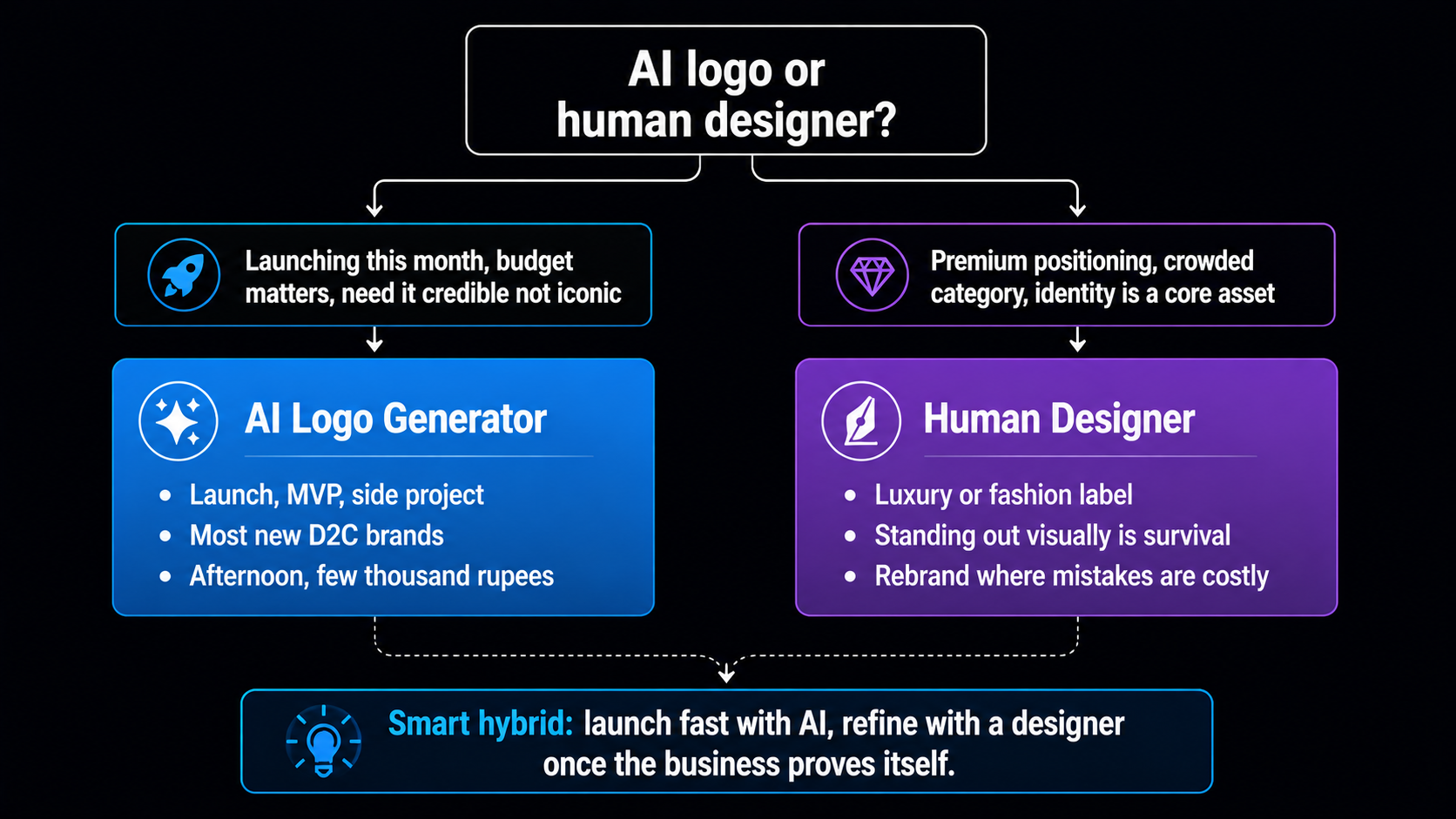
Choose a human designer when the mark itself is a core asset — a premium or luxury positioning, a crowded category where standing out visually is survival, or a rebrand where getting it wrong is costly. A good designer brings strategy and originality that a template-driven AI logo cannot match, and for a brand betting heavily on identity, that is worth the higher price.
For many founders, the smart path is a hybrid: use an AI logo to launch fast and cheap, prove the business works, then invest in a designer to refine or rebuild the identity once you can afford it. Starting with an AI logo is not a compromise you are stuck with; it is a sensible first step you can grow out of. The worst option is not “AI versus designer” — it is having no clear brand at all because you were waiting to afford the perfect one.
Where AIClips Fits
Our lane here is a specific one, and worth naming clearly. AIClips is not a dedicated vector logo maker — for a final, editable logo file, a vector-native tool or a designer will give you the cleanest result. Where AIClips earns its place is everything around the logo.
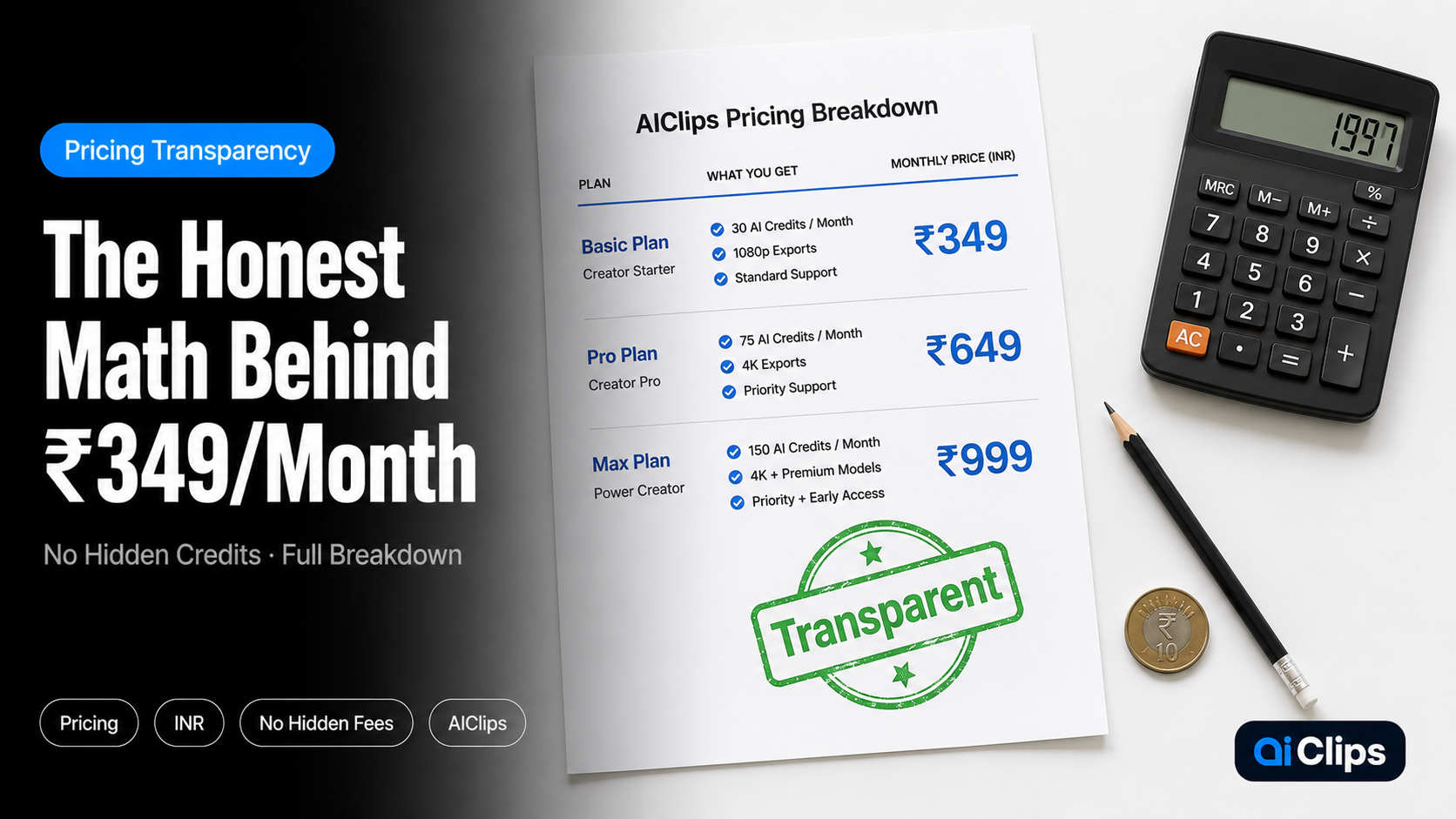
With ImageGen you can explore logo concepts and moods, and then produce all your ongoing on-brand visuals — thumbnails, product shots, social graphics, festive creatives, and videos — keeping your new identity consistent across every channel, across 461 models in one dashboard at ₹349/month with UPI. So finalise the mark where vectors are cleanest, then run your brand’s daily visual output on AIClips. Our AI image generator guide is the natural companion for that side of the work.
Frequently Asked Questions
Are AI-generated logos good enough for a real business?
Do I own a logo made with an AI logo generator?
How much should I pay for an AI logo and brand kit?
Why do AI logos sometimes look generic?
What file formats do I need?
Can I make a logo on AIClips?
Build Your Brand’s Visuals on AIClips
Explore concepts and produce on-brand thumbnails, product shots, and videos across 461 models. INR pricing, UPI, from ₹349/month.
Start on AIClips →