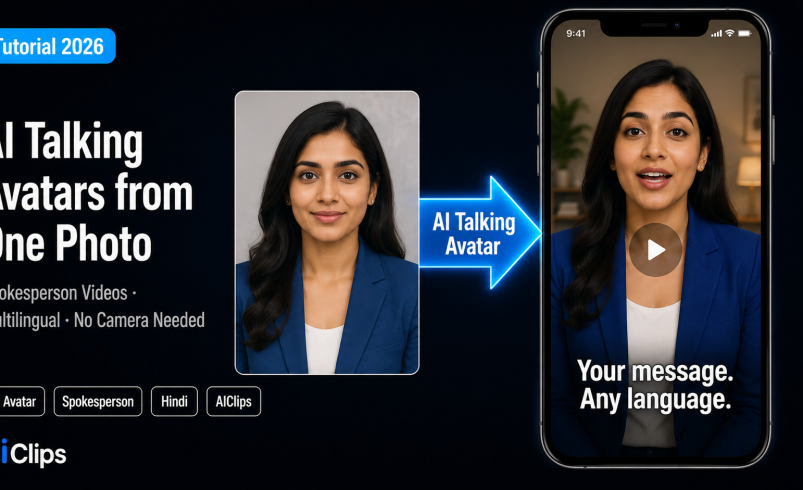

You upload one clear photo, type a script, and out comes a video of a person speaking it — lips synced, expressions natural, no camera or actor involved. That is an AI talking avatar, and in 2026 it is good enough to front explainers, training videos, ads, and multilingual content. This guide shows how to make one, how to keep it realistic, and where the line on responsible use sits.
On AIClips you can build talking avatars alongside 460 other models, billed in rupees at ₹349/month with UPI. Let us walk through it.
| What it is | A digital presenter generated by AI — a photo or character animated to speak a script with synced lips and natural expressions. |
| How it works | Pick or create an avatar, add a script (text-to-speech) or audio, and the AI animates the face to match. |
| Best uses | Spokesperson clips, explainers, training, ads, and multilingual videos at scale. |
| Languages | Major tools support 100+ languages, including Hindi, Tamil, Marathi, and more. |
| On AIClips | Avatars, voiceovers, and video in one place, ₹349/month with UPI. |
What an AI Talking Avatar Actually Is
An AI talking avatar is a video where a still photo or generated character is animated to move its lips and face in sync with audio. You give it a script or a voice track, and the AI works out the mouth shapes, adds expressions and head movement, and renders a clip of that face speaking. No filming, no retakes, no editing suite.
The voice comes from one of two places. Either you type a script and the avatar speaks it with text-to-speech, choosing from a large library of voices across languages, or you upload your own audio and the avatar matches its mouth to it. The better tools also handle jaw and tongue movement, natural head turns, and even hand gestures, which is what separates a believable AI talking avatar from a stiff puppet.
Talking Avatar vs Lip-Sync vs Digital Twin
These three get muddled, so here is the clean version.
| Term | What it means | Use when |
|---|---|---|
| Talking avatar | Animate a still photo or character to speak | You have a photo but no video |
| Lip-sync | Re-sync an existing video to new audio | You already have footage |
| Digital twin | A trained clone of yourself from a short video | You want a reusable version of you |
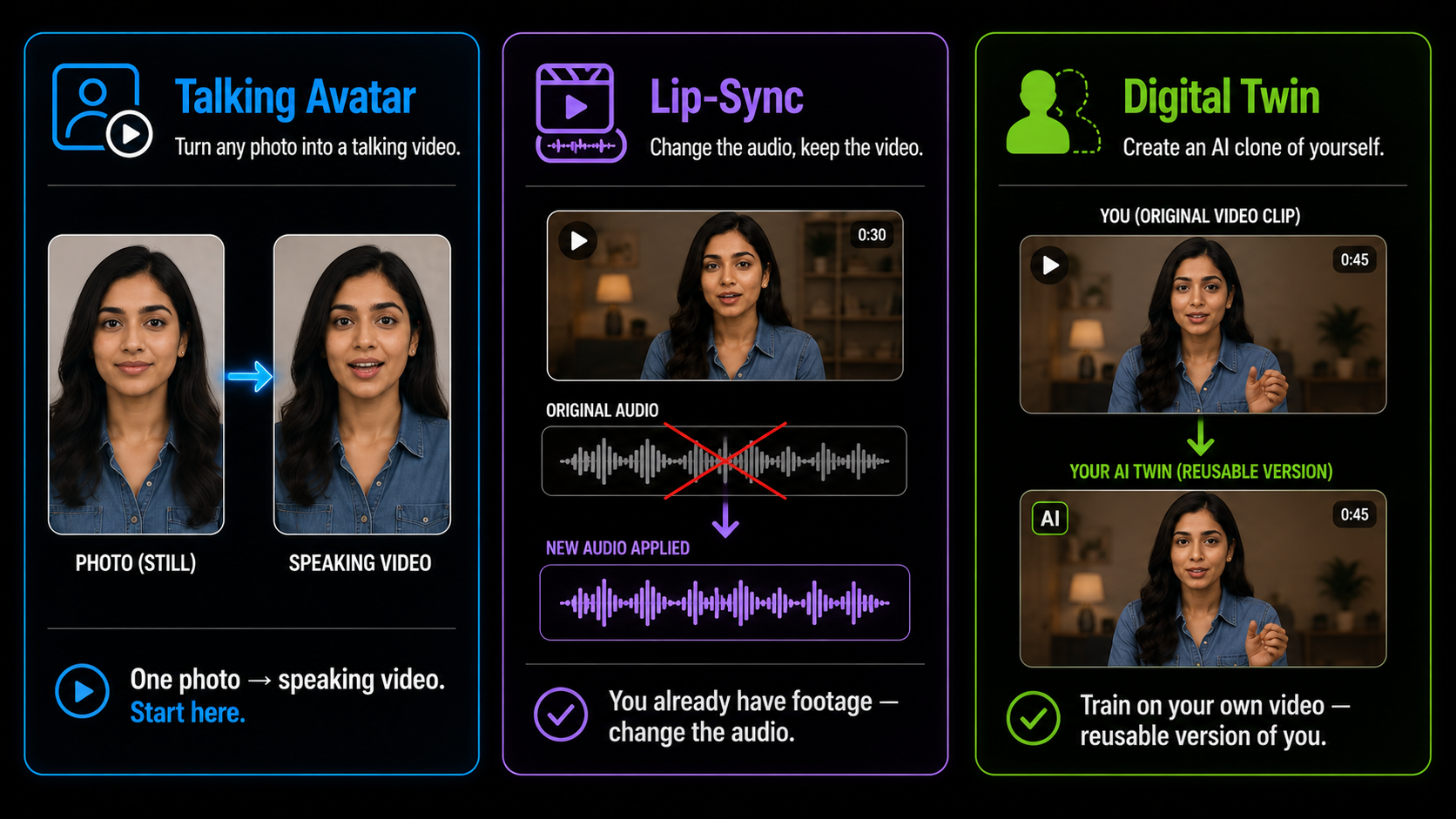
For most creators starting out, the talking avatar route is the easiest. One good photo is the only raw material you need.
It is worth knowing why an AI talking avatar beats a plain voiceover for certain jobs. A face holds attention in a way a disembodied voice over stock footage does not. For a sales pitch, a course intro, or a brand message, having a presenter look the viewer in the eye lifts trust and watch time, which is exactly why brands reach for an AI talking avatar when they cannot put a real person on camera.
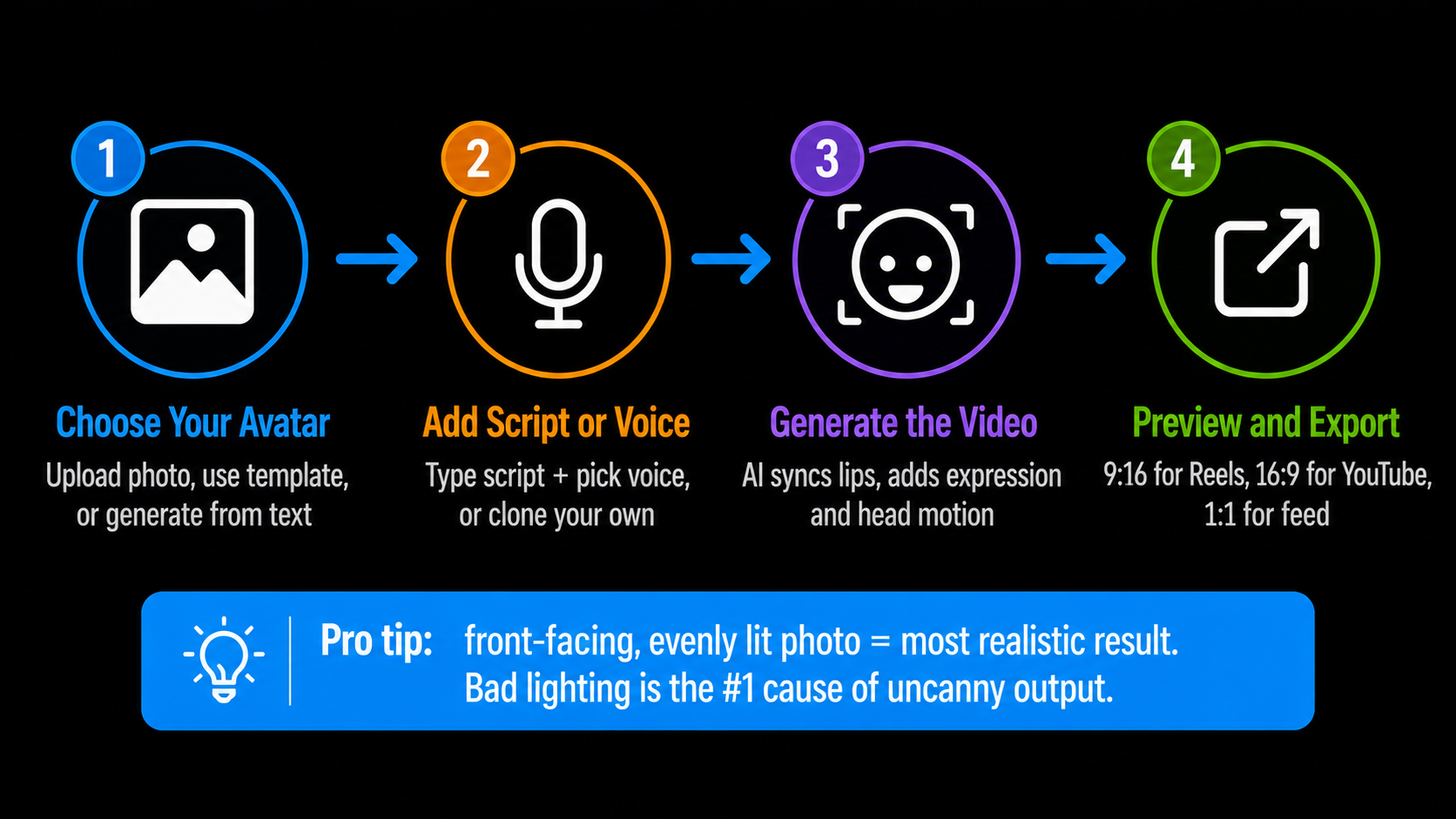
How to Make an AI Talking Avatar, Step by Step
1. Choose or Create Your Avatar START
You have four options: upload a clear, front-facing photo of a face, pick from a template library, generate a character from a text prompt like “professional spokesperson in a blue shirt,” or clone yourself from a short video. For a brand presenter, a consistent custom avatar pays off over time.
2. Add Your Script or Voice VOICE
Type your script and pick a voice — most tools offer a few hundred across languages, with control over emotion and speed. Or upload your own audio, or clone your voice from a short sample so the avatar sounds like you. Keep sentences short and natural; avatars read conversational writing best.
3. Generate the Video PROCESS
The AI aligns every sound to a mouth shape and adds expression and head motion. A clip under a minute usually renders in two to five minutes; longer or higher-resolution videos take ten to twenty. Use a precision or motion-control mode if your photo is a side profile or the face is partly obscured.
4. Preview and Export FINISH
Watch it back, fix any timing that feels off, then export as MP4. Choose 9:16 for Reels and Shorts, 16:9 for YouTube or a course, or 1:1 for feed posts. HD is fine for social; 4K for anything that needs to look premium.
Where Creators and Brands Use Talking Avatars
The appeal is the same everywhere: a presenter without the camera. Some of the most common uses:
- Spokesperson and explainer videos — front your product or service without going on camera yourself.
- Training and e-learning — deliver lessons and onboarding clearly, and update them by editing a script instead of re-shooting.
- Multilingual content — one avatar can present the same message in Hindi, Tamil, and English, which is a huge reach win for Indian creators.
- Faceless channels — a consistent narrator for creators who prefer to stay off camera.
- Personalised messages at scale — sales greetings and festive wishes, generated in batches.
For the ads angle specifically, a talking avatar is the engine behind most AI video ad workflows, where the same presenter delivers dozens of script variations for testing.
How to Get Realistic Results
The gap between a believable avatar and an obvious one usually comes down to a few choices.
A few more habits help. Break long scripts into shorter clips rather than one marathon take. Add gesture and expression direction if the tool supports it. And match the voice to the face; a mismatch between how someone looks and how they sound is the fastest way to break the illusion.
Use It Responsibly
What This Costs in India
| Option | Price | Notes |
|---|---|---|
| Free avatar trials | ₹0 | Short, watermarked clips for testing |
| AIClips Creator | ₹349 / month | Avatars, voiceovers, and video in one place, UPI |
| Separate avatar tools | $24–60 / month each | Per-tool, dollar billing, foreign card fees |
Running avatars next to your voiceovers, dubbing, and video on one rupee bill is what makes this practical for an Indian creator rather than a stack of foreign subscriptions. For the wider model lineup, see our 461 models breakdown.
Frequently Asked Questions
Can I make an AI talking avatar from a single photo?
Do AI talking avatars support Indian languages?
How long does it take to generate a talking avatar video?
Is it legal to use an AI talking avatar of someone?
What is the difference between a talking avatar and lip-sync?
Make Your First Talking Avatar on AIClips
Avatars, voiceovers, and video in one dashboard. INR pricing, UPI, from ₹349/month.
Start on AIClips →