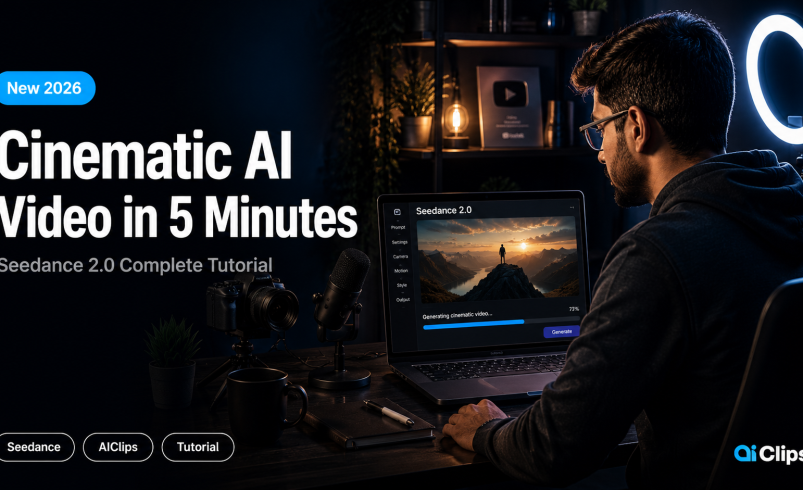

Most AI video tools give you something close to what you described. Seedance 2.0 gives you what you actually meant — characters that stay consistent, camera movement that feels directed, and audio that syncs naturally with the scene.
This Seedance 2.0 tutorial is the only guide you need to go from zero to a publish-ready cinematic AI video in under 5 minutes. If you’ve opened AIClips and wondered where to start with Seedance 2.0, this walkthrough covers every step — prompt writing, settings, generation, and refinement. By the end, you’ll know exactly how to use Seedance 2.0 to create videos that look like they were shot by a real cinematographer.
| What it is | ByteDance’s AI video model (released February 2026). Generates clips up to 15 seconds from text, images, audio, or video inputs — with native audio sync and 1080p output. |
| Does best | Cinematic motion, character consistency across frames, multi-shot storytelling, and physics (water, cloth, steam, collisions). |
| Cost on AIClips | ₹349/month (Creator plan). Standard = 400 credits. Fast = 315 credits. |
| Best for | Indian creators making Reels, Shorts, brand videos, and product content. |
| Not ideal for | Anime or stylized output (use PixVerse) or pure documentary realism (use Veo 3.1). |
What Seedance 2.0 Actually Does
Before you start generating, it helps to understand what separates this model from the others on AIClips.
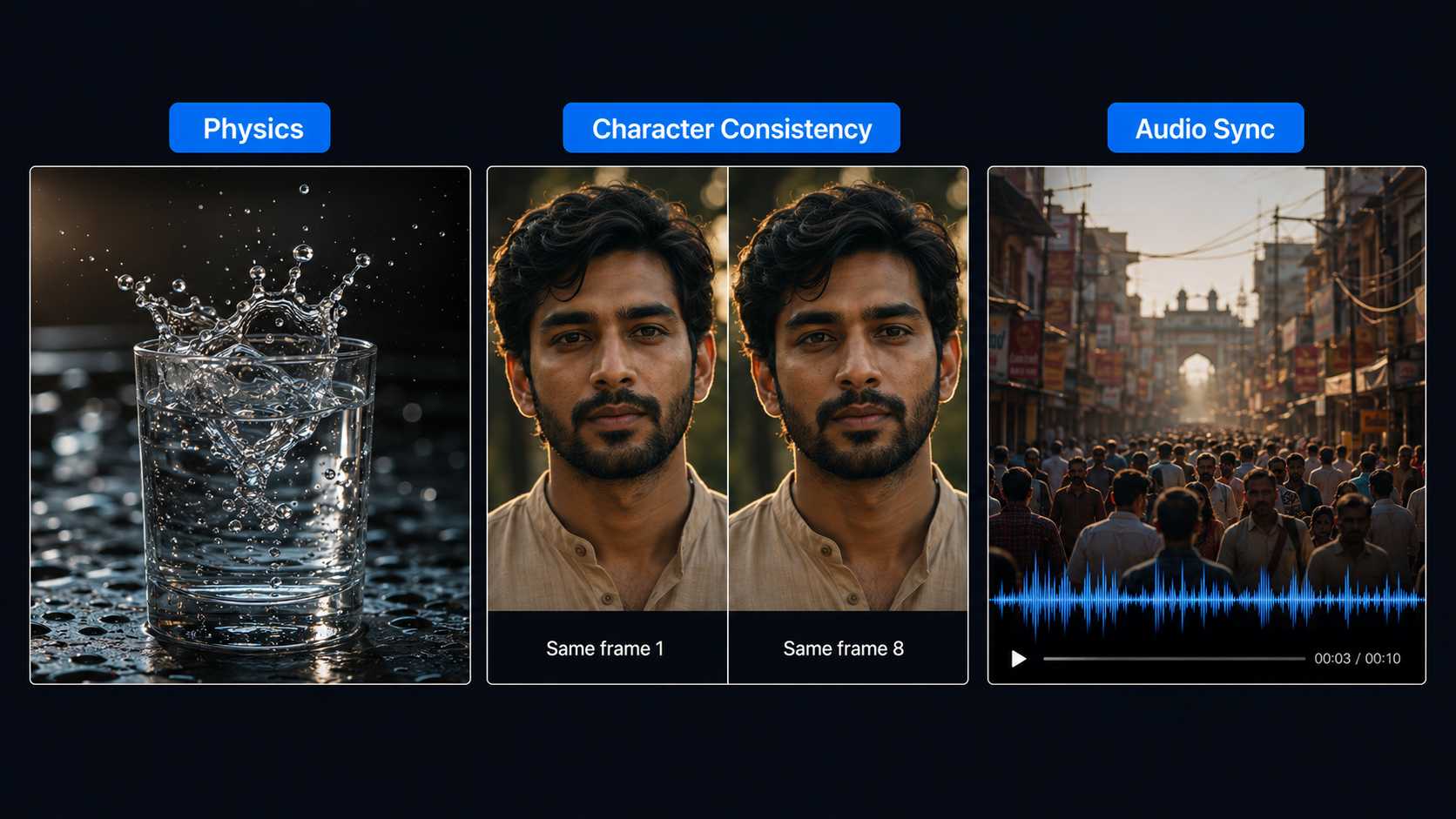
Seedance 2.0 was built around three problems that older AI video models never cleanly solved:
Physics. Water, cloth, steam, dust, collisions — things that should move realistically. Most models approximate this. Seedance 2.0 simulates it. A jalebi frying in oil looks like a jalebi frying in oil, not a texture animation.
Character consistency. In older models, a character’s face shifts subtly between frames. After 6–7 seconds, they look like a different person. Seedance holds the same face, outfit, and visual identity from the first frame to the last.
Audio sync. Seedance 2.0 generates audio alongside video in a single pass. The sound matches the scene — not added after, not guessed. If the scene has a street crowd, you hear a street crowd.
On top of this, it accepts text, images, video clips, and audio as inputs simultaneously. You can upload a product photo, describe the environment in text, and reference a video clip for camera movement — all in one generation.
What You Need to Get Started
An AIClips account. That is it.
Seedance 2.0 is available directly inside AIClips at app.aiclips.net. No separate ByteDance account, no Dreamina account, no waitlist. Open the Video Generator, select Seedance 2.0, and you are ready.
AIClips Pricing
| Plan | Monthly Price | Credits / Month | Standard Runs | Fast Runs |
|---|---|---|---|---|
| Creator | ₹349 / month | 500 | ~1 | ~1–2 |
| Professional | ₹649 / month | 1,100 | ~2–3 | ~3 |
| Agency | ₹999 / month | 1,800 | ~4 | ~5 |
| Credit Pack (add-on) | ₹325 one-time | 500 | ~1 | ~1–2 |
Standard vs Fast — Which to Use
| Variant | Resolution | Credits | Speed | Use When |
|---|---|---|---|---|
| Standard | 1080p | 400 | 60–120 sec | Final publish-ready output |
| Fast | 720p | 315 | 30–60 sec | Testing and iterating prompts |
Writing Your First Seedance 2.0 Prompt
This is where most people go wrong. They type something like “a man walking through a forest” and wonder why the output looks like a screensaver.
Seedance 2.0 responds to specificity. The formula that consistently works:
Here is the same idea written two ways:
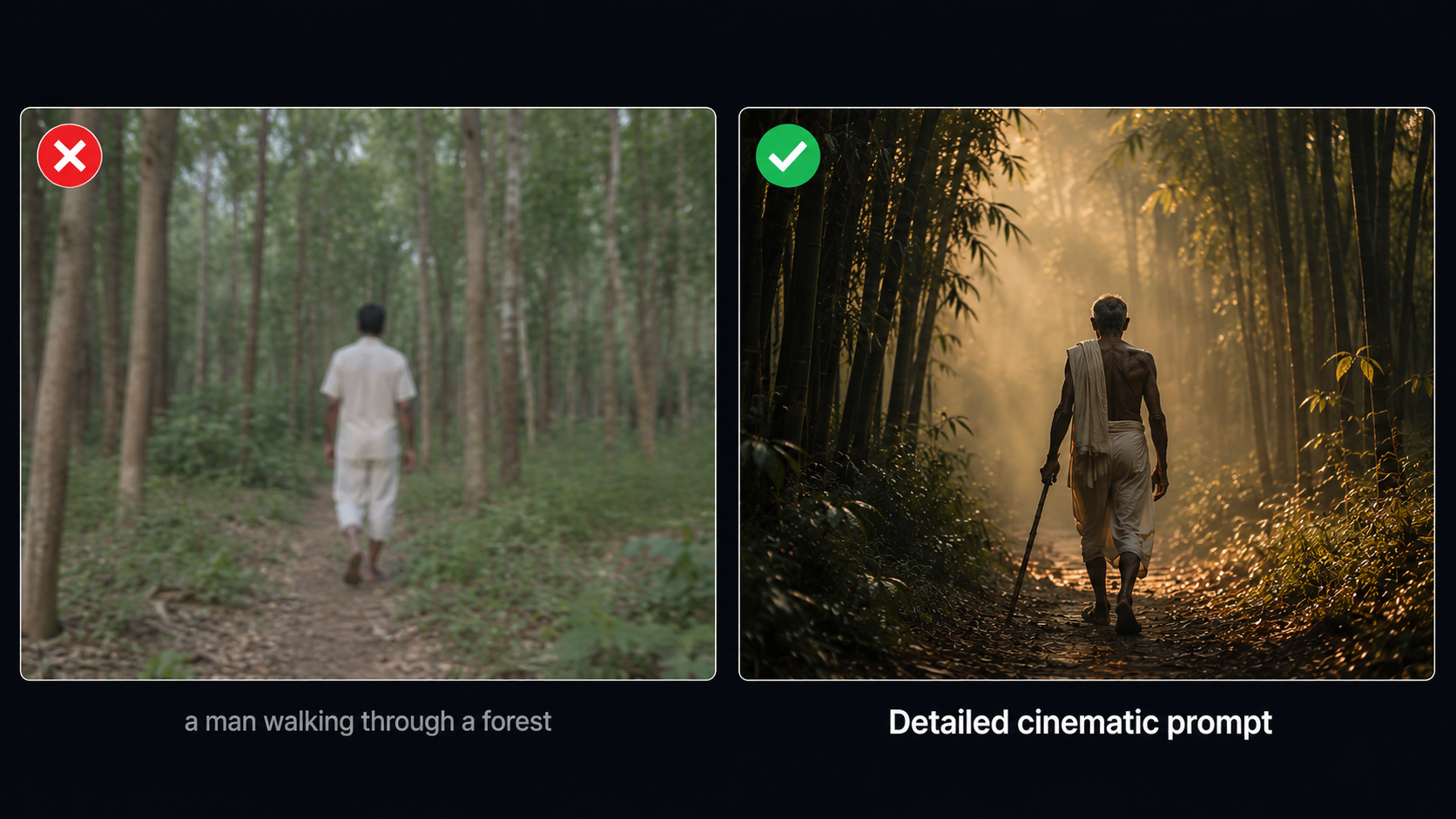
The second prompt is five times longer. It will also produce a video that looks like it was shot by a real cinematographer.
What Seedance 2.0 Responds Well To
| Input Type | Examples That Work |
|---|---|
| Camera directions | “tracking shot,” “slow push in,” “overhead drone,” “handheld documentary” |
| Lighting | “golden hour,” “overcast diffused light,” “harsh afternoon sun,” “neon rain” |
| Indian references | “Mumbai chawl,” “Rajasthan desert,” “ghats at sunrise,” “local chai stall” |
| Audio cues | “sound of distant tabla,” “rain on a tin roof,” “crowd noise fading out” |
| Film mood | “Bollywood drama tone,” “documentary style,” “commercial product video” |
Configure Your Settings
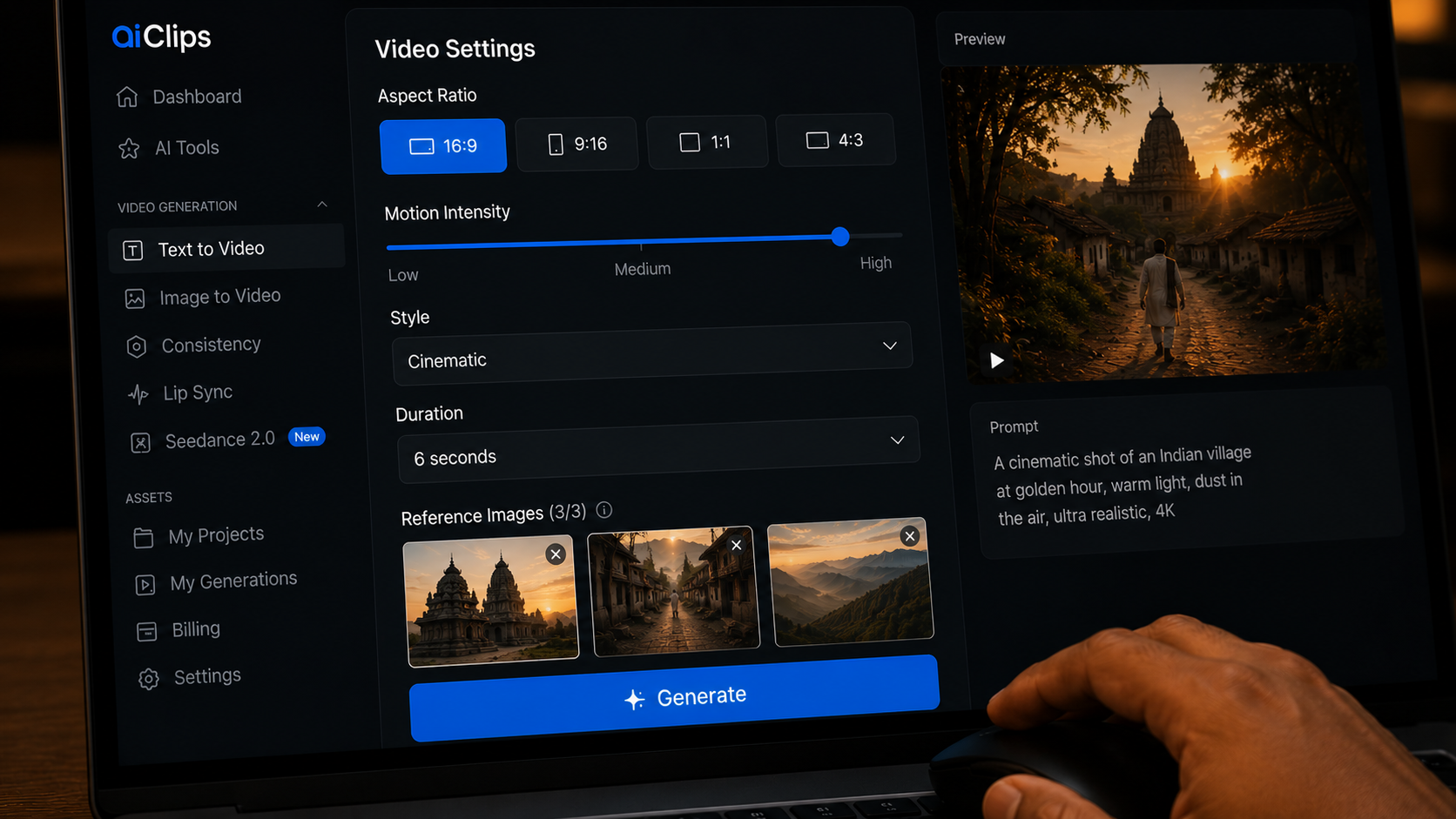
Aspect Ratio
| Ratio | Best For |
|---|---|
| 16:9 | YouTube, cinematic content, horizontal videos |
| 9:16 | Instagram Reels, YouTube Shorts, TikTok |
| 1:1 | Instagram feed posts, LinkedIn |
Reference Inputs — The Feature Most People Underuse
Upload a reference image and Seedance treats it as a visual anchor — it replicates the visual identity precisely, not just uses it as inspiration. In one generation you can combine:
- Up to 9 reference images
- Up to 3 video clips for camera movement or style reference
- Up to 3 audio files for sound mood reference
- A text prompt describing the scene
Generate and Review
Hit generate. Standard takes 60–120 seconds. Fast takes 30–60 seconds.
If the first few frames look rough, wait — do not cancel mid-generation. Early frames are always rougher than the final output.
Once the clip finishes, check these four things:
- Does the subject look the same from the first frame to the last?
- Does the camera movement feel controlled, not random?
- Does the audio match what is happening visually?
- Does anything look physically wrong — hands, water, collisions?
If it passes all four, you have a publishable clip.
Refine Without Starting Over
Plan for 3–5 generations per scene. That is completely normal.
Re-roll first. Before changing the prompt, re-roll it 1–2 times. Seedance has enough internal variation that a re-roll often produces a clearly better take without any edits from you.
Edit the Prompt If Re-rolling Does Not Help
| Problem | Add to Your Prompt |
|---|---|
| Output looks flat | “volumetric lighting, shallow depth of field, lens flare” |
| Character moves too fast | “slow and deliberate movement, meditative pace” |
| Background too generic | “old Mumbai chawl courtyard, drying clothes, black water tank on the roof” |
| Audio does not match | “sound of distant auto-rickshaw horn, monsoon rain on the roof” |
| Character face drifts | Upload a reference photo of the character |
Video Extension — Build Longer Videos
Once you have a clip you like, upload it back as a video reference and prompt Seedance to continue from where it stopped. The model holds character consistency through the extension — this is how you build a 45–60 second video without it looking like five different clips stitched together.
5 Prompts That Always Work in This Seedance 2.0 Tutorial
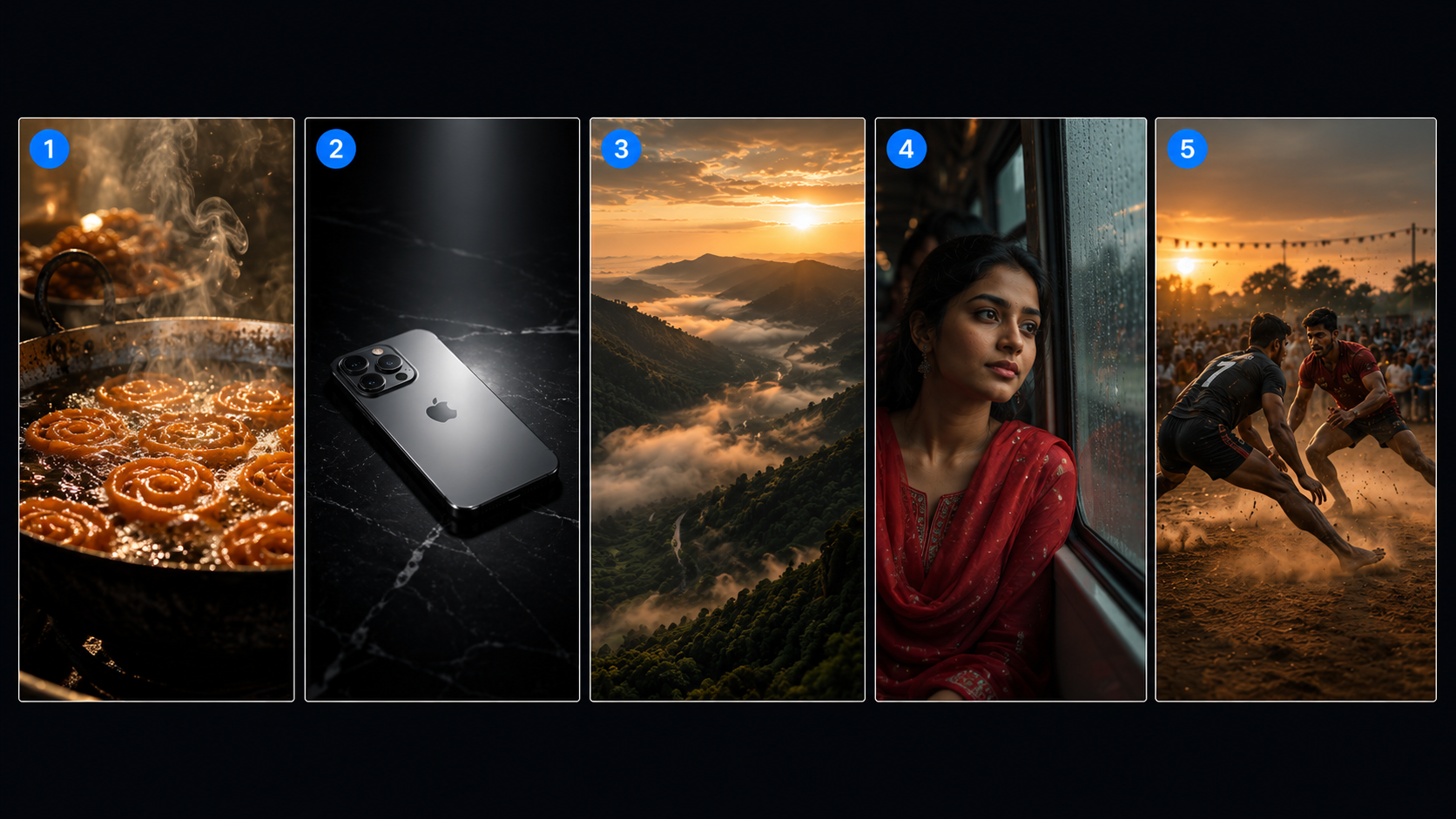
These prompts have been tested on AIClips. Copy them directly, run them, and adapt them for your content.
Indian Street Food Shot
Food physics and steam are areas where Seedance consistently outperforms other models. The pull-back reveal is a cinematic move it handles very cleanly. Run it 2–3 times — one take will be genuinely excellent.
Good for: Food brands, restaurants, travel content, festive reels.
Product Reveal
Product isolation plus one light source plus one camera move is this model’s most reliable output. Every D2C brand pays ₹15,000–20,000 for this exact shot in a studio. On AIClips it is 315 credits on Fast.
Good for: E-commerce, D2C product launches, Instagram product videos.
Landscape B-Roll
No characters means no character-consistency challenge. Best starting point if you are new to the model. A failed take still looks decent. A good take looks like a National Geographic shot.
Good for: Travel reels, brand atmosphere videos, documentary b-roll.
Emotional Character Moment
Single subject, static camera, emotional beat — Seedance 2.0’s character rendering is at its strongest here. The face holds consistently for all 8 seconds, and the “Bollywood drama tone” tag noticeably affects the color grade.
Good for: Storytelling content, emotional brand ads, short film sequences.
Two-Person Action Scene
Multi-person contact scenes used to break AI video models. Seedance 2.0 was specifically improved for this in the February 2026 release. Swap kabaddi for cricket, wrestling, dance, or any two-person scene.
Good for: Sports brands, cultural content, action sequences.
Common Mistakes — and How to Avoid Them
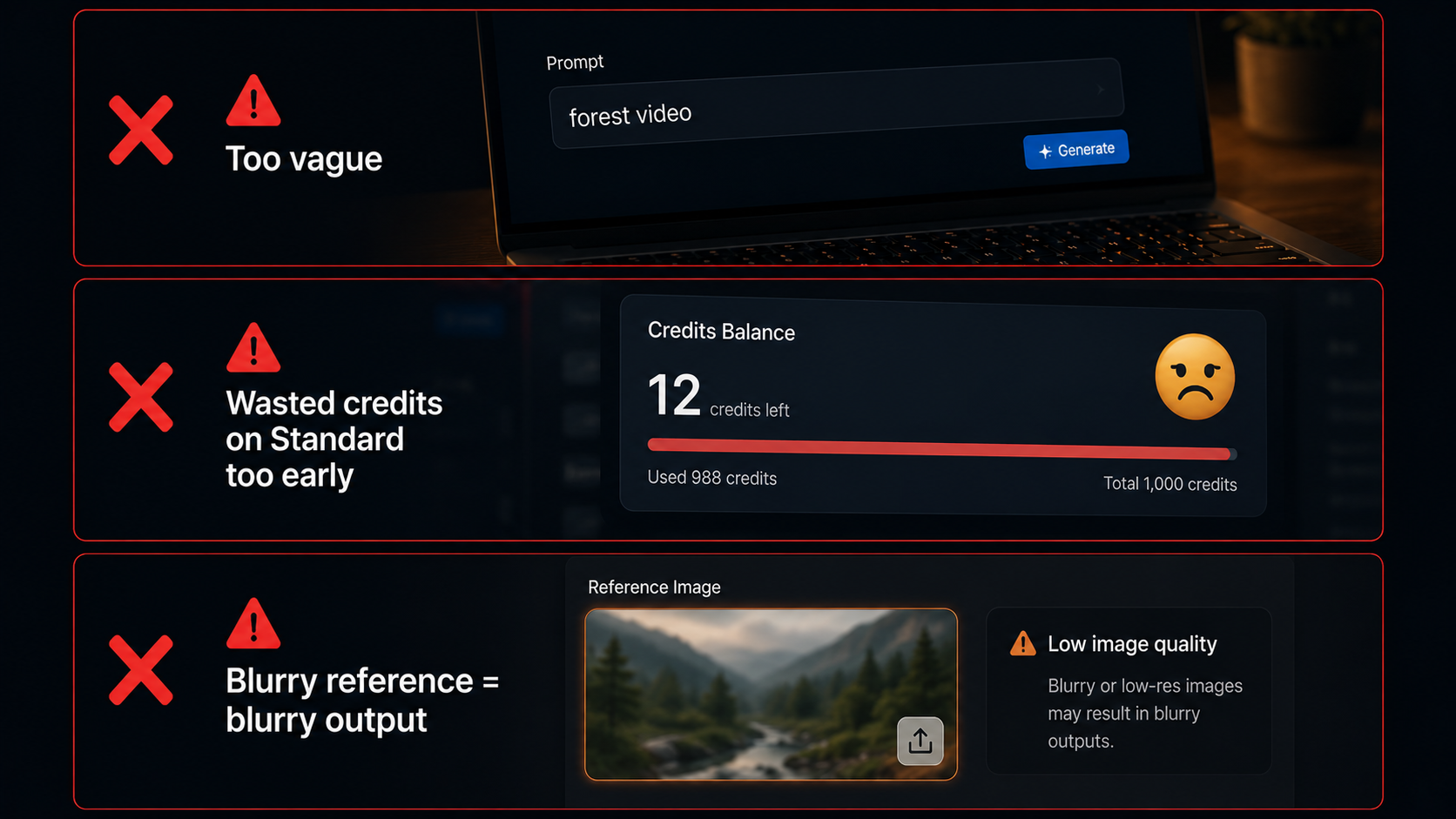
| Mistake | What Happens | Fix |
|---|---|---|
| Writing a search query as a prompt | Generic, unusable output | Add subject + action + environment + style every time |
| Going straight to Standard | Credits wasted on concept testing | Use Fast for first 2–3 attempts |
| Uploading a blurry reference image | Blurry video output | Use well-lit, sharp images. Garbage in, garbage out. |
| Ignoring audio descriptors | Random audio that does not match | Describe sound — instrument, environment, or silence |
| Cancelling mid-generation | Wasted credits, missed result | Wait — early frames are always the roughest |
When Seedance 2.0 Is Not the Right Model
Other models on AIClips do certain things better:
| What You Are Making | Better Model | Why |
|---|---|---|
| Anime or stylized output | PixVerse v6 | Seedance is cinematic-realistic, not stylized |
| Raw photorealistic footage | Veo 3.1 | Edges ahead on everyday documentary realism |
| Viral effects and face filters | Wan Effects | 50+ one-click effects built for social content |
| Quick concept testing | Seedance Fast | Same model, lower cost, faster turnaround |
For a full comparison of every major model on AIClips, read the AI Video Models Explained 2026 guide.
Seedance 2.0 on AIClips vs Other Platforms
| AIClips | Higgsfield | Dreamina | |
|---|---|---|---|
| Monthly price | ₹349 (Creator) | ~₹3,250 ($39) | Varies |
| Other models | 600+ | ~15 | Limited |
| INR payment | ✓ Yes | ✗ USD only | ✗ No |
| Credit expiry | ✓ No expiry | ✗ 90-day expiry | Varies |
| Hindi & regional tools | ✓ Hindi, Marathi, Tamil+ | ✗ No | Limited |
| Stock media library | ✓ Included | ✗ No | ✗ No |
Frequently Asked Questions
How many Seedance 2.0 videos can I make per month on AIClips?
Does Seedance 2.0 work with Hindi or Indian cultural references?
Does Seedance 2.0 generate audio automatically?
How long are the videos?
Can I use these videos commercially?
What is the difference between Standard and Fast?
Start Making Videos on AIClips
Seedance 2.0 + 600 other AI models. No waitlist. No separate account. Starts at ₹349/month.
Open AIClips Video Generator →