
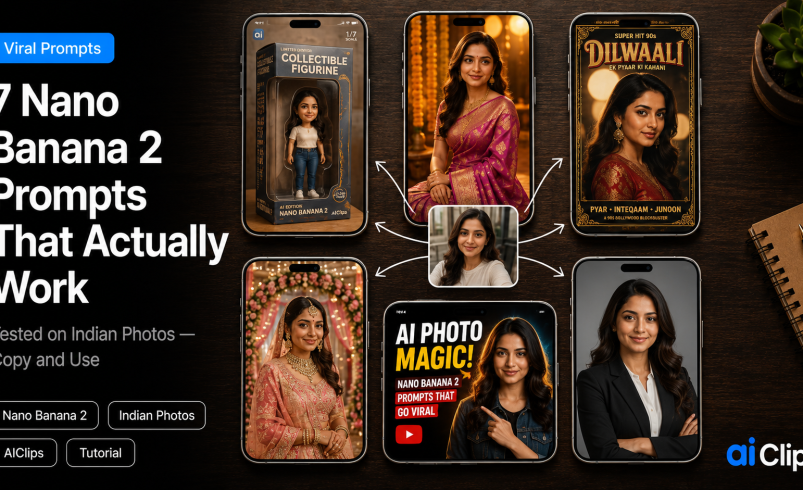

Open any Indian WhatsApp group right now and you will see the same thing. Aunties as 3D collectible figurines. Cousins in Banarasi saree portraits that look straight out of a 90s film. Whole startup teams turned into shelf toys with a packaging box behind them. All of it made from one selfie and one line of text. This Nano Banana 2 tutorial hands you the exact nano banana prompts to do the same, tested on Indian faces and clothing.
Nano Banana 2 is Google’s latest image model, also called Gemini 3.1 Flash Image. On AIClips it sits next to 460 other models, billed in rupees with UPI, from ₹349/month. Copy any prompt below, swap in your own details, and regenerate until it lands.
| What it is | Nano Banana 2 (Gemini 3.1 Flash Image), Google’s latest AI image generation and editing model. You give it a photo plus text, it restyles or edits the image. |
| What changed | Took the No.1 text-to-image spot, costs roughly half the Pro version, outputs up to 4K, renders in-image text far more cleanly, and holds up to 5 people consistent in one scene. |
| On AIClips | Inside ImageGen alongside 460 other models. No separate Google account or foreign card needed. |
| Cost | ₹349/month Creator plan, UPI supported. Free in Google’s Gemini app for casual use. |
| Best input | A well-lit, front-facing or three-quarter photo. Face not blocked by hair, sunglasses, or a hand. |
What Changed with Nano Banana 2
The first Nano Banana went viral last August. It was free inside the Gemini app, which is why every feed filled up with figurines overnight. Version 2 arrived in late February 2026, and the jump is real.
It took the top spot on the main text-to-image leaderboards, and Google priced it at about half of what the Pro version cost. Three things matter if you make content. The in-image text is cleaner now, so your thumbnail stops reading as garbled letters. Output scales up to 4K. And it can hold five people plus a dozen-odd objects steady in one scene, which means a group photo of the whole family as figurines actually keeps everyone’s face intact.
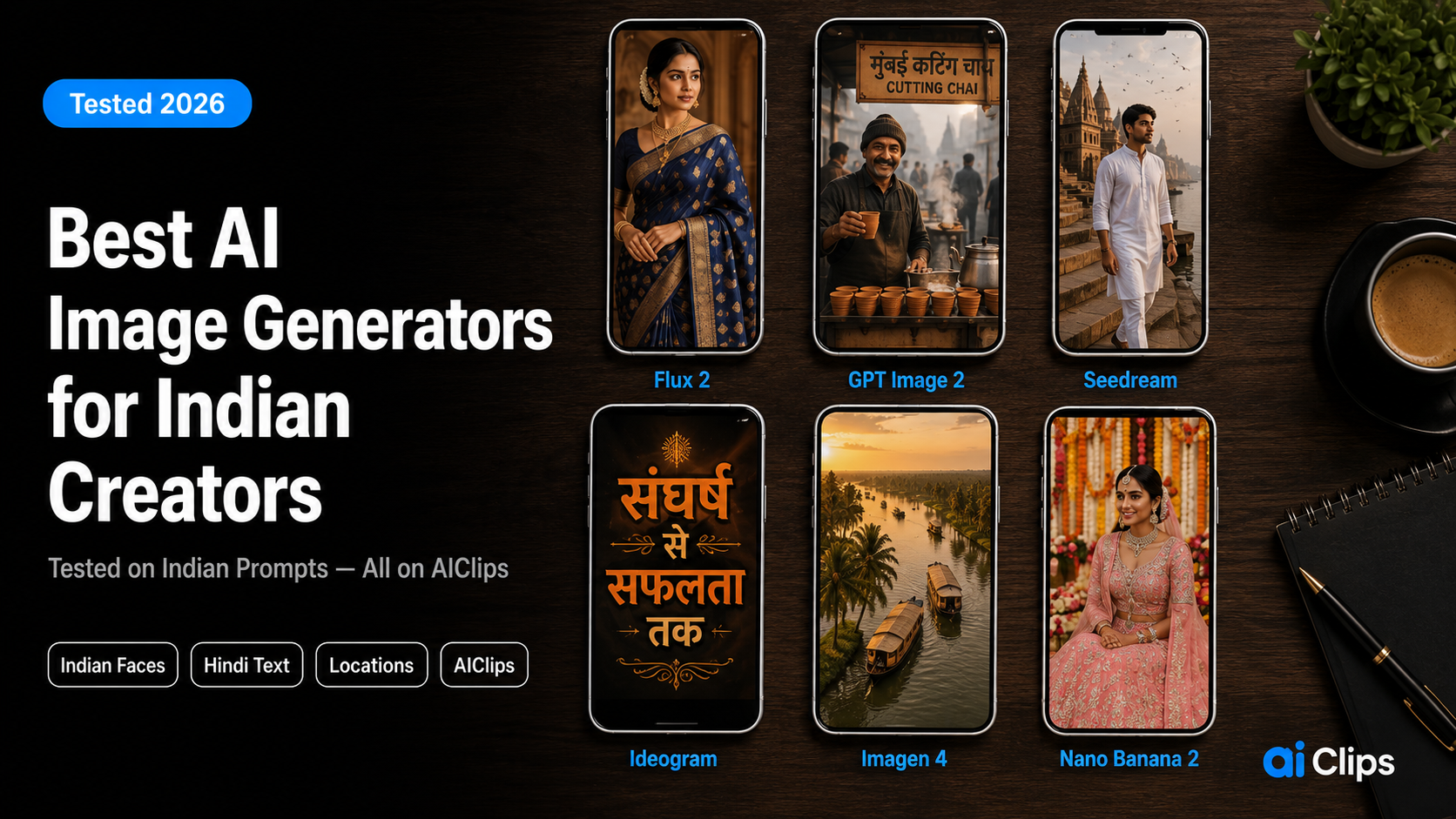
For Indian content, Nano Banana 2 is the most reliable model we have tested on faces, traditional clothing, and local settings. We scored it against Flux 2, Seedream, and Imagen 4 in our best AI image generator for India guide.
A Note on Free Access in 2026
Worth being upfront. Nano Banana 2 is free inside Google’s Gemini app for casual use. If all you ever make is the odd figurine, you may not need anything else, and that is fine.
We run it through AIClips because a creator is rarely doing one thing. You make a thumbnail, then a voiceover, then a video clip, then a product shot. Doing that across eight tabs and four foreign card bills is the actual headache AIClips removes. One dashboard, one rupee bill, 461 models. The image model is identical. What changes is everything around it.
What You Need Before You Start
Two things. A clear source photo, and an account.
The photo matters more than people expect. Use a well-lit, front-facing or three-quarter shot where the face is not hidden behind hair, sunglasses, or a hand. Shoot near a window if you can. For the account, open AIClips, sign in, and pick Nano Banana 2 from the image model list inside ImageGen. UPI handles payment, so there is no fiddling with international cards.
The Prompt Formula That Works
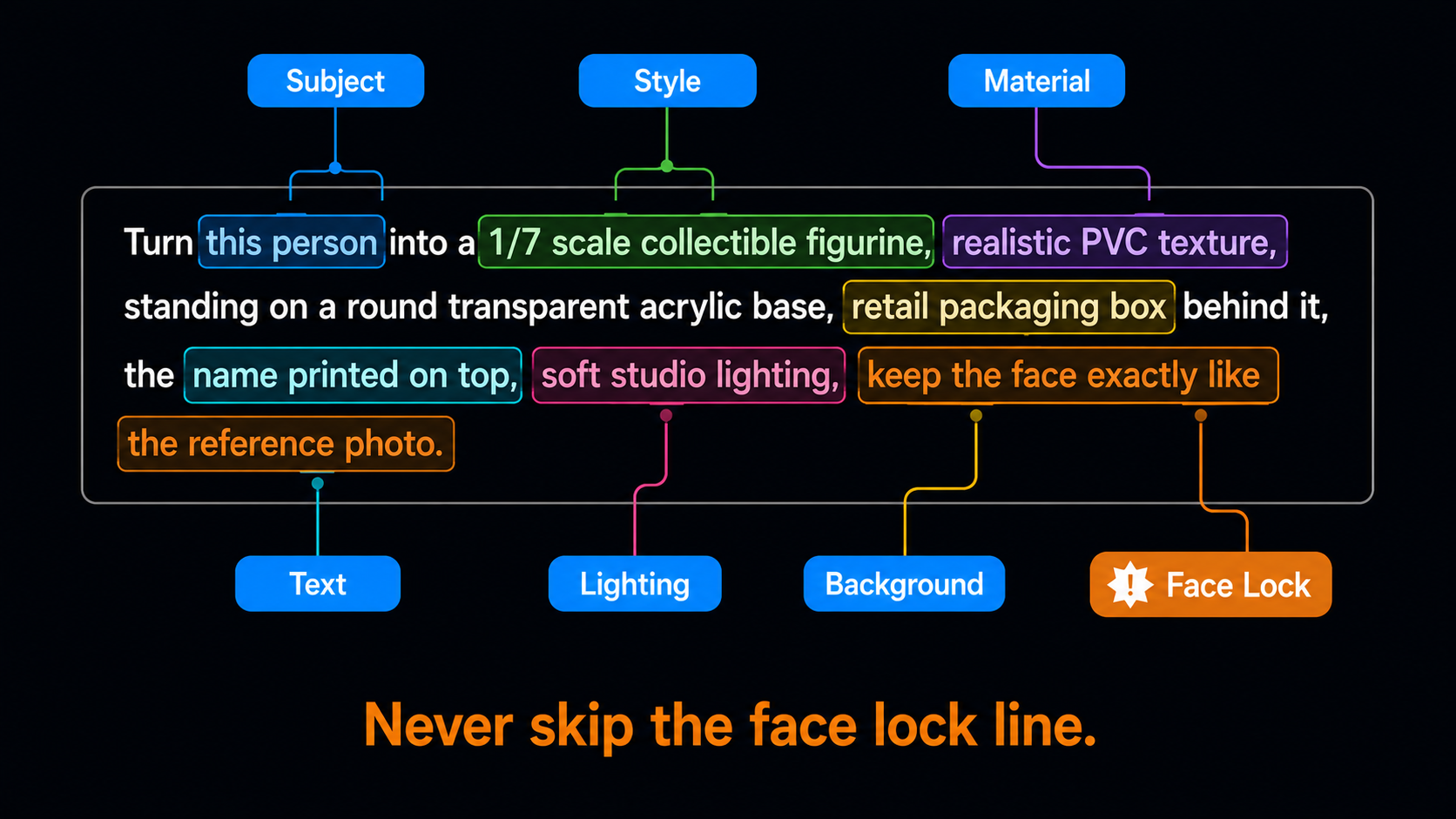
Most failed images come from lazy prompts. “Make me a figurine” gives the model nothing to hold onto. The prompts that go viral share a loose structure, and once you spot it you can write your own.
| Element | What to specify | Example |
|---|---|---|
| Subject | Who or what is in the image | “This person”, “this couple”, “this product” |
| Style | The visual treatment | 3D figurine, Bollywood poster, studio portrait |
| Scale / framing | Size and crop | “1/7 scale”, “close-up portrait”, “1280×720” |
| Lighting | The light quality | Soft studio light, golden hour, dramatic spotlight |
| Background | Setting or packaging | Marble surface, mandap, retail packaging box |
| Text | Exact words to render | Put the words in quotes, keep them short |
| Face lock | Preserve the real face | “Keep the face exactly like the reference photo” |
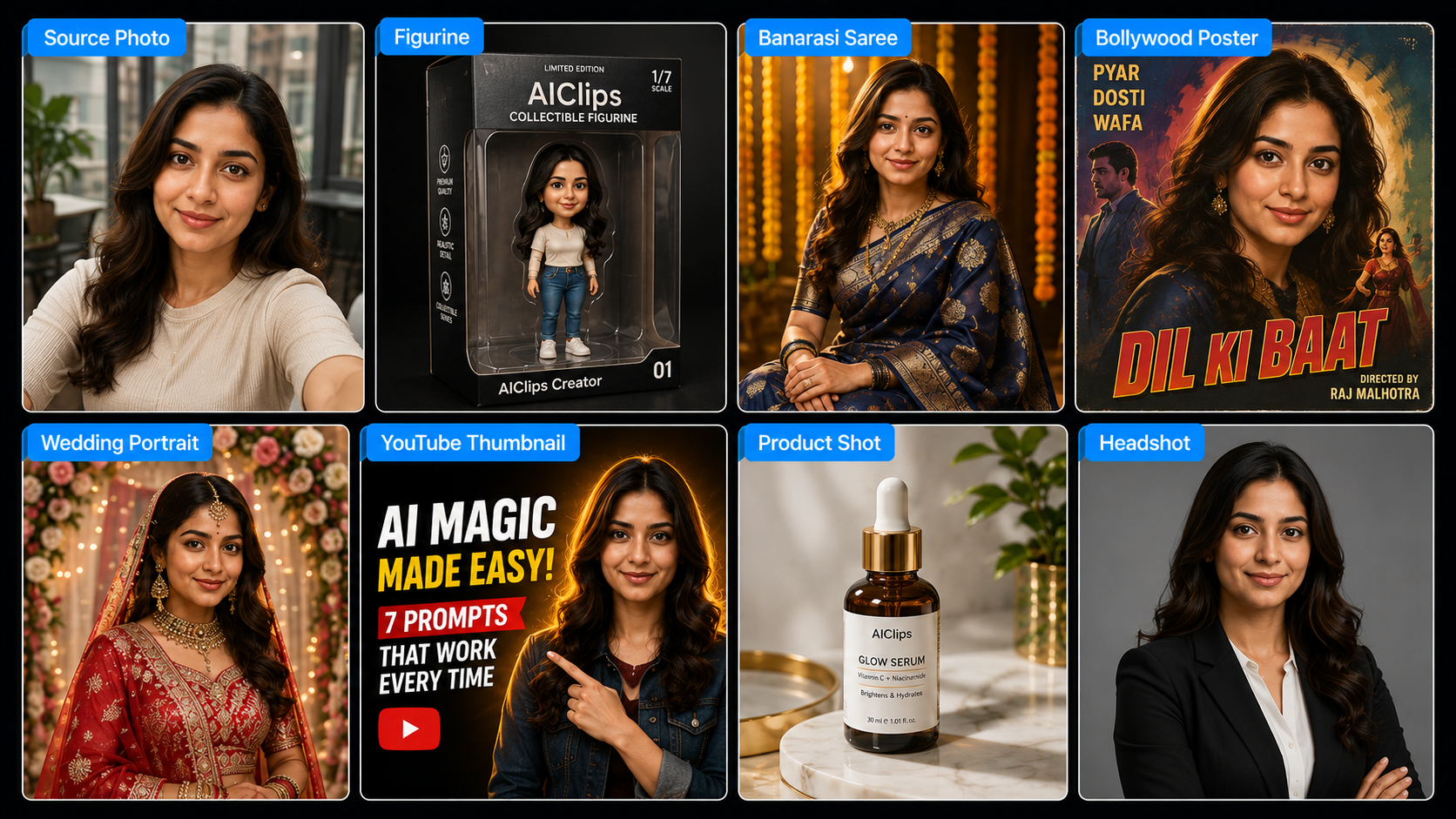
7 Viral Nano Banana Prompts — Tested on Indian Photos
1. The 1/7 Scale Collectible Figurine VIRAL
The prompt that started the whole trend. It works because it copies the Funko-style toys people already love. Nano Banana 2 holds the face and the box text far better than the original model did.
Tweak: change “computer desk” to a pooja shelf or a cricket trophy cabinet to localise it. Add “wearing a kurta” or a jersey to match the person.
2. The Banarasi Saree Festival Portrait FESTIVAL
The saree edit is the most-shared Indian version of this trend. It is made for Diwali, Karva Chauth, or a wedding-season profile picture. The face-lock line is what stops it inventing a stranger.
Tweak: swap the saree colour to emerald green, deep red, or royal blue, or move the setting to a heritage haveli courtyard.
3. The 90s Bollywood Movie Poster RETRO
Hand-painted poster energy. Good for couples, birthday surprises, or a brand having a bit of fun. The newer model renders in-image text far better, so the title comes out readable instead of as decorative gibberish.
Tweak: put your own movie title in quotes and keep it short so the letters stay clean.
4. The Cinematic Wedding Portrait WEDDING
Couples have driven a big chunk of this trend. Nano Banana 2 can hold multiple people steady, so a single two-person reference photo works better than two separate runs.
Tweak: upload one clear, high-resolution photo with both faces visible rather than stitching two images together.
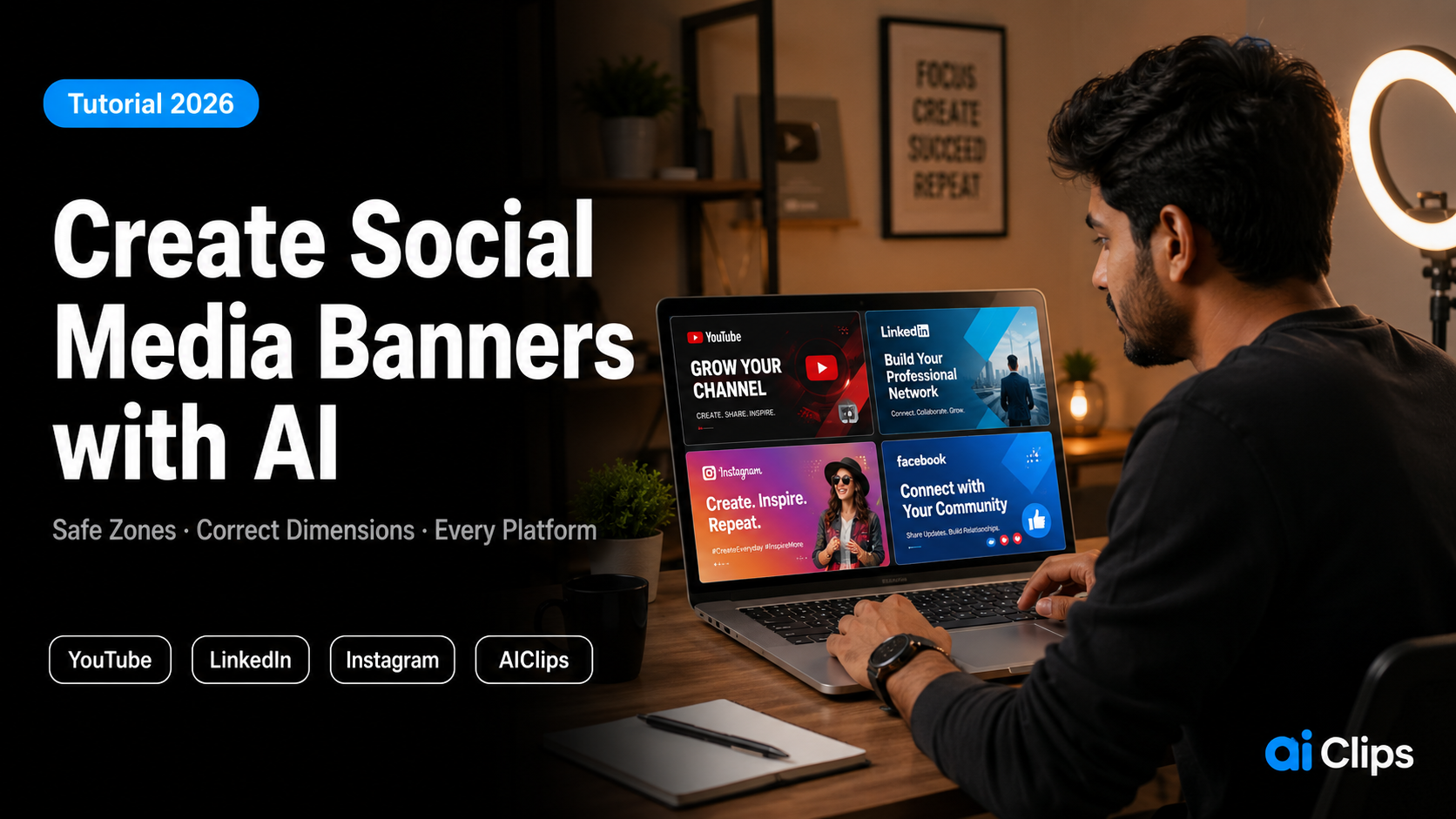
5. The High-CTR YouTube Thumbnail CREATOR
This is where the practical money is for creators. A thumbnail with a clean cutout and readable text takes minutes instead of an evening in Photoshop. For text-heavy designs Ideogram v3 still edges ahead, but Nano Banana 2 is close enough for most channels.
Tweak: change the text in quotes to your real hook and keep it under four words so it stays legible on a phone.
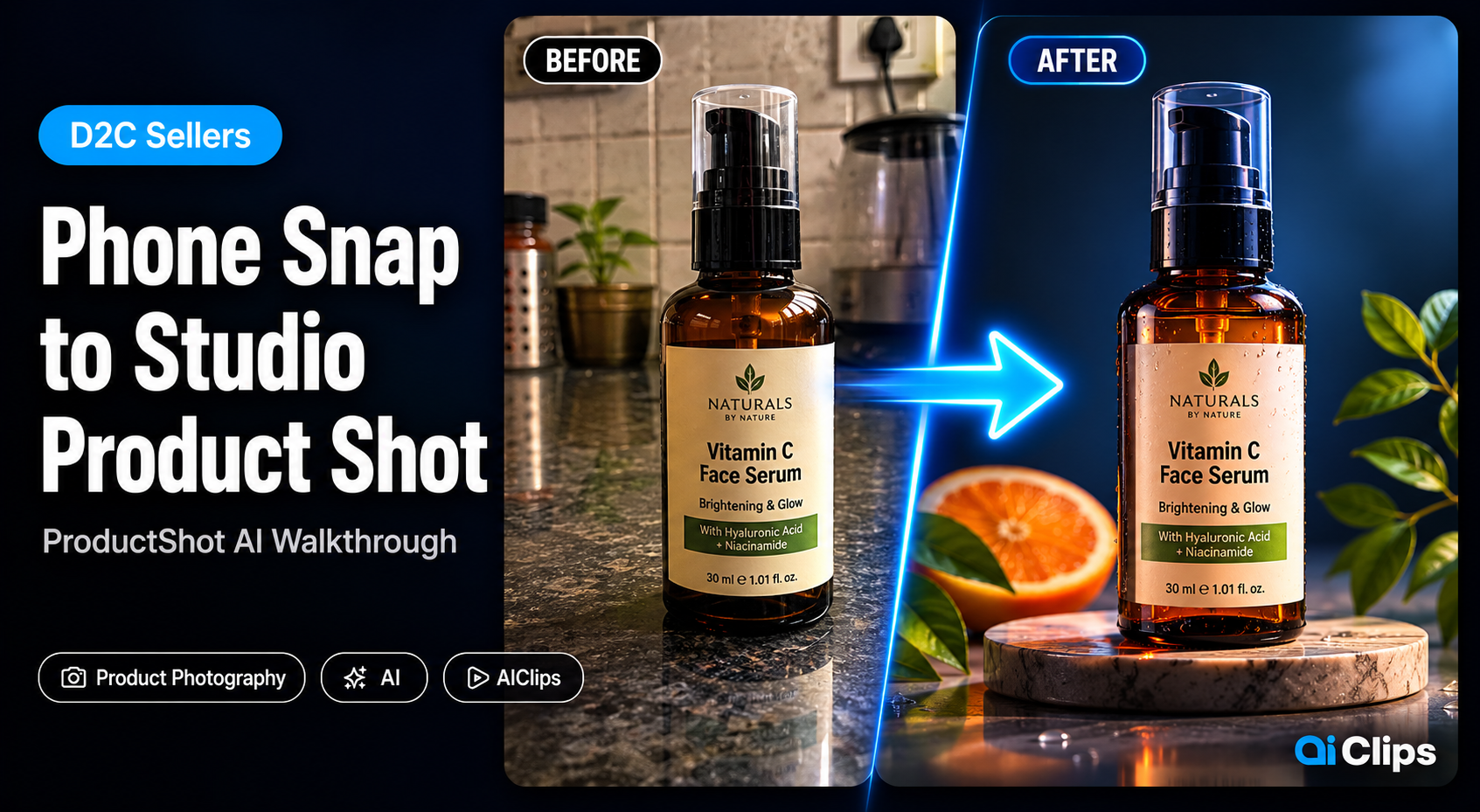
6. The Studio Product Shot from a Phone Snap SELLER
If you sell anything online, this one earns its keep. Shoot the product on a plain surface, then dress it up. For a fuller catalogue workflow, our ProductShot AI walkthrough is built for marketplace listings.
Tweak: add “keep the label text accurate” for branded packaging. That is the detail cheap edits get wrong.
7. The Professional Headshot from a Selfie PRO
The least flashy and most useful prompt here. A LinkedIn-ready headshot from a phone selfie, no studio booking. That “no over-smoothing” phrase is what kills the plastic AI look.
Tweak: name the attire, like “navy blazer”, “formal saree”, or “collared shirt”, for a result that fits your industry.
Common Mistakes (and Quick Fixes)
| Problem | Why it happens | Fix |
|---|---|---|
| Face looks like a stranger | Prompt did not lock the reference | Add “keep the face exactly like the reference photo” |
| Garbled text in the image | Text left vague or too long | Put the exact words in quotes, keep them short |
| Plastic, over-smoothed skin | Default beautify is heavy | Add “natural skin texture, no over-smoothing” |
| Melted or warped result | Source photo too dark or blurry | Reshoot near a window, front-facing |
| Group photo loses faces | Too many people, low-res input | Use one clear, high-res group photo and name each person |
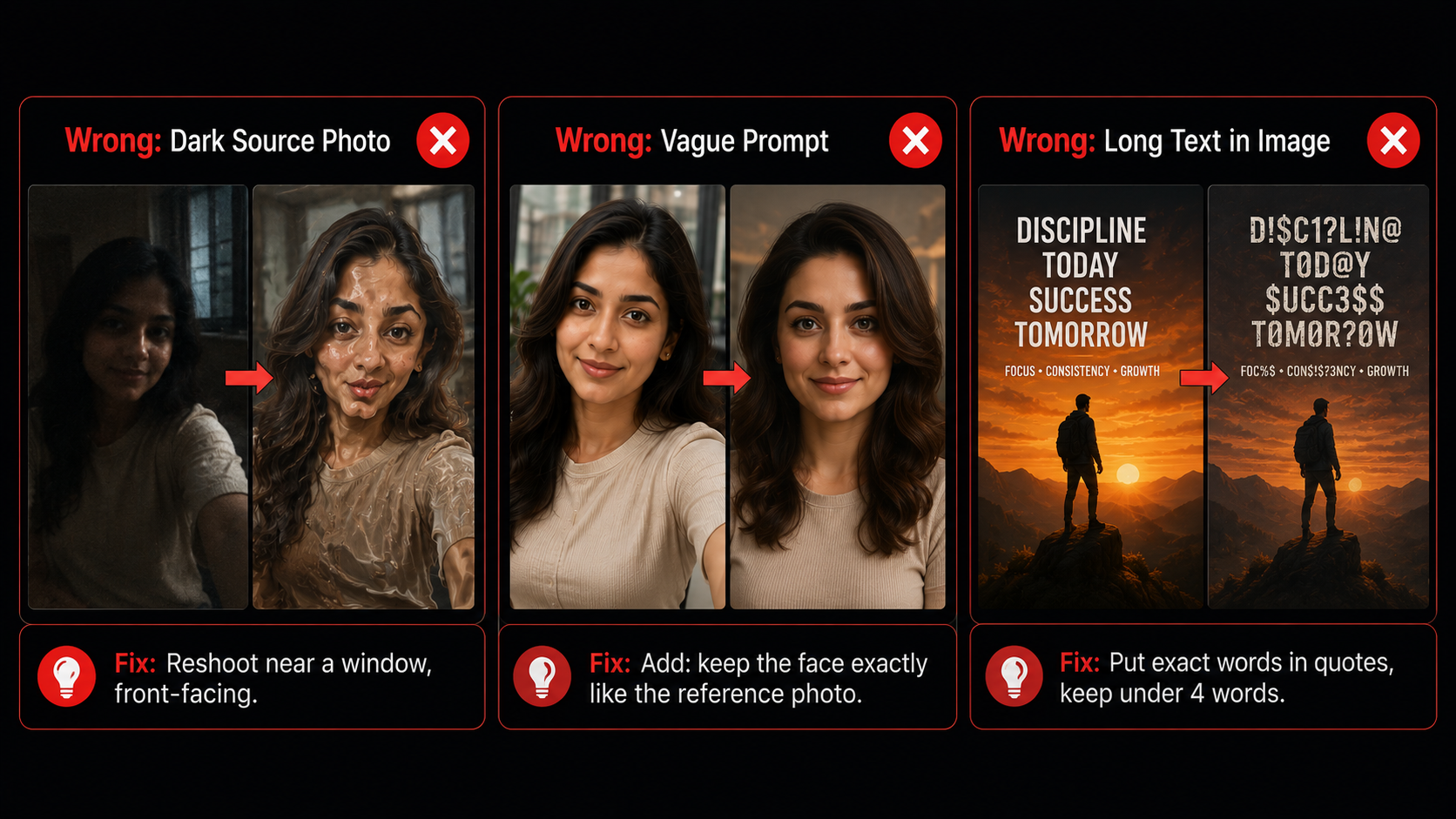
What This Costs in India
Free in Gemini covers casual use. Once you are making content for a living, the maths tilts toward a tool that puts everything on one rupee bill. Here is the honest comparison for an Indian creator.
| Option | Price | Best for |
|---|---|---|
| Gemini app (free) | ₹0 | Occasional figurines and fun edits |
| AIClips Creator | ₹349 / month | Nano Banana 2 plus 460 other models, UPI billing |
| Stitching foreign tools | $10–40 each | Honestly, nobody. The card fees and tab-juggling stack up fast. |
That ₹349 is not only image generation. The same plan covers voiceovers, video models, music, and captions, which is the whole point of a one-platform setup once you are shipping regularly. More on why we built it that way in our 461 models breakdown.
Frequently Asked Questions
Is Nano Banana 2 free?
What is the difference between Nano Banana and Nano Banana 2?
How do I do the saree trend with Nano Banana?
Why does my figurine look like someone else?
Can I use these images commercially?
Is Nano Banana 2 good for Indian faces and clothing?
Try Nano Banana 2 on AIClips
Run all 7 prompts on your own photos, plus 460 other AI models. INR pricing, UPI, from ₹349/month.
Open AIClips Image Generator →