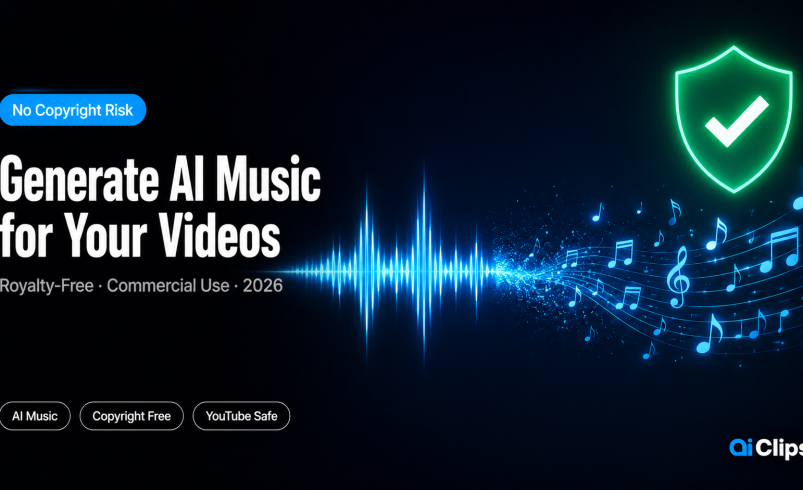

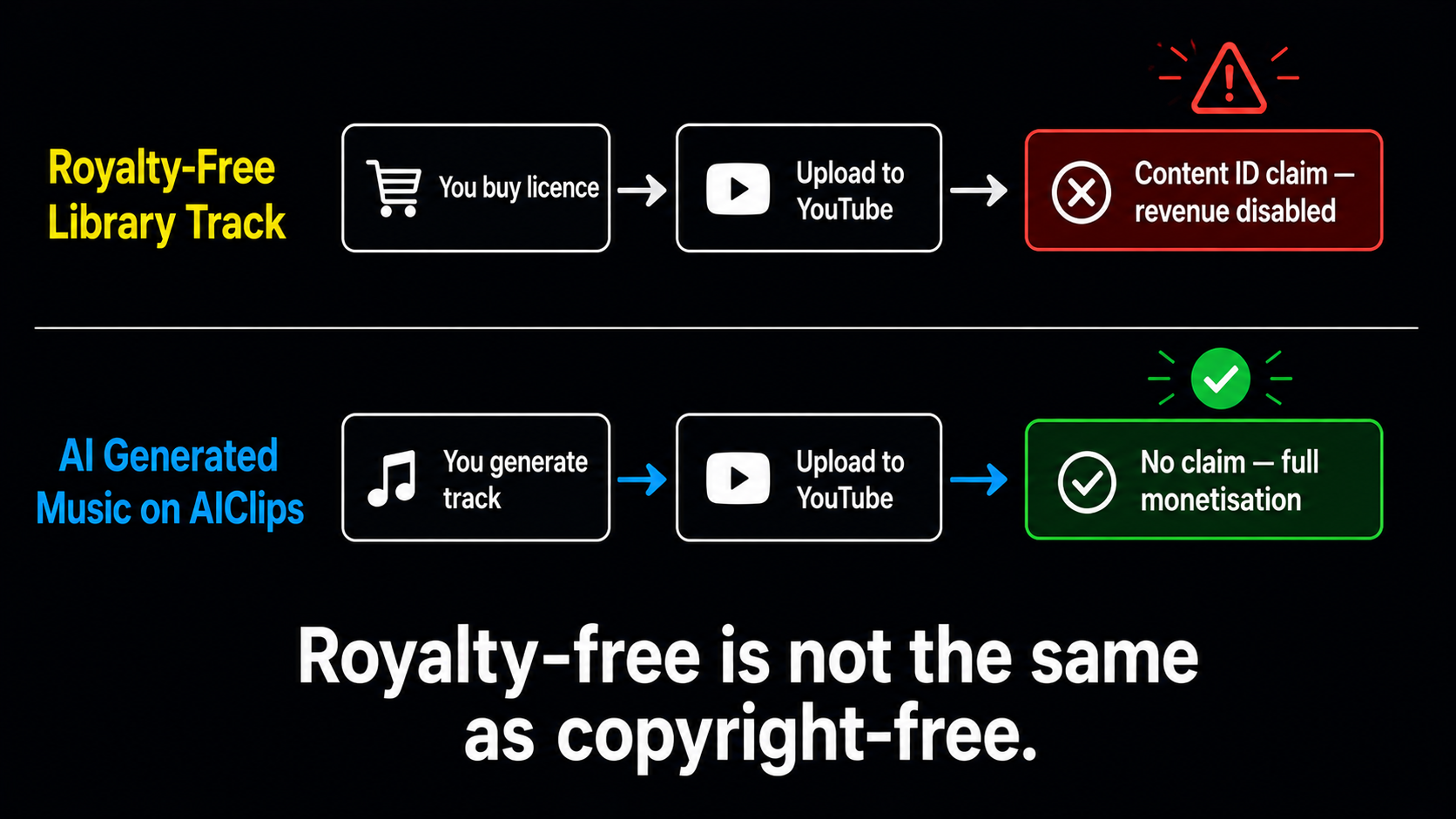
A Content ID claim lands on your video. Monetisation is disabled. You used a royalty-free track from a library you paid for — and it still happened. This is not an edge case. Thousands of Indian creators deal with this every month. Using an AI music generator to create original tracks for every video is the practical fix. This guide shows you how to do it on AIClips, and what you actually own when you do.
AIClips has three music generation tools: Lyria 2 (Google DeepMind), Minimax Music 2.6, and Cassetteai Sound Effects Generator. All three produce royalty free AI music under a commercial license. You generate it, you own the right to use it. No Content ID, no DMCA strikes, no revenue shares.
| The problem | Royalty-free music libraries still trigger Content ID claims. Tracks licensed as “royalty-free” are often still owned by a third party who has submitted them to YouTube’s Content ID system. |
| The solution | Generate original music using an AI music generator — music that no one else owns and that has never been submitted to Content ID. |
| Tools on AIClips | Lyria 2 (Google DeepMind), Minimax Music 2.6, Cassetteai Sound Effects Generator |
| Cost | ₹349/month (Creator plan). Each music generation uses credits — Lyria 2 costs 27 credits per 30-second track. |
| Commercial license | Yes — all AI-generated music on AIClips under any paid plan comes with commercial use rights. |
The Real Music Copyright Problem Indian Creators Face
There are two separate problems creators often confuse, and they have different causes.
Problem 1: Using commercial music without a licence. This is clear-cut. Using a Bollywood track, a trending English song, or any copyrighted music in your video without the rights holder’s permission will trigger a Content ID claim. Revenue goes to them, not you. On repeated violations, your channel gets struck.
Problem 2: Using “royalty-free” music that still gets claimed. This is the one that catches creators by surprise. Many music library services — even paid ones — sell you a licence to play the music, but the label or publisher who owns the underlying composition has independently submitted it to YouTube’s Content ID. Your licence does not prevent the claim. You lose the dispute because you do not own the music — you only licensed it.
The only way to eliminate both problems simultaneously is to use music that no third party owns at all. AI-generated music created from your prompts on a platform with a commercial license fits that description. No underlying composition exists that someone else submitted to Content ID. The track was generated in response to your specific input — it belongs to your content.
A Note on the Lyria Situation in 2026
In March 2026, a group of independent musicians filed a lawsuit against Google, alleging that Lyria 3 — Google’s latest music model built into Gemini — was trained on copyrighted recordings pulled from YouTube without permission. This is a real lawsuit and worth knowing about.
AIClips uses Lyria 2, not Lyria 3. These are separate models. Lyria 2 was released significantly earlier and predates the training data practices described in the March 2026 lawsuit. The lawsuit concerns Lyria 3’s training methodology, not the output rights of Lyria 2 users.
More practically: even if the training data dispute eventually affects Lyria 3, that is a dispute between artists and Google — not between you and YouTube’s Content ID system. The music you generate using AIClips’ tools is original output that no one has submitted to Content ID. The copyright ownership question for AI-generated output is legally unsettled in many jurisdictions, but the practical Content ID risk is near-zero because the specific audio does not exist in any database.
Music Generation Tools on AIClips
| Tool | Best For | Max Length | Credits | Lyric Support |
|---|---|---|---|---|
| Lyria 2 (Google DeepMind) | Instrumental background music, ambient, cinematic | 30 seconds | 27 credits/track | No — instrumental only |
| Minimax Music 2.6 | Full songs with vocals, varied genres, Indian music styles | 60 seconds | Varies | Yes — vocals supported |
| Cassetteai Sound Effects | Background ambient sound, UI sounds, nature sounds, effects | 30 seconds | Low credit cost | N/A — sound effects |
| ElevenLabs Sound Effects v2 | High-quality specific sound effects for video and audio | Varies | Varies | N/A — sound effects |
Recommendation for most creators: Use Lyria 2 for background music on YouTube tutorials, Reels, and brand videos. Use Minimax Music 2.6 when you want vocals or a more defined musical genre (Bollywood, pop, lo-fi, folk). Use Cassetteai for specific ambient sounds that Lyria 2 does not handle well — keyboard clicks, coffee shop background, nature sounds.
Choose the Right AI Music Generator for Your Content
The model choice depends on what role the music plays in your video.
Background music under narration: Lyria 2. It generates instrumental tracks specifically designed to sit under dialogue without competing with the voice. The 30-second track repeats cleanly when looped — important for tutorial content that is 5–10 minutes long.
Intro and outro music: Either Lyria 2 or Minimax Music 2.6. For a high-energy Reel intro (3–5 seconds), Minimax Music is better because it builds energy faster. For a clean, professional-sounding YouTube channel intro (10–15 seconds), Lyria 2 produces more consistent output.
Full song for music-focused content: Minimax Music 2.6. It is the only tool on AIClips that supports vocal generation alongside instrumentation, making it suitable for content where the music is a feature rather than background.
Ambient sound design: Cassetteai. If you need “rain on a tin roof,” “busy Indian bazaar background noise,” or “coffee shop ambient hum,” this is faster than trying to describe it to Lyria 2.
Write a Music Prompt That Works
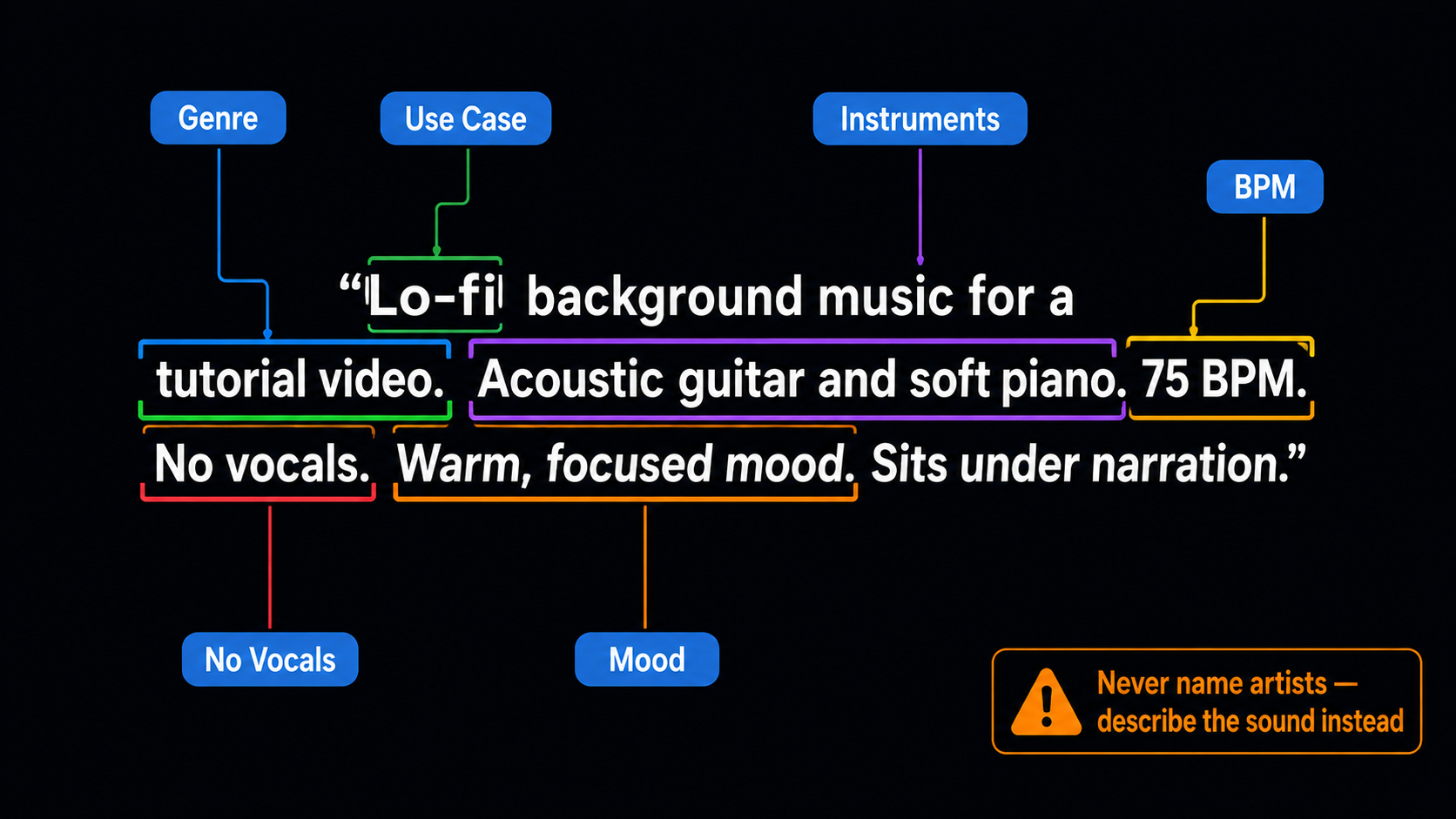
Music prompts follow a different structure than video prompts. You are describing audio characteristics, not visual ones. The elements that matter:
| Element | What to Specify | Example |
|---|---|---|
| Genre | The broad category of sound | Lo-fi, cinematic, Bollywood, EDM, classical Indian, corporate |
| Mood | The emotional quality | Uplifting, melancholic, tense, peaceful, energetic, nostalgic |
| Instruments | Specific instruments you want to hear | Acoustic guitar, tabla, sitar, piano, synth bass, strings |
| BPM / pace | Tempo and energy level | “120 BPM,” “slow and steady,” “fast and driving” |
| Use case | How the music will be used | “Background for tutorial video,” “YouTube intro,” “Reel background” |
| No vocals | Specify if you do not want singing | “Instrumental only, no lyrics, no vocals” |
Generate, Review, and Iterate
Music generation on Lyria 2 takes 15–20 seconds. Minimax Music 2.6 takes 20–40 seconds depending on length and complexity.
Listen to the full output before downloading. Check:
- Does it match the energy of your content? (Too fast, too slow, too busy under narration?)
- Does it loop cleanly? (Play it twice to check if the edit point between loops is jarring)
- Does any section have a strong melodic hook that might distract from voiceover?
If the output is close but not quite right, adjust one element of the prompt and regenerate. The most common adjustments:
- Too busy under narration → add “minimal arrangement, background texture, sits under dialogue”
- Too slow for the content → add “energetic, forward motion, 120+ BPM”
- Too generic → add specific instrument names
- No clear direction → add a more specific genre reference
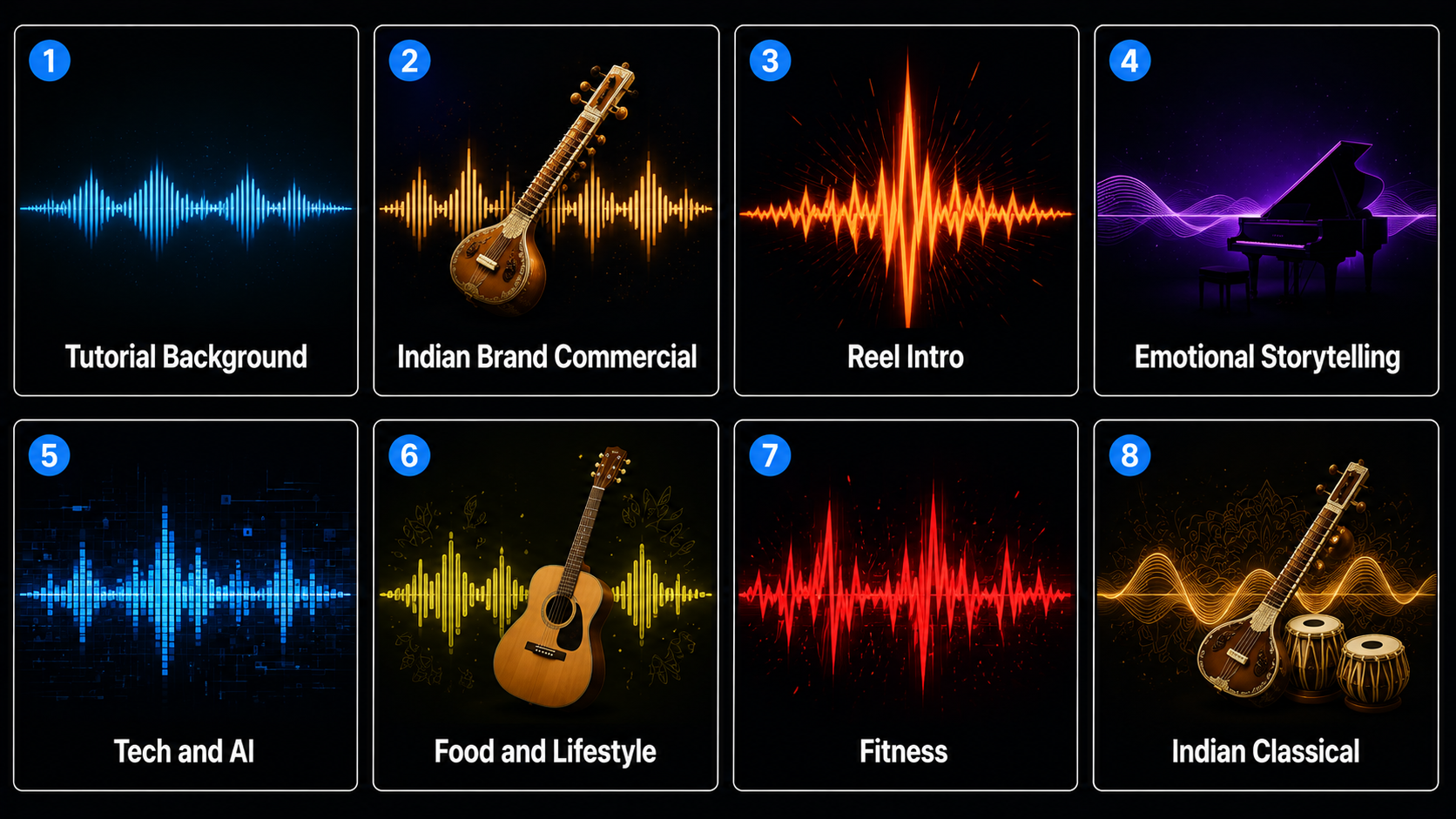
8 Copyright Free Music AI Prompts — Tested by Content Type
YouTube Tutorial Background
Lo-fi tutorial music is the most reliable category for Lyria 2. This prompt produces output that loops cleanly at 30 seconds and does not distract from the speaker.
Use for: YouTube tutorials, educational content, product walkthroughs.
Indian Brand Commercial
The sitar-tabla accent instruction is subtle but effective — it produces music that feels Indian without being overtly classical or film-music derivative. Good for D2C brand videos targeting a pan-India audience.
Use for: D2C brand videos, product launches, startup explainers.
Instagram Reel Intro
Short music intros are where Minimax Music 2.6 outperforms Lyria 2 — it builds energy faster in a shorter timeframe. Use this specifically as the first 3–5 seconds before your main audio kicks in.
Use for: Instagram Reels opener, YouTube Shorts intro, TikTok hook.
Emotional Storytelling
Piano and strings at slow tempo is Lyria 2’s strongest aesthetic. This prompt consistently produces output that sounds genuinely composed rather than algorithmically assembled.
Use for: Testimonial videos, brand story content, emotional Reels, documentary-style videos.
Technology and AI Content
For the growing category of Indian tech and AI content creators, this prompt produces background music that matches the aesthetic of global tech content without sounding derivative.
Use for: AI tutorials, app demos, tech product reviews, startup content.
Food and Lifestyle Content
Food content music needs to feel warm and inviting without being overwhelming. This prompt reliably produces music that fits the visual rhythm of cooking and lifestyle footage.
Use for: Food blogs, cooking videos, travel Reels, lifestyle vlogs.
Fitness and Motivation
Minimax Music handles high-BPM electronic content better than Lyria 2. The “no-nonsense” instruction actually shifts the output — it reduces ornamental elements and keeps the beat hard and consistent.
Use for: Fitness content, transformation videos, workout Reels, sports highlights.
Indian Classical Instrumental
Indian classical music prompts are where Lyria 2 shows clear cultural knowledge — the sitar-tabla combination with a raga mood instruction produces output that sounds authentically Indian. Works for the rapidly growing yoga and wellness content niche from Indian creators.
Use for: Yoga content, meditation videos, heritage and culture content, spiritual channels.
What You Legally Own — And What to Check
The copyright law around AI-generated music is still developing in India and globally. Here is what is reasonably clear in 2026:
| Situation | Status | Practical Implication |
|---|---|---|
| Using AI-generated music in your own YouTube video | Safe — no Content ID risk because the audio does not exist in any music database | No action needed. The music is original output. |
| Monetising YouTube videos with AI music | Safe — YouTube allows monetisation of AI-generated background music | Disclose AI music in your video description as a best practice |
| Using AI music in paid client work | Safe under AIClips commercial licence — included in all paid plans | Keep your plan renewal documentation as evidence of commercial licence |
| Claiming copyright ownership on AI music you generated | Legally uncertain — human creative input required for copyright in most jurisdictions | Do not try to register it as copyrighted to yourself. Use it, do not register it. |
| Referencing artist names in prompts | Legally risky — could constitute style copying or implied reproduction | Describe the sound characteristics instead of naming artists |
The one disclosure worth adding to videos that use AI music: a note in the video description. Something like: “Background music generated using AI music tools. Royalty-free, original composition.” This is not currently required by YouTube’s policies, but it is good practice as the platform’s AI disclosure requirements evolve.
Frequently Asked Questions
Is AI-generated music really copyright free for YouTube?
What is the difference between Lyria 2 and Lyria 3 on AIClips?
Can I sell AI-generated music I made on AIClips?
Can I reference Indian artists like AR Rahman in my music prompts?
How long are the tracks generated by Lyria 2?
Which AI music generator is best for Bollywood-style music?
Generate Royalty Free AI Music on AIClips
Lyria 2, Minimax Music 2.6, and Cassetteai — all in one dashboard. No DMCA risks. Starts at ₹349/month.
Try AIClips Music Generator →