
Your thumbnail decides whether anyone watches your video. On a feed where hundreds of videos compete for one glance, it is a micro-advert fighting for a split-second click. An AI thumbnail generator does not replace that judgement, but it does let you produce ten strong options in the time it used to take to make one. This guide covers the click psychology that actually works, how to use AI well, and the honest limits.
Get this right, with or without an AI thumbnail tool, and you can lift your click-through rate by 20 to 40% on the exact same video. That is the difference between a video that gets ignored and one that takes off.
| Why it matters | 90% of top-performing videos use custom thumbnails. Top creators hit 5–10% CTR; average channels sit at 3–4%. |
| The 2026 trend | Simplicity. One subject, one message, understood in one second. |
| What AI adds | Speed. Generate multiple 1280×720 candidates in seconds for rapid testing — concepts, backgrounds, face cutouts. |
| The honest catch | Pure AI thumbnails often underperform custom ones outside gaming. The hybrid approach — AI plus human judgement — wins. |
| On AIClips | Generate thumbnails with ImageGen, ₹349/month with UPI. |
Why Thumbnails Decide Everything
YouTube serves more impressions to videos that earn clicks, especially in the first 24 hours. A weak thumbnail kills that momentum before your content gets a chance. Viewers decide in under a second, and that decision is not random — it follows predictable patterns in how the brain processes a busy feed.
The gap is huge. The difference between an amateur and a professional thumbnail can mean two to three times the click-through rate on the same impressions, which flows straight into more views, more watch time, and stronger recommendations. This is the highest-leverage hour you can spend on a video.
What an AI Thumbnail Generator Actually Does
An AI thumbnail generator takes a short description — your video topic, the mood, the message — and returns a set of click-ready candidates in seconds. The speed is the point. Instead of labouring over one design, you explore ten directions, from minimalist to dramatic, then refine the best.
The useful features go beyond raw generation. Good tools cut out your face or product and drop it onto a clean, relevant background. They keep a consistent face across videos so your channel stays recognisable. Some can take a high-performing layout and rebuild that structure with your own elements. The model is excellent at variation. You are still the one who judges what works.
The 9 Rules of a High-CTR Thumbnail
These apply whether you design by hand or with an AI thumbnail generator. They are data-backed patterns from analysing thousands of top videos, not opinions.
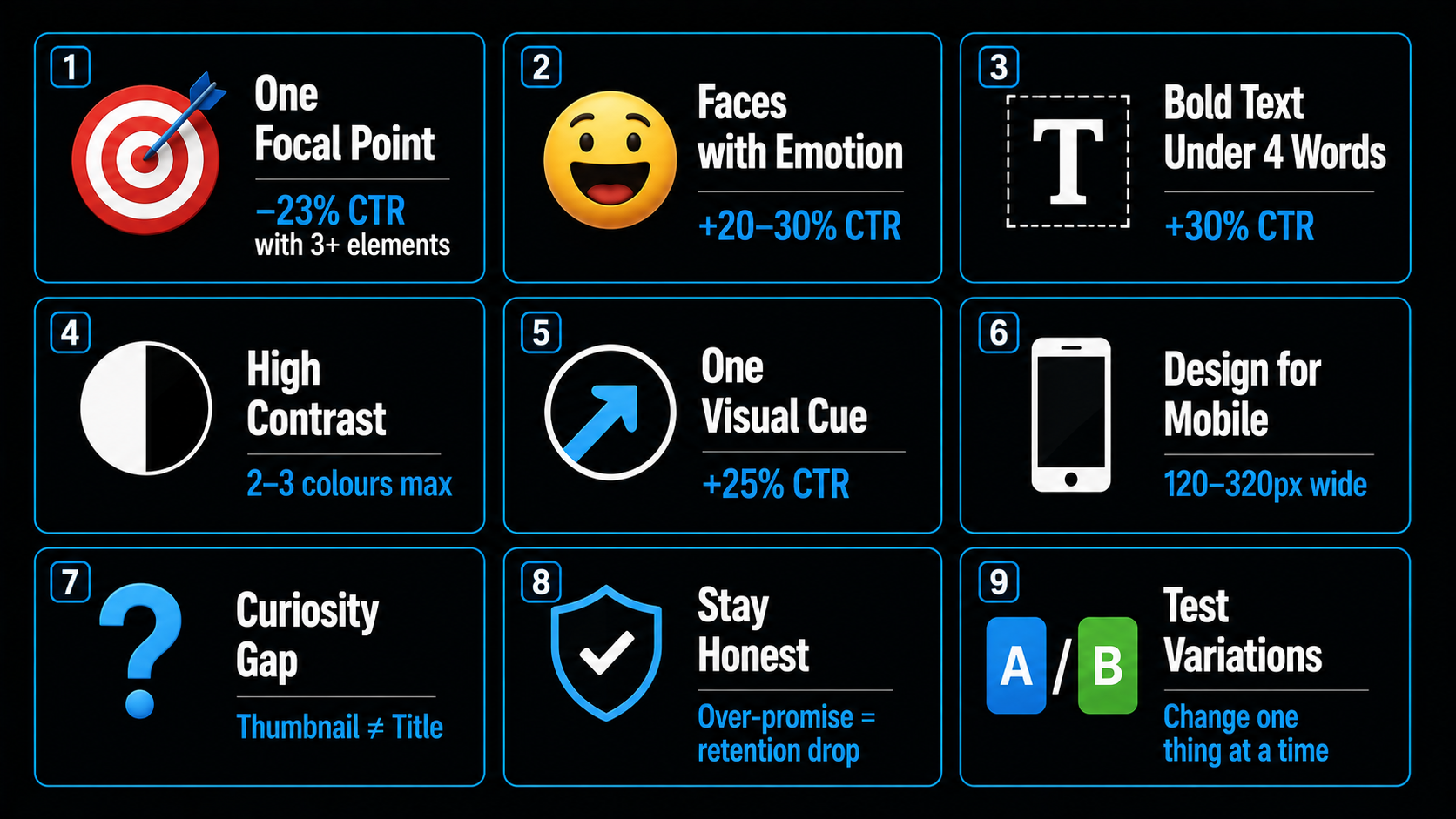
- One focal point. Thumbnails with more than three distinct elements see about 23% lower CTR. One subject, dominant in the frame.
- Faces with emotion. Expressive faces lift CTR by 20 to 30% — but match the intensity to your niche. The wide-eyed shocked face works for gaming and reactions; finance and tech audiences find it off-putting and trust a genuine expression more.
- Bold text under four words. Fewer than four words earns roughly 30% higher CTR. Large type, readable on a phone. Let the title carry the detail.
- High contrast. Light text on a dark background, two or three colours, so the image is impossible to ignore in a crowded feed.
- One visual cue. A single arrow, circle, or spotlight can boost clicks by up to 25%. Use one, not five.
- Design for mobile. Most viewers see your thumbnail at 120 to 320 pixels wide. If it does not read small, it does not work.
- Create a curiosity gap. The thumbnail and title should not say the same thing. A familiar face in an unfamiliar situation pulls the click.
- Stay honest. A thumbnail that over-promises spikes clicks then tanks retention, and YouTube punishes that. More on this below.
- Test variations. Use YouTube’s built-in test feature, change one thing at a time, and let the data pick the winner.
How to Make One with AI, Step by Step
The AI thumbnail workflow is fast once you stop starting with the picture.
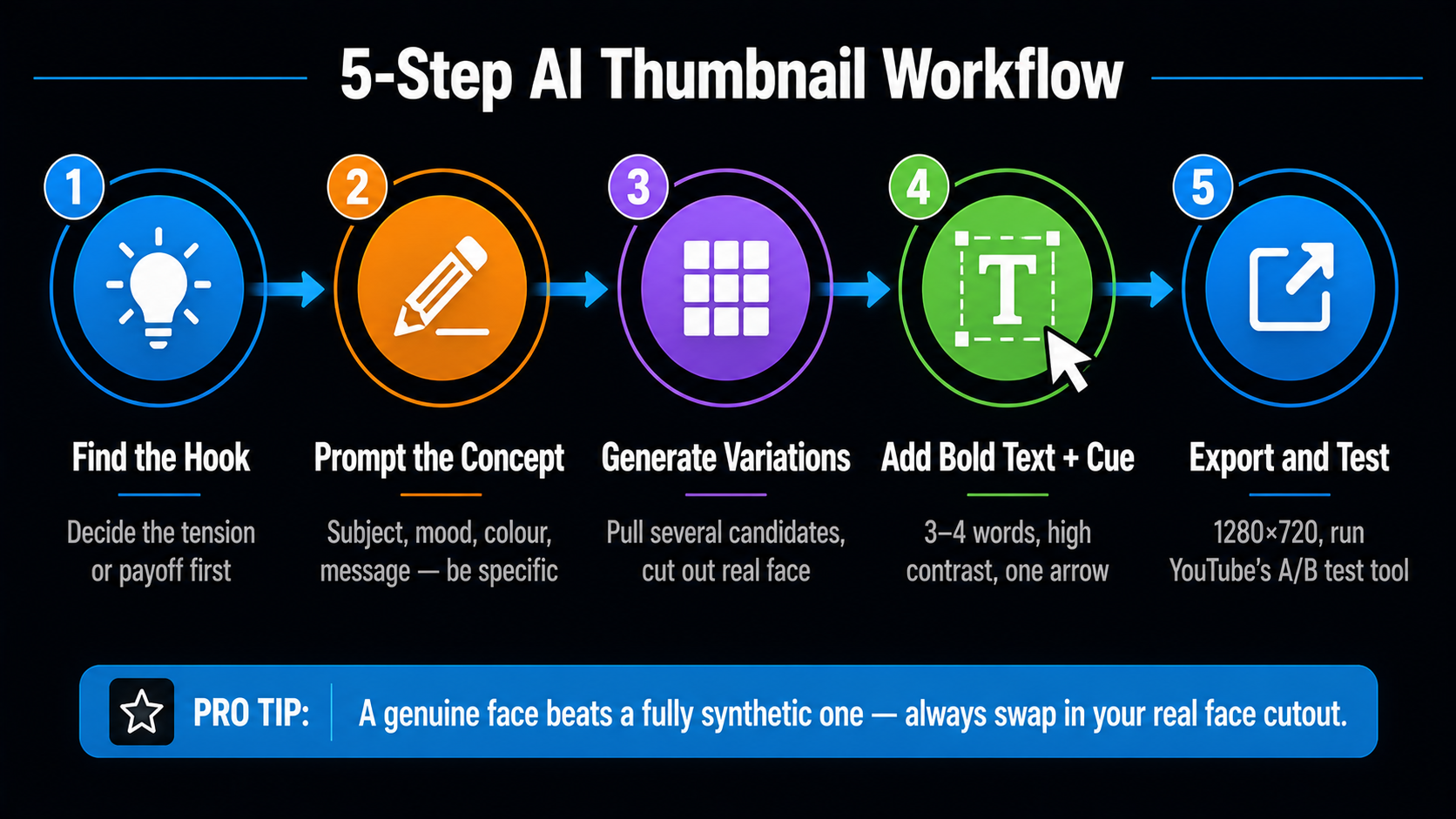
- Find the hook first. Decide the tension or payoff before you generate. A landing-page tutorial thumbnail should hint at a before-and-after, not just show a laptop.
- Prompt for the concept. Describe the subject, mood, colour direction, and the message you want the image to package. Be specific — vague prompts give vague results.
- Generate variations. Pull several candidates, then cut out your real face and drop it onto the best background. A genuine face beats a fully synthetic one.
- Add bold text and one cue. Three or four words, high contrast, one arrow or circle if it helps.
- Export at 1280×720 and run two or three variants through YouTube’s test tool.
The Honest Truth About AI Thumbnails
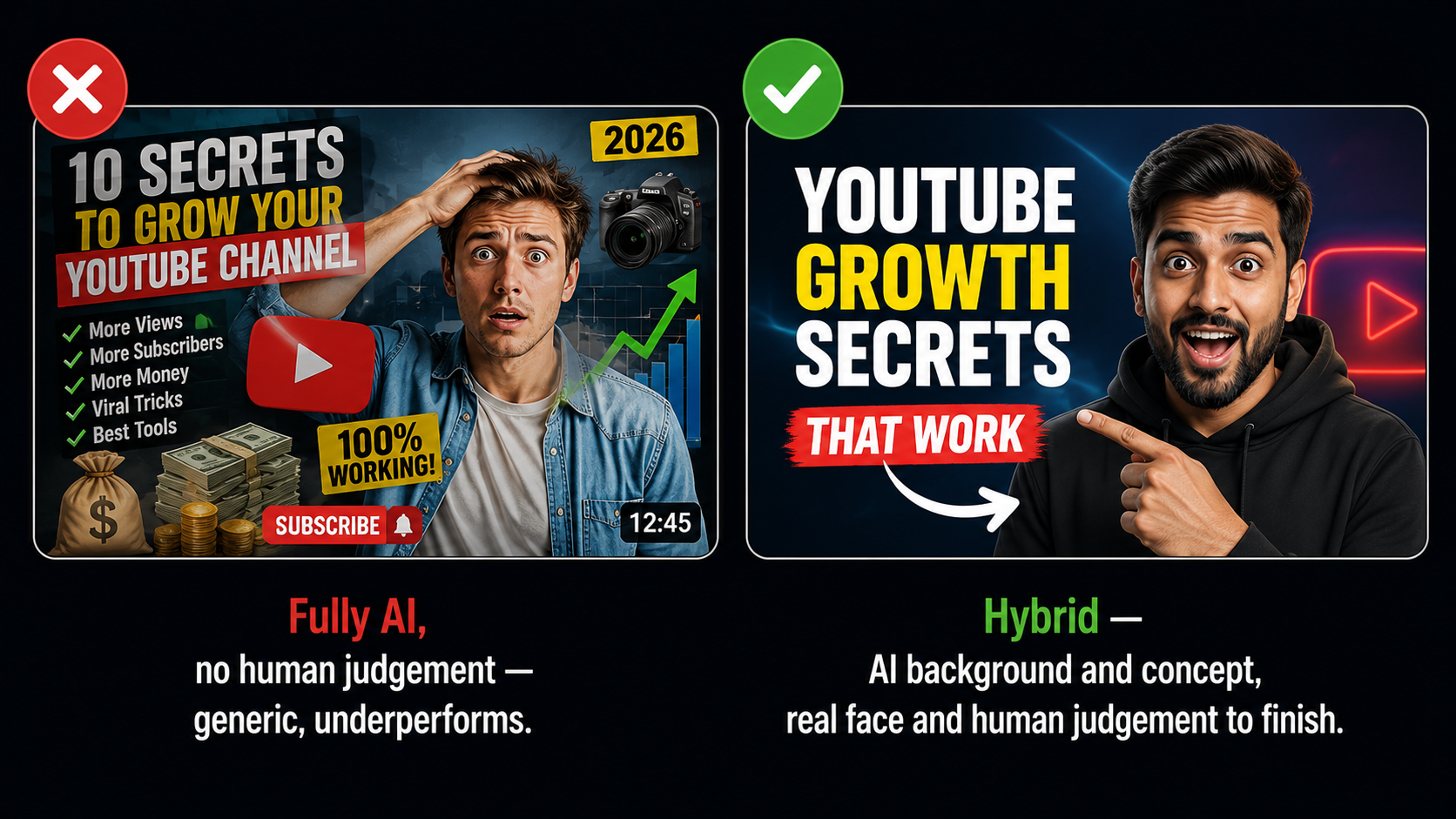
Here is the part most tool pages will not tell you. In testing across niches, fully AI thumbnail designs currently underperform human-made custom ones in most categories, with gaming the main exception. The winning approach in 2026 is hybrid: use AI for concepts, backgrounds, and rapid variations, then bring human judgement and your own real face to finish it.
What This Costs in India
| Option | Price | Notes |
|---|---|---|
| Free thumbnail tools | ₹0 | Limited credits or watermarks, good for testing |
| AIClips Creator | ₹349 / month | ImageGen for thumbnails plus 460 other models, UPI |
| Dedicated thumbnail apps | $10–20 / month each | Per-tool, dollar billing, foreign card |
Generating thumbnails on the same platform as your video, voiceover, and images keeps the whole workflow on one rupee bill. For the best image models for clickable thumbnails, see our AI image generator guide.
Frequently Asked Questions
Do AI thumbnails actually get more clicks?
What size should a YouTube thumbnail be?
How many thumbnail variations should I test?
How much text should a thumbnail have?
Can I make thumbnails with AI in India?
Make High-CTR Thumbnails on AIClips
Generate, cut out, and test thumbnails with ImageGen, plus 460 other AI models. INR pricing, UPI, from ₹349/month.
Start on AIClips →