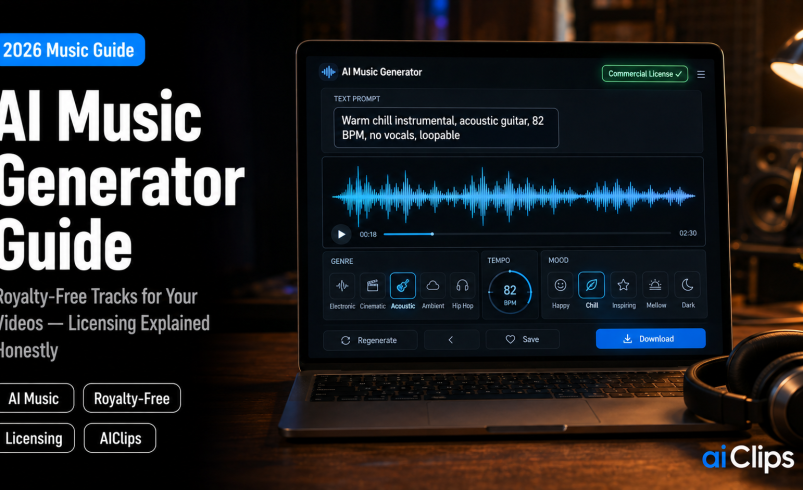

Background music used to be one of the more annoying line items in a creator’s budget. Either you paid a stock library in dollars every month, or you gambled on a “free” track and hoped Content ID did not eat your video. An AI music generator solves the first problem completely — you can produce a custom instrumental in the exact mood and length you need, in about a minute. What it does not solve is the licensing question, and that is where most guides go quiet. This one will not.
Here is the short version of the honest part, and it matters: the free tiers of these tools are not licensed for commercial use, purely AI-generated audio probably cannot be copyrighted by you, and a copyright claim is still technically possible even on a properly licensed track. None of that makes AI music a bad idea. It does mean that five minutes of understanding now can save you a demonetised video later.
| What it does | Generates a full custom track — genre, mood, BPM, length — from a text prompt in about a minute. |
| Quality now | Leading models produce complete three-minute songs with coherent verses, choruses, and mixed vocals. |
| The free-tier trap | Free-plan output is personal use only. You must be on a paid plan at the time you generate anything you’ll monetise. |
| The copyright reality | Purely AI-generated audio generally isn’t copyrightable, so you can monetise a track but can’t easily stop others reusing it. |
| Lowest-risk use | Instrumental background music in your own video. Far simpler than releasing a track as a single. |
What an AI Music Generator Actually Does
You describe the music you want to an AI music generator in plain language — the genre, the instruments, the mood, the tempo, whether you want vocals — and the model composes and produces a finished track. Not a loop from a library, but a new piece of music generated for your prompt. A minute later you have an MP3 or a WAV.
The AI music quality jump has been the surprise. The leading models now produce full three-minute songs with coherent verse and chorus structure and mixed vocals that pass a casual listen. For the far simpler job most creators actually need — a non-distracting instrumental bed under a talking-head video — the output has been comfortably good enough for a while now.
The practical win is control. Stock libraries give you whatever exists; an AI music generator gives you exactly the length, tempo, and mood you asked for. Need a 30-second upbeat podcast intro at 120 BPM that loops cleanly? You can have three versions of it before you would have finished browsing a stock catalogue.
The Licensing Truth (Read This Part Twice)
This section is the reason this article exists, because with AI music the difference between doing it right and doing it wrong is your monetisation. I am laying out how the landscape looks in 2026, but terms change constantly and this is general information rather than legal advice — check the current terms of whichever tool you use, and take professional advice for anything commercially serious.
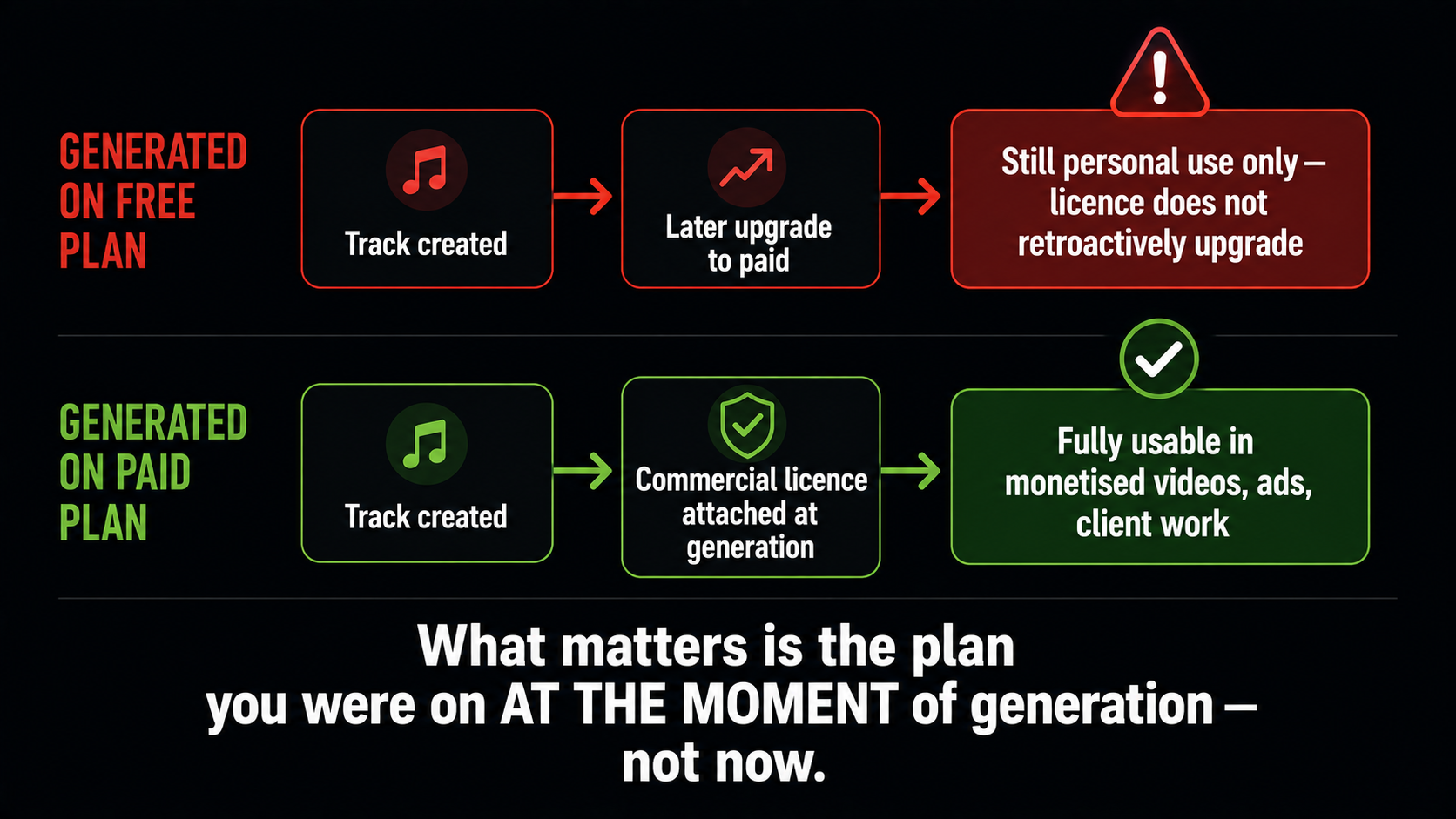
On paid plans, the AI music picture is much better. Commercial rights are granted, you can use tracks in monetised videos, podcasts, ads, and client projects, and the platforms typically take no share of what you earn. “Royalty-free” in this context means you pay the subscription rather than a fee per use — it does not mean free.
Now the subtler AI music issue. Under current US Copyright Office thinking, purely AI-generated audio generally does not qualify for copyright protection, because the law looks for meaningful human authorship. The practical consequence is worth sitting with: you can legally monetise a track, but you may have no enforceable copyright in the bare audio, which means you would struggle to stop someone else reusing it. Your video as a whole — your footage, editing, and voiceover — remains your own protected work, so for background music this is usually a non-issue. It matters far more if you intend to release tracks as music.
Adding genuine human input strengthens your position. Writing original lyrics over an AI instrumental, recording your own vocal, or substantially arranging and editing the stems all build a real authorship claim, and content with human involvement also tends to face fewer restrictions at stricter distributors.
Content ID, Claims, and Indemnity
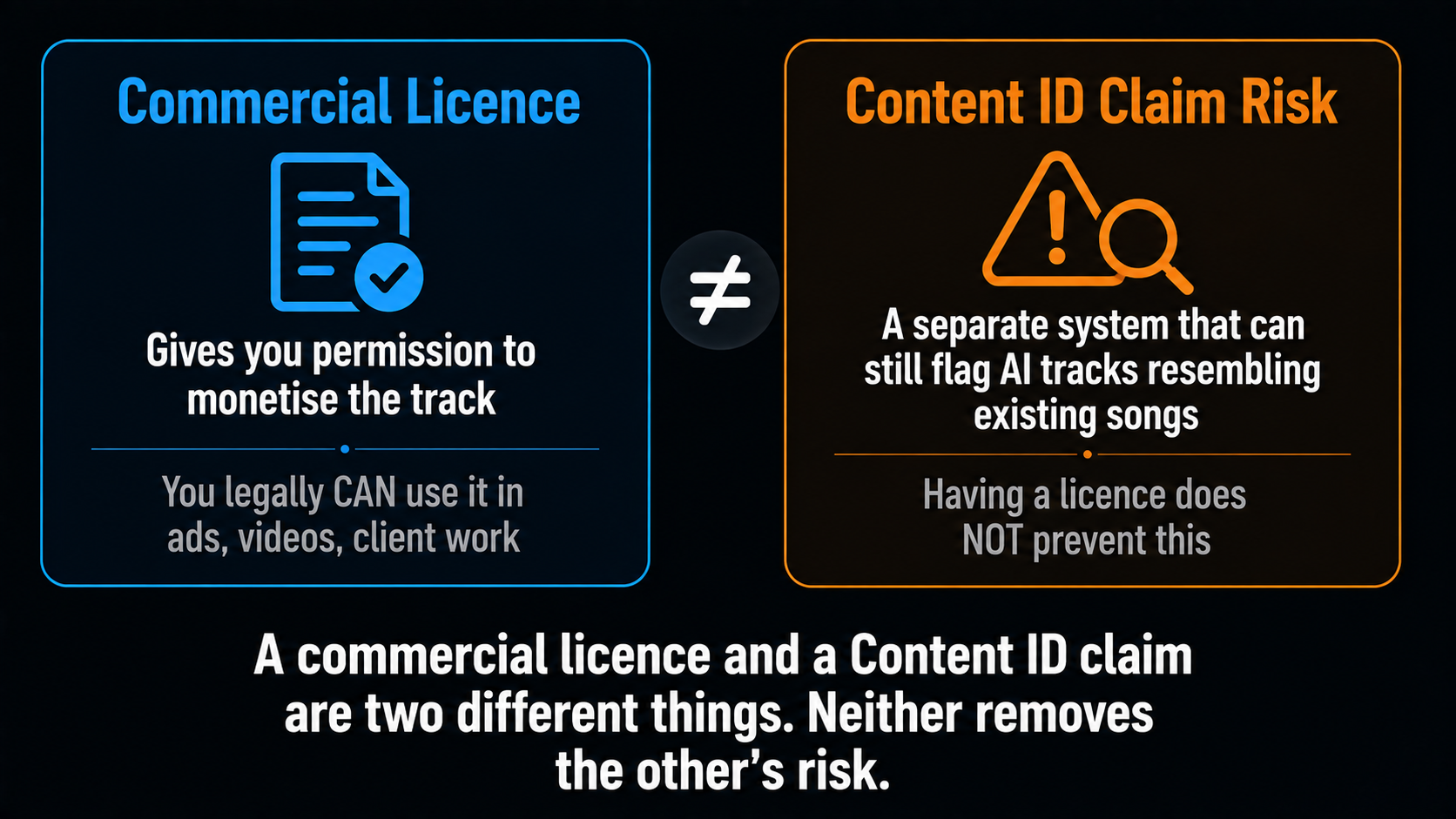
Two more AI music risks deserve naming plainly, because a commercial licence does not eliminate either.
First, Content ID can still flag AI-generated tracks that resemble existing copyrighted songs, regardless of your licence status. This has genuinely happened to creators on YouTube and TikTok. Tools trained on licensed catalogues carry materially lower risk of matching something in those databases, though no AI music generator can promise zero matches.
Second, indemnification. At least one major platform does not indemnify users against third-party copyright claims, which means if someone alleges your generated track infringes their work, you carry the legal risk yourself. That is a very different proposition from a traditional stock library that backs its licences.
| Your situation | Sensible approach |
|---|---|
| Monetised channel with real ad revenue | Prefer tools trained on licensed data, and review tracks before publishing |
| Client or commercial work | Use the lowest-claim-risk option; clients do not want a copyright conversation |
| Small or non-monetised channel | The quality-leading tools are fine; the stakes are low |
| Releasing tracks as music | Add real human authorship and read your distributor’s AI policy first |
The Legal Landscape Is Still Moving
Some context worth having, because it explains why AI music terms keep changing. In mid-2024 the major record labels sued the leading AI music generator platforms over training data, seeking substantial statutory damages. Since then the picture has partly resolved through settlements and licensing partnerships — Warner Music reached an agreement with Suno in late 2025, and Universal settled with Udio — while at least one label had not settled as of early 2026.
The direction of travel is toward licensed models trained on cleared catalogues, which is good news for creators, because licensed training data is exactly what lowers your claim risk. It also means the terms you agreed to last year may not be the terms today. Re-read them before a commercially important project rather than assuming.
How to Generate Music That Actually Fits Your Video
1. Decide the Job First BRIEF
Background bed, intro sting, or featured track? A non-distracting instrumental under narration needs completely different music from a 15-second brand hook. Naming the job before you prompt prevents most disappointing results.
2. Prompt With Specifics PROMPT
Vague prompts give generic music. Name the genre, the instruments, the mood, the BPM, the key if you know it, the use case, and whether you want vocals. Add “no vocals” and “loopable” for a background track — those two phrases fix most problems.
3. Generate Several Versions VOLUME
Make three or four takes rather than accepting the first. Generation is fast and cheap, and the difference between the first and best attempt is usually significant. Pick on how it sits under your voice, not how it sounds alone.
4. Check It Under the Voiceover MIX
Music that sounds great on its own often fights your narration. Drop it under the voice track and listen for competing frequencies and distracting melodies. Duck the music where you speak. This step is what makes a video sound professional. As a rough guide, background music should sit far enough down that a listener notices its absence more than its presence.
5. Keep Your Generation Records DOCUMENT
Save the date, the prompt, and the plan you were on when you generated each track. If a claim or a distributor query ever arrives, that record is your evidence. It costs nothing and it is the single most useful habit in this whole workflow.
6. Disclose AI Where Required DECLARE
YouTube has a disclosure checkbox for AI-generated content. Tick it — it flags for transparency and does not block monetisation. Some distributors have their own AI policies too, so check before releasing anything as music.
Prompts That Work
Since prompt specificity drives AI music quality, here are three structures you can adapt. Notice how each names genre, instruments, tempo, and purpose rather than just a vibe.
Choosing the Right Tool
AI music tools have specialised, and picking by your actual use case saves time. If you want the catchiest melodies and the most natural vocal performances, the quality leaders are the obvious choice, and they are especially good at short vocal hooks — the kind of ten to fifteen second sting a brand needs. If you want instrumental stems you can mix yourself, a stems-focused tool serves better. And if your priority is minimising the chance of a Content ID claim, choose an AI music generator trained on licensed catalogues, even if you give up a little on raw musicality.
That last trade-off is the real decision for anyone with meaningful ad revenue. One disputed claim creates administrative work and lost revenue, which usually outweighs a marginal quality advantage. For a channel that is not monetised yet, take the quality.
Mistakes That Cost Creators Money
Almost every AI music problem I have seen traces back to one of these. None of them are hard to avoid once you know.
- Generating on free, monetising later. The licence attaches at generation. Upgrade first, then generate anything commercial.
- Assuming a licence blocks claims. A commercial licence and a Content ID claim are separate things. Licensed-data tools reduce the risk; nothing removes it.
- Naming real artists in prompts. Prompting for a specific artist’s sound or using copyrighted lyrics invites exactly the resemblance problem you are trying to avoid.
- Keeping no records. Without the date, prompt, and plan, you have nothing to show a distributor or a claims process.
- Skipping disclosure. The YouTube checkbox does not hurt monetisation, and some distributors require AI declaration outright.
- Choosing music in isolation. A track that sounds great alone can bury your voiceover. Always audition it in the mix.
For Indian Creators Specifically
The AI music cost argument bites harder here. A stock music subscription billed in dollars is a real monthly expense for an Indian creator, and it buys you access to a library everyone else is also using. Generating your own tracks removes both the foreign-currency cost and the sameness, and you get music cut to the exact length your edit needs.
The more interesting AI music opportunity is sonic. Indian instrumentation is badly served by generic stock libraries — try finding a decent, non-clichéd sitar and tabla bed for a Diwali brand film at short notice. An AI music generator will produce Indian fusion, regional folk textures, and festive percussion on request, which is genuinely useful for wedding videographers, festive campaigns, and regional-language content. Pair that with our video generator guide and the whole soundtrack-plus-visuals side of a project stops needing outside help.
Where AIClips Fits
AI music generation sits alongside video, image, and voice models on AIClips, which is genuinely useful because the music almost never travels alone — you need the track, the voiceover, and the video, and doing all three in one dashboard at ₹349/month with UPI beats juggling three subscriptions billed in dollars. What I will not do is pretend that having AI music on our platform removes the licensing homework. Whichever model you generate with, the commercial terms are the model’s terms, so check them for the specific model before you monetise, keep your generation records, and disclose AI where the platform asks. We make AI music production cheap; the compliance discipline is still yours.
Frequently Asked Questions
Can I use AI music in monetised YouTube videos?
Is AI-generated music really royalty-free?
Do I own the copyright to AI music I generate?
Can AI music still get a Content ID claim?
Can I release AI music on Spotify?
Can I generate music on AIClips?
Score Your Videos on AIClips
Music, voiceover, and video in one dashboard across 461 models. INR pricing, UPI, from ₹349/month.
Start on AIClips →