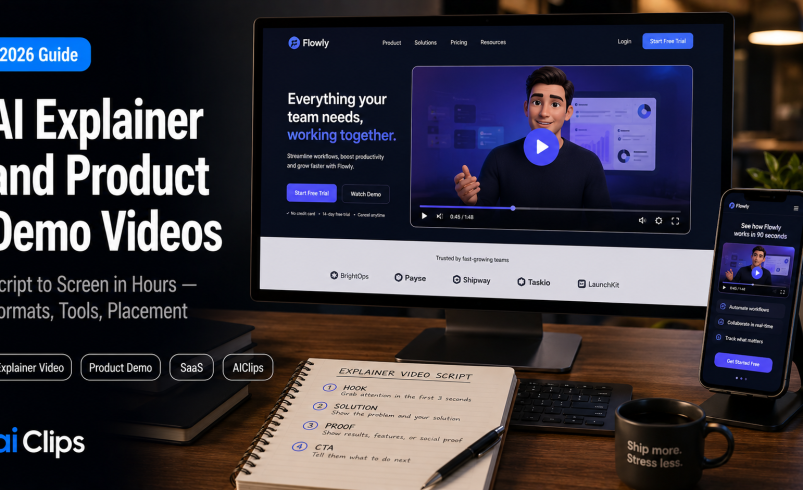

A visitor lands on your product page with one silent question: what does this actually do? A good explainer video answers it in ninety seconds and turns a shrug into a signup. Until recently, making one meant a scriptwriter, a voice artist, an editor, and weeks of waiting. In 2026 you can go from a script to a finished, narrated video in an afternoon. This guide covers the formats, the tools, and — the part that actually decides whether your video works — how to pick the right one for your goal.
The mistake almost everyone makes is choosing a tool before choosing a format. A talking-head avatar and a screen-recorded walkthrough are both “AI video,” but they suit completely different jobs. Get the format right and the tool almost picks itself.
| What changed | You can now go from a script, PDF, or screen recording to a polished explainer video in hours instead of weeks. |
| Five formats | Avatar presenter, screen-recording demo, animated explainer, interactive click-through, and cinematic generative. |
| Pick by goal | Person explaining → avatar. Show the real UI → screen recording. Let them explore → interactive demo. |
| Top tools | Synthesia and HeyGen for avatars, Arcade for product demos, Storylane for interactive, Knowlify for animated. |
| What matters most | The script. The clarity of your message beats the polish of your avatar every time. |
Why Explainer and Demo Videos Convert
People would rather watch than read, especially when they are deciding whether to trust a product. A clear explainer video on a landing or product page lifts engagement and time on page, gives visitors the confidence to act, and quietly does the selling that a wall of feature bullets never could. For onboarding, it cuts support tickets by showing rather than telling. This is why demo video sits among the highest-leverage assets a SaaS or D2C business can make. A single well-placed video can keep working for years, answering the same question for every new visitor without you lifting a finger, which is exactly the kind of compounding return a busy founder should want.
Here is the part worth internalising early: what makes an explainer video work is the script, not the production. A stunning avatar delivering a confusing message converts nobody, while a plain screen recording with a sharp, clear script converts plenty. The video’s job is to answer the visitor’s question in their language, fast. Everything else is decoration on top of that.
The 5 Formats (and When to Use Each)
This is the decision that shapes everything. There are five distinct formats in 2026, and each one is right for a different job.
| Format | What it is | Best for |
|---|---|---|
| Avatar presenter | A synthetic person reads your script to camera | Announcements, onboarding, talking-head explainers at scale |
| Screen-recording demo | Records the real product UI with AI narration | Showing how the product actually works, step by step |
| Animated explainer | A document or prompt becomes a narrated animation | Explaining a concept or idea, not a live interface |
| Interactive click-through | Prospects click through the product themselves | Letting SaaS buyers self-explore before a sales call |
| Cinematic generative | AI generates original video scenes from prompts | Brand storytelling and ads, not step-by-step demos |
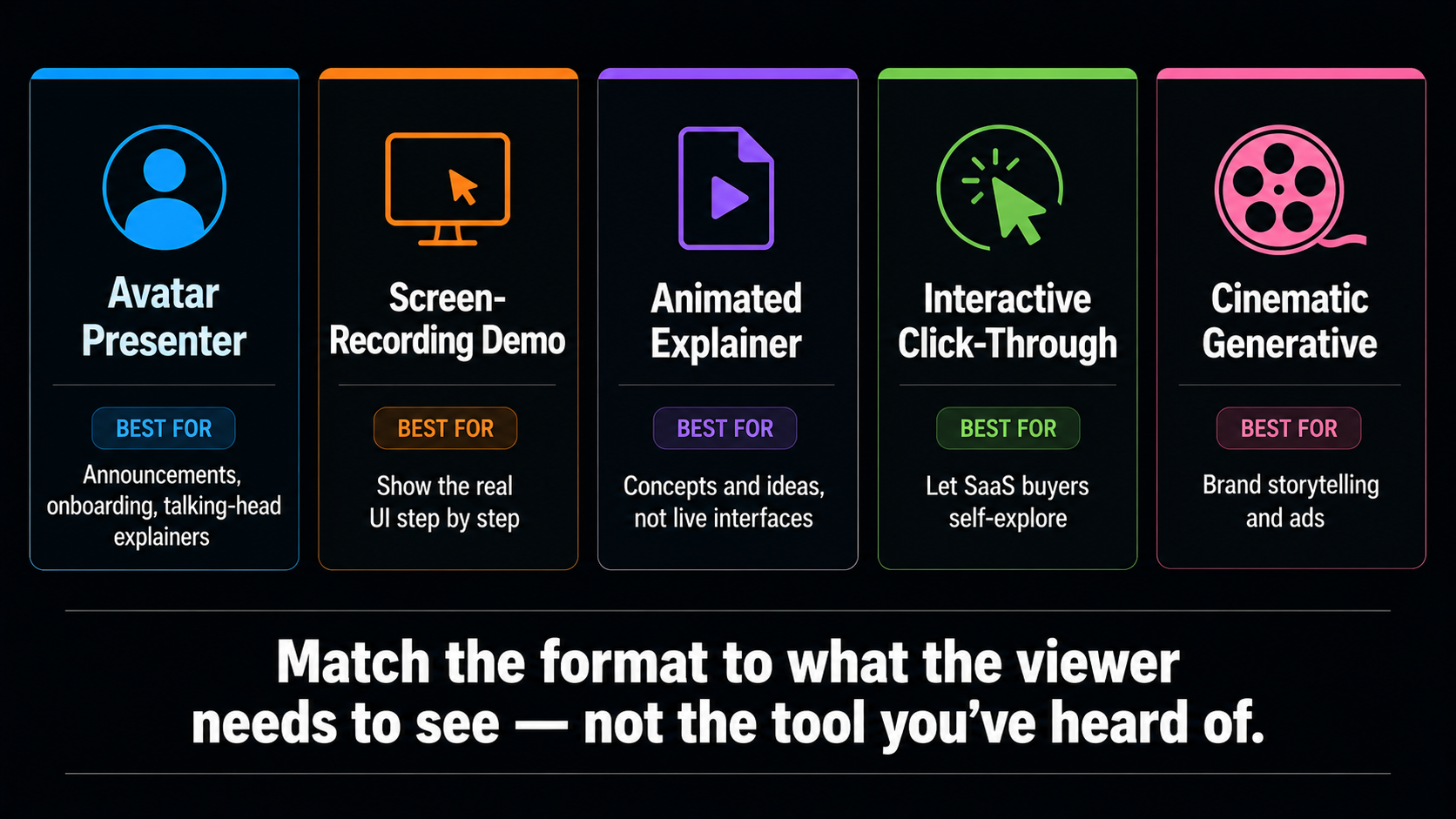
Most weak videos are simply the wrong format for the goal. A founder makes a talking-head avatar to explain a five-step workflow, when a screen recording of that workflow would have been far clearer. Match the format to what the viewer actually needs to see, and half the battle is already won.
Choosing the Right Format for Your Video
The decision tree I would give any founder is short. If the video is a person explaining the product to camera, use an avatar tool. If it needs to show the real interface in action, use a screen-recording demo, or a split-screen with an avatar beside the screen. If you want prospects to click through and explore the product on their own, use an interactive demo. If you are explaining an abstract concept rather than a live product, an animated explainer video fits best. And if you are telling a brand story rather than demonstrating features, reach for cinematic generative video.
The Best Tools in 2026
Once you know your format, the tool is easy. Here are the leaders, each strong in its lane.
1. Synthesia AVATAR AT SCALE
The go-to for branded explainer video at scale, with a huge avatar library and support for well over 100 languages, plus consistently excellent lip-sync. It is built for teams producing repeatable onboarding, training, and announcement videos. The trade-off is that it leans on fixed templates, so visuals do not change dynamically, and you write the whole script yourself.
2. HeyGen MOST REALISTIC
The most realistic avatars of 2026, with the best lip-sync, micro-expressions, and voice cloning from a short sample. It suits individual creators and marketers making expressive, short-form explainer and marketing videos, and it handles multilingual output well. If you want an avatar that feels genuinely lifelike, this is the pick.
3. Arcade REAL PRODUCT DEMO
Purpose-built for demos of real software. It records your actual product, generates narration automatically, and publishes as a video plus an interactive demo and a shareable link. When the point is to show the interface doing its thing, this beats any avatar talking about it.
4. Storylane INTERACTIVE
For SaaS teams who want prospects to actually click through the product before a sales call. Interactive demos consistently drive more pipeline-ready conversations than passive video, because a buyer who has explored your product themselves arrives warmer. Not a video in the traditional sense, but often the highest-converting demo format.
5. Knowlify DOCUMENT TO VIDEO
The strongest option when your content starts as a document. Feed it a PDF, a slide deck, or a prompt, and it produces a narrated, animated explainer video in minutes, no crew or editing software needed. Ideal for turning existing material into a concept explainer fast.
How to Make an AI Explainer Video, Step by Step
1. Write a Tight Script First SCRIPT
Everything rests on this. Open with the problem, show the solution, and end with one clear call to action, all in as few words as possible. You can have AI draft it, but you sharpen it. A ninety-second explainer video needs roughly 200 to 220 words, so cut ruthlessly.
2. Pick Your Format and Tool CHOOSE
Use the decision tree above. Match the format to what the viewer needs to see, then choose the tool that owns that format. Do not start with the tool you have heard of and bend your video to fit it.
3. Generate the Core Video BUILD
Produce the avatar, screen recording, or animation from your script. Choose a voice and pacing that match your brand, and keep the visuals clean. Generation takes minutes, so make a couple of versions and compare.
4. Add Brand and Supporting Visuals POLISH
Layer in your logo, colours, captions, light background music, and any product screen recordings or b-roll. Captions matter, since many viewers watch on mute. Keep it uncluttered — clarity beats flash.
5. Localise for Every Market TRANSLATE
This is a quiet superpower. Generate the same explainer video in Hindi, Tamil, or any global language with matching voice and lip-sync, so one script reaches many audiences. For Indian founders selling globally, this alone can justify the whole workflow.
6. Embed and Publish SHIP
Put it where it converts — the product page, the onboarding flow, the ad, the sales email. A great demo video hidden on a channel nobody visits does nothing. Place it in the exact spot where a visitor is deciding.
Where to Put Your Explainer Video for Maximum Impact
A brilliant video in the wrong place converts nobody, so placement deserves as much thought as production. The same explainer video can do very different work depending on where a visitor meets it.
The highest-value spot is usually above the fold on your product or landing page, where a hesitating visitor gets their question answered before they bounce. Inside your onboarding flow, an explainer video cuts confusion and support tickets by showing new users exactly what to do. In a paid ad, a short, punchy version stops the scroll. And in a sales email, an embedded thumbnail linking to a two-minute demo often gets a reply where a wall of text gets ignored. One good script, cut into a few lengths, can quietly live in all of these places at once.
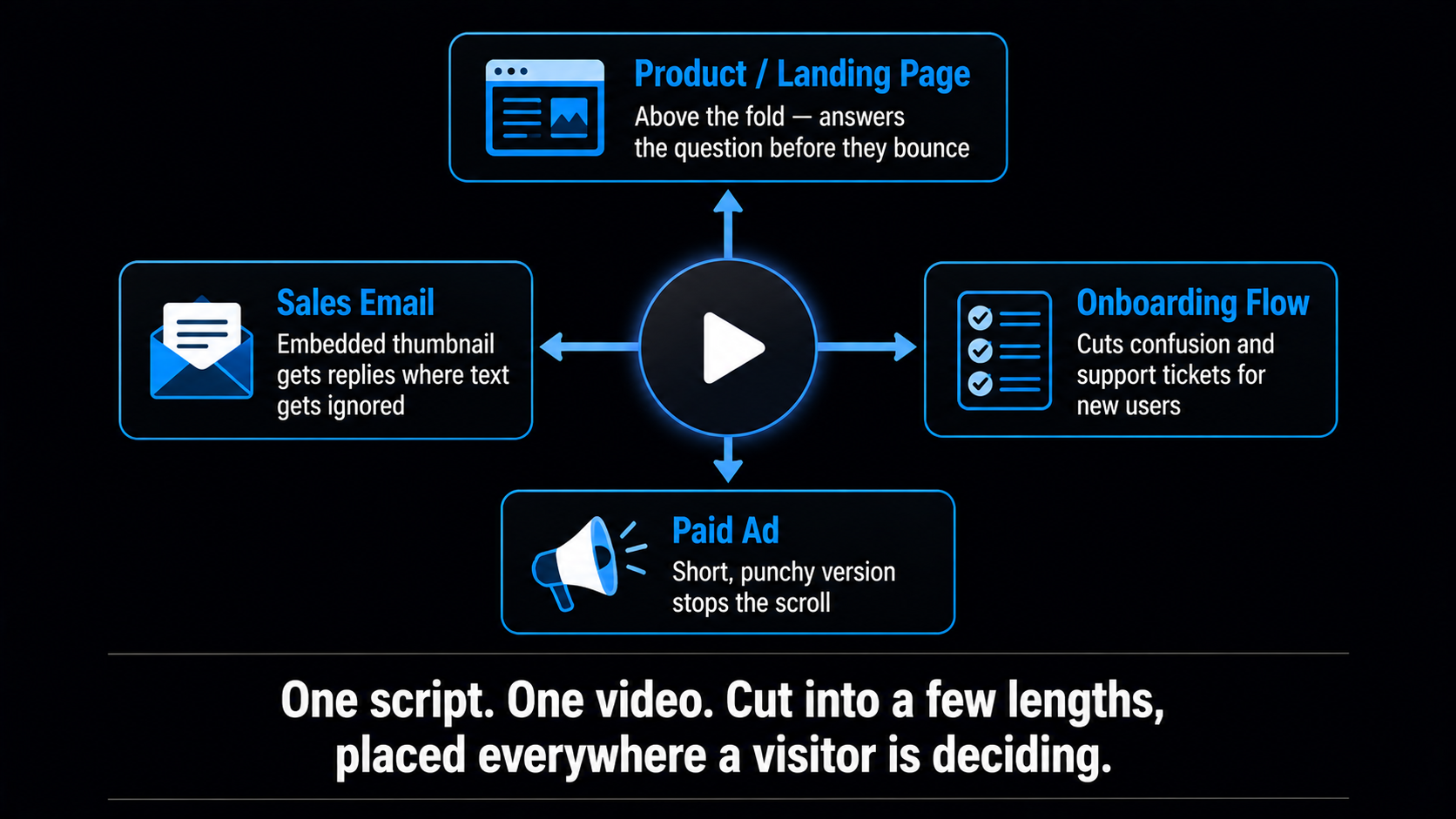
The takeaway is simple: make the explainer video once, then place it deliberately wherever a real person is in the middle of deciding. That is where video earns its keep, and it is why treating it as a page asset rather than a one-off marketing task pays off over time.
The Honest Limits
The Explainer Video Script That Actually Converts
Since the script carries the whole thing, it is worth having a structure you can reuse. Almost every high-converting explainer video follows the same four-beat arc, and you can fill it in for any product in ten minutes.
- The hook (0–10 seconds). Open on the viewer’s problem, not your product. “Spending hours editing videos by hand?” earns attention faster than “Introducing our platform.”
- The solution (10–40 seconds). Show how your product solves exactly that problem. This is where a screen recording earns its place, showing the fix rather than describing it.
- The proof (40–70 seconds). One concrete benefit, result, or number that makes it believable. Specific beats vague every time.
- The call to action (70–90 seconds). One clear next step. “Start free” or “Book a demo,” not five competing links.
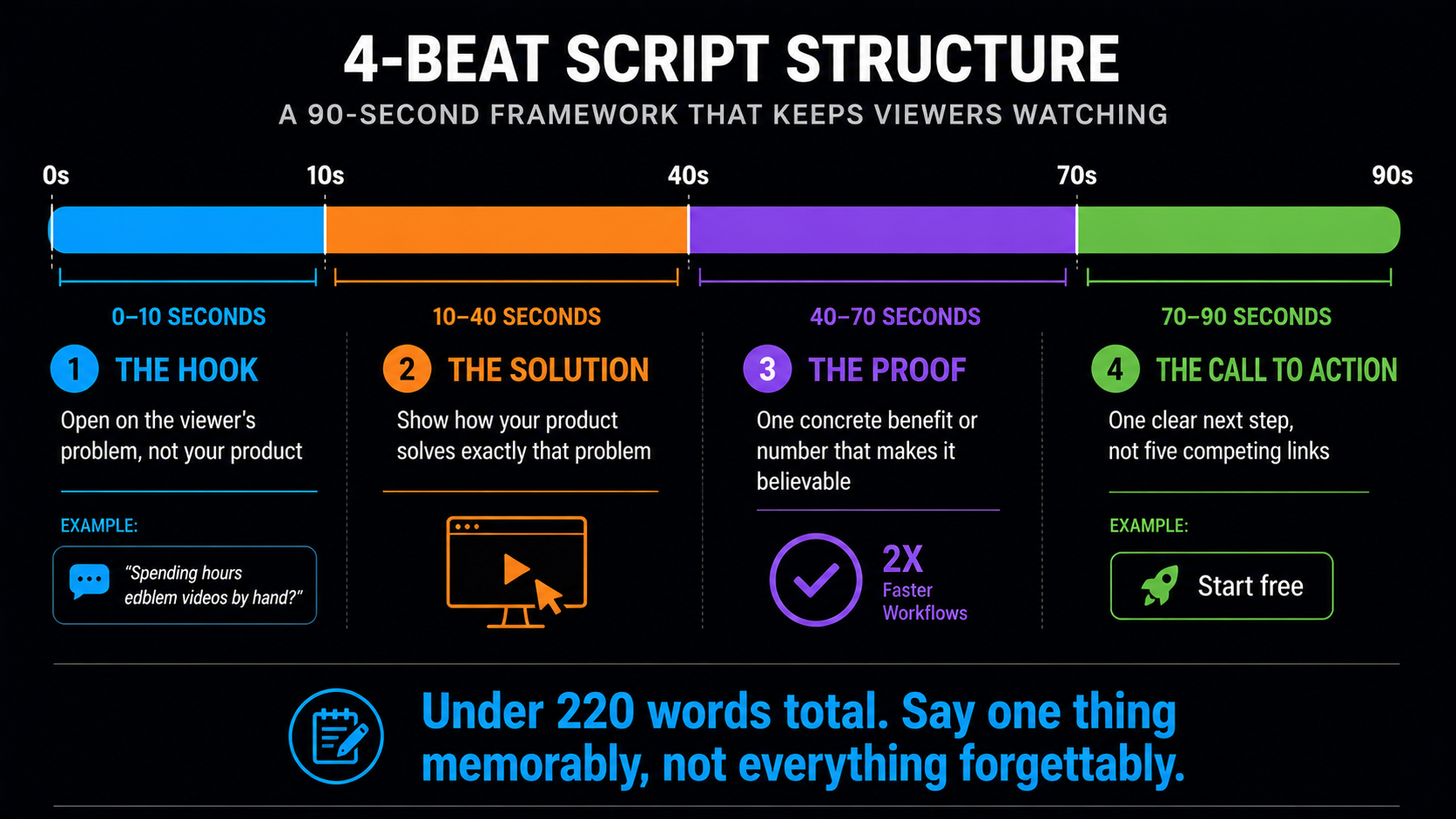
Keep the whole thing under about 220 words and resist the urge to explain every feature. An explainer video that tries to say everything says nothing memorable. Pick the single most important thing your product does and make the viewer feel it. You can always make a second, more detailed explainer video for the features that did not fit — in fact, a short library of focused videos usually outperforms one long one that covers it all.
For Indian Founders Specifically
The economics here are transformative for a bootstrapped Indian founder. A polished product demo or explainer video that once needed a studio and a five-figure budget now costs a subscription and an afternoon. That means a small SaaS or D2C team can put a proper demo on every product page, refresh it whenever the product changes, and never apologise for looking amateur next to a funded competitor.
The localisation angle lands even harder. You can produce your explainer video in English for global buyers and in Hindi, Tamil, or Marathi for domestic ones, from the same script, with natural-sounding voice in each. Selling to both a Bangalore startup and a Coimbatore SME no longer means two separate shoots. If you want the models behind this kind of video, our best AI video generators guide is a useful companion.
Where AIClips Fits
Our honest lane is a narrow, specific one. For interactive click-through demos and native product-screen recording, dedicated tools like the ones above are purpose-built and worth using. Where AIClips fits is the avatar-led and generative side plus everything audio: you can produce presenter-style and generative explainer video, generate the narration, and dub the whole thing into Indian and global languages, across 461 models in one dashboard at ₹349/month with UPI. So record your real UI in a screen tool if you need it, and build the narrated, multilingual explainer around it on AIClips. For the origin of the platform, here is why we built AIClips.
Frequently Asked Questions
How long should an explainer video be?
Should I use an avatar or a screen recording?
Are AI explainer videos good enough for a real business?
Can I make explainer videos in Indian languages?
Do explainer videos help SEO?
Can AIClips make my explainer video?
Make Your Explainer Video on AIClips
Avatar and generative video, narration, and multilingual dubbing across 461 models. INR pricing, UPI, from ₹349/month.
Start on AIClips →