
Voice cloning AI gets talked about mostly in the context of scams and deepfakes. That is a real problem. But if you are a creator, it is also the technology that lets you narrate an audiobook without speaking for 8 hours straight, translate your YouTube videos into Tamil without hiring a voice artist, or keep publishing content when your voice gives out. This guide covers how to clone your voice responsibly using AIClips — what to record, how to set it up, and where the actual limits are.
| What it is | Voice cloning AI captures your voice’s tone, accent, and cadence from a short recording, then generates new speech in your voice from any text. |
| Tools on AIClips | Lux TTS (voice cloning), ElevenLabs TTS with Instant Voice Cloning — both accessible from one dashboard. |
| Sample needed | 60 seconds to 3 minutes of clean audio for a usable clone. More audio = higher quality. |
| Cost on AIClips | ₹349/month (Creator plan). Voice cloning tools use credits per generation. |
| The hard limit | You can only clone your own voice. Cloning someone else’s voice without their explicit consent violates AIClips’ Terms of Use and, in many jurisdictions, the law. |
What Voice Cloning AI Actually Does (And What It Does Not)
The fear around voice cloning is understandable. There have been real fraud cases — cloned voices used to impersonate executives in video calls, family members in phone scams. That is all real, and it matters.
But the technology itself is neutral. A kitchen knife cuts vegetables and, occasionally, someone uses one badly. The question is whether you are using voice cloning AI for something legitimate.
Here is what the technology does technically: it captures patterns from your audio samples — your tone, accent, speech cadence, breathing rhythm, the way your voice rises on questions — and encodes them into parameters that guide speech generation. When you type new text, the model produces audio that sounds like you reading it aloud. It does not record your voice and play it back. It learns how your voice works and rebuilds it from scratch for each new sentence.
What it cannot do: it cannot replicate extreme emotional range reliably. It cannot sound natural in a language you do not speak (it will have your accent in the new language, which may or may not be what you want). And it is not magic — a badly recorded sample produces a bad clone, every time.
Who Actually Uses Voice Cloning AI — Real Use Cases
Skip the hypotheticals. Here is what Indian creators are using this for right now.
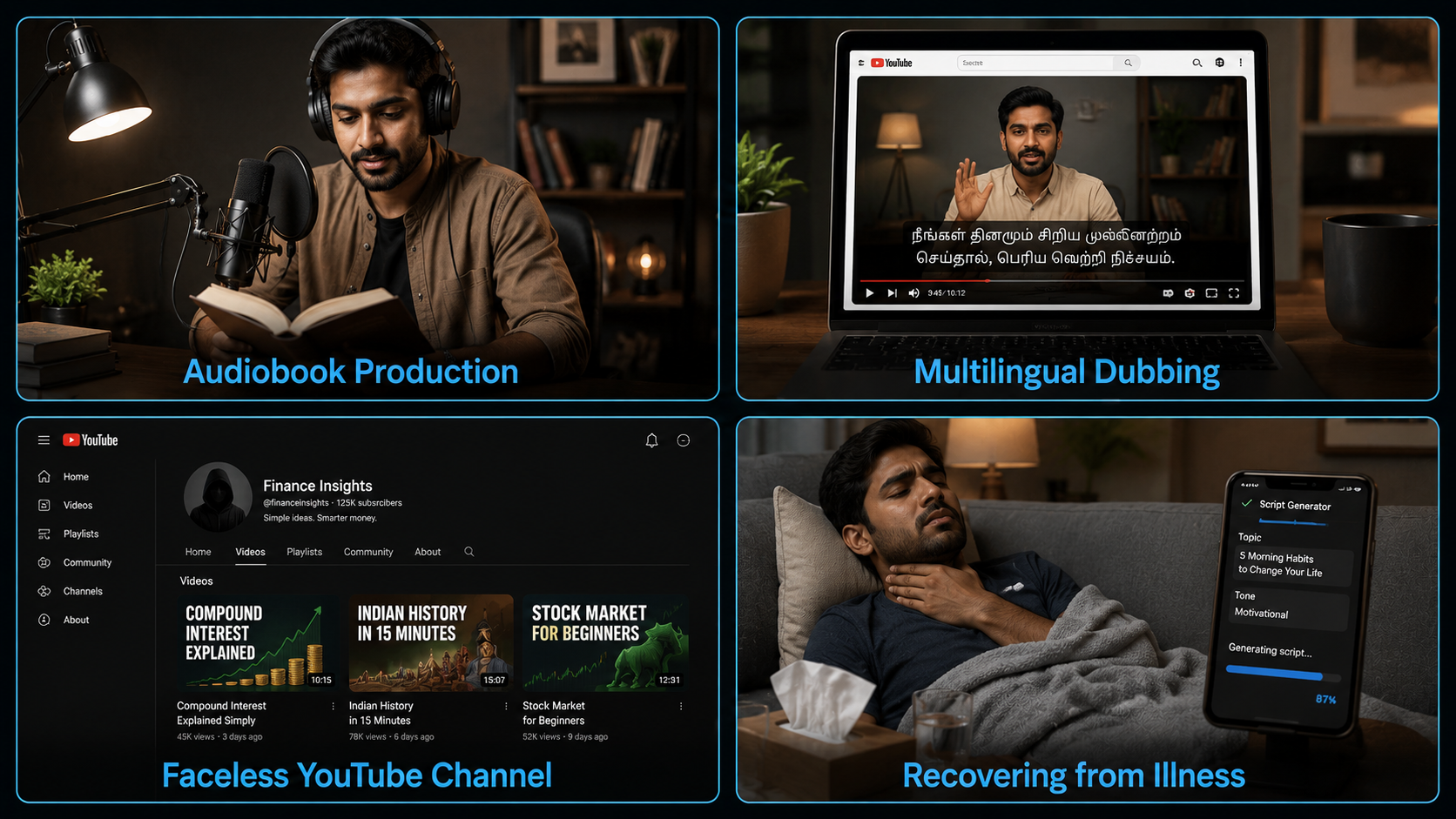
Audiobook production. Narrators on ACX and similar platforms use voice cloning to speed up production significantly. Record 1–2 hours of clean narration, train a clone, generate the rest as text-to-speech. Cuts production time by 50–60%. Some narrators are uncomfortable with this — others consider it no different from using a word processor instead of a typewriter.
Multilingual YouTube content. A Hindi creator with 200,000 subscribers who wants to reach Tamil or Bengali audiences cannot afford to re-record every video. With a cloned voice, you upload the translated script, generate the audio in your own voice, and dub the video. The audience hears you — not a stranger they have never heard before.
Consistent brand voice across a content team. If you run a media brand with multiple writers, you might want all videos narrated in the same voice. Clone the main presenter’s voice once (with their written consent), and the whole team can generate narrations without booking studio time.
Recovering from illness or injury. A creator whose voice changes temporarily due to illness, surgery, or fatigue can continue publishing using a clone of their healthy voice. This is probably the use case that gets the least coverage and deserves more.
Faceless YouTube channels. Finance, history, and tech review channels that do not show the creator on camera use voice cloning for consistent narration across hundreds of videos without ever re-recording.
Record Your Voice Sample Correctly
The sample you record determines everything about the quality of your ai voice clone. A bad recording produces a bad clone. There is no fixing this in post-processing.
What to Record
Read a continuous script aloud for 60 seconds minimum, 3 minutes ideally. The content does not matter much — what matters is that your voice stays consistent throughout. Read at the same pace, same tone, same energy you want the clone to replicate. If you want an energetic narrator voice, read energetically. If you want a calm, authoritative voice, record calmly and authoritatively.
Do not read the same sentence over and over. Variety in sentence structure and length gives the model more patterns to learn from.
Recording Conditions
| Factor | What to Do | What to Avoid |
|---|---|---|
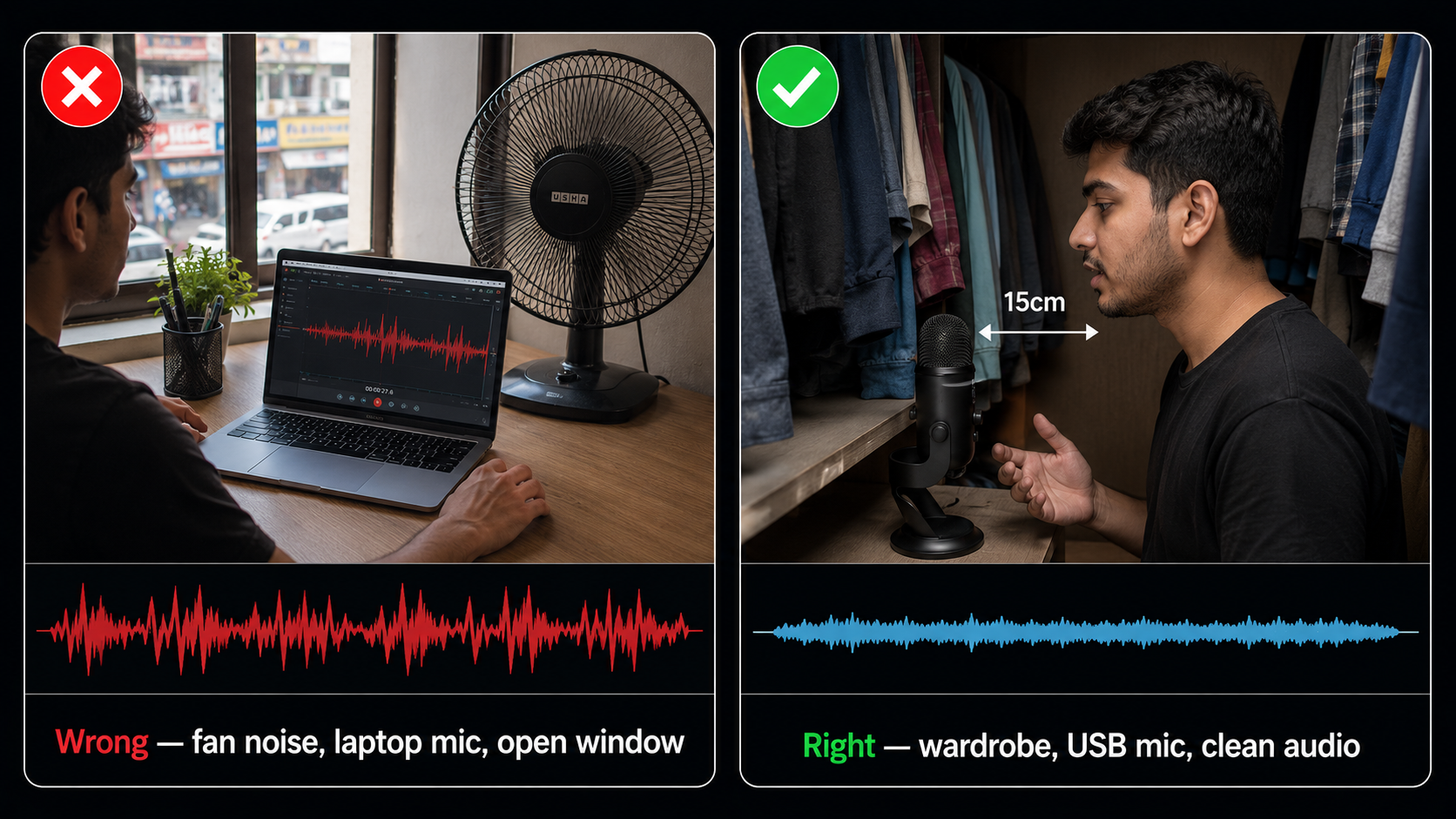
| Environment | Quiet room, no fans, no AC running, close the door and windows | Any background noise — the model clones everything it hears, including noise |
| Microphone | Any decent USB mic works. Even your phone mic is fine if the room is quiet. | Built-in laptop mic with fan noise in the background |
| Distance | 15–20cm from the mic. Close enough to sound full, far enough to avoid plosives. | Speaking too close (plosives on P and B sounds) or too far (thin, distant sound) |
| Audio level | Peaks around -6 dB to -3 dB. Loud enough to be clear, not so loud it clips. | Clipping or distortion — this is permanently baked into the clone |
| File format | WAV at 44.1kHz, 24-bit for best results. MP3 at 320kbps also works. | Voice messages from WhatsApp or low-bitrate compressed audio |
Instant vs Professional Voice Cloning
On AIClips you have two main approaches, both powered through ElevenLabs:
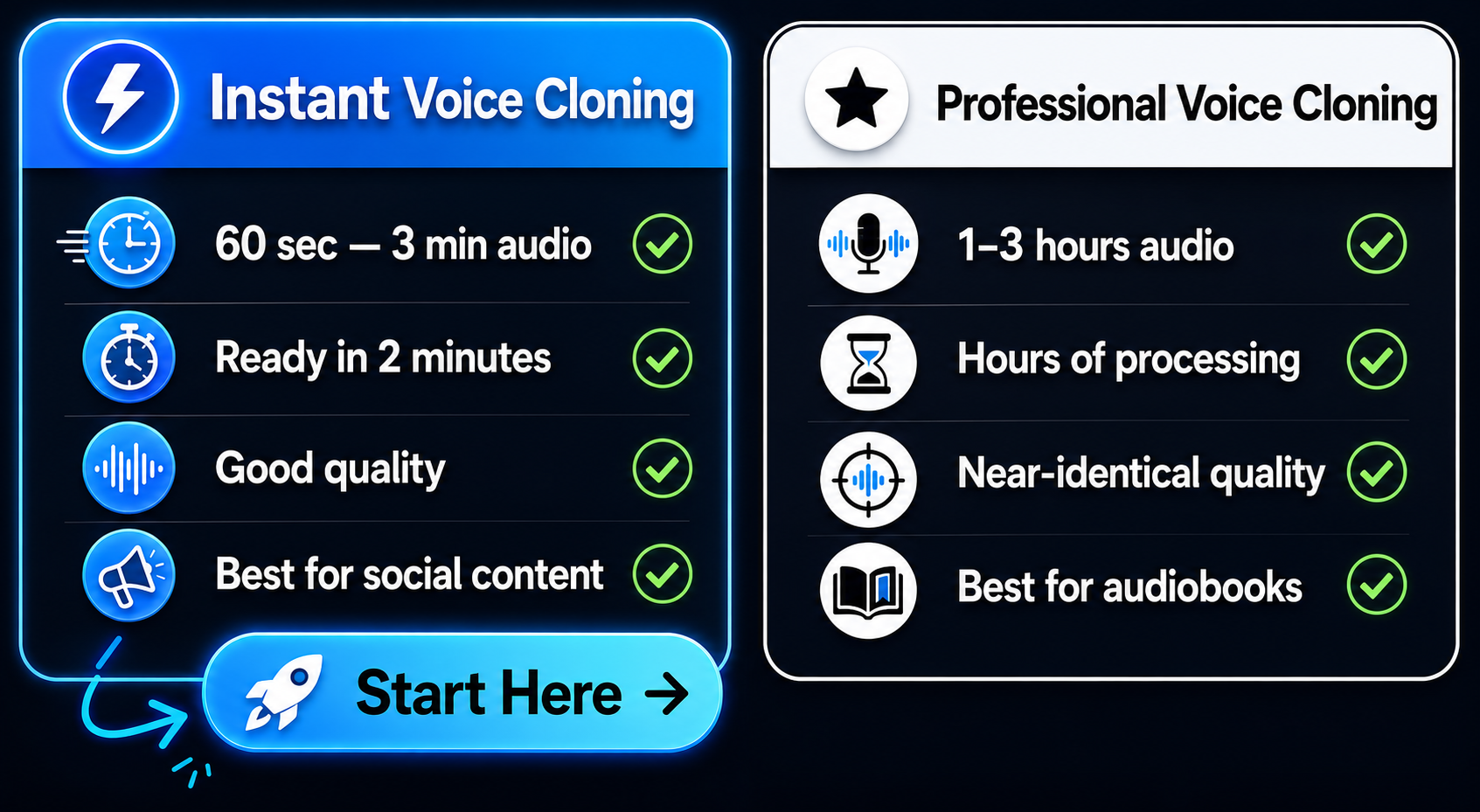
| Instant Voice Cloning | Professional Voice Cloning | |
|---|---|---|
| Audio needed | 60 seconds to 3 minutes | 1–3 hours |
| Setup time | Under 2 minutes | Hours of recording + processing time |
| Quality | Good — works well for most voices | Near-identical to the original voice |
| Best for | Testing, social content, quick narrations | Audiobooks, long-form content, commercial use |
| Unique accents | Can struggle with very distinctive accents the model has not seen before | Better — trained specifically on your voice |
For most creators starting out, Instant Voice Cloning is the right choice. Record 2–3 minutes of clean audio, upload it, and you have a working clone in under 5 minutes. Switch to Professional Voice Cloning if you are producing audiobooks or content where the clone needs to be indistinguishable from your natural voice.
Upload and Create Your AI Voice Clone on AIClips
Go to app.aiclips.net and find the Voice Clone or Lux TTS tool in the audio section.
- Click “Add Voice” or “Clone Voice” — the exact label depends on which tool you are using
- Upload your audio file or record directly in the browser
- Name your voice clone — something you will recognise when using it later
- Confirm the consent checkbox — this is mandatory and you should read it before clicking
- Click save and wait for processing — Instant Voice Cloning typically completes in under 60 seconds
Once saved, your clone appears in your voice library and is available across all TTS tools on AIClips.
Generate Content with Your Cloned Voice
Your cloned voice works exactly like any other TTS voice on AIClips. Select it from your voice library, type or paste your script, and generate.
A few things that affect how natural the output sounds:
Script formatting matters. Short sentences with punctuation for pauses. Your cloned voice follows the same rules as any other TTS model — poorly formatted scripts produce stilted output regardless of how good the underlying clone is. If you covered the Hindi voiceover guide, the same rules apply here.
Emotion matches energy from the sample. If you recorded your sample in a calm, measured tone, your clone will sound calm and measured even on high-energy text. The model replicates the energy it learned from your recording. If you want an excited narrator, record an excited sample.
Test on a short paragraph first. Always generate 3–4 test sentences before running a full script. Listen to the output carefully. Does it sound like you? Are there any artefacts or mispronunciations? Fix those before generating 2,000 words of narration.
Use Your Cloned Voice for Multilingual Content
This is where voice cloning ai gets genuinely interesting for Indian creators.
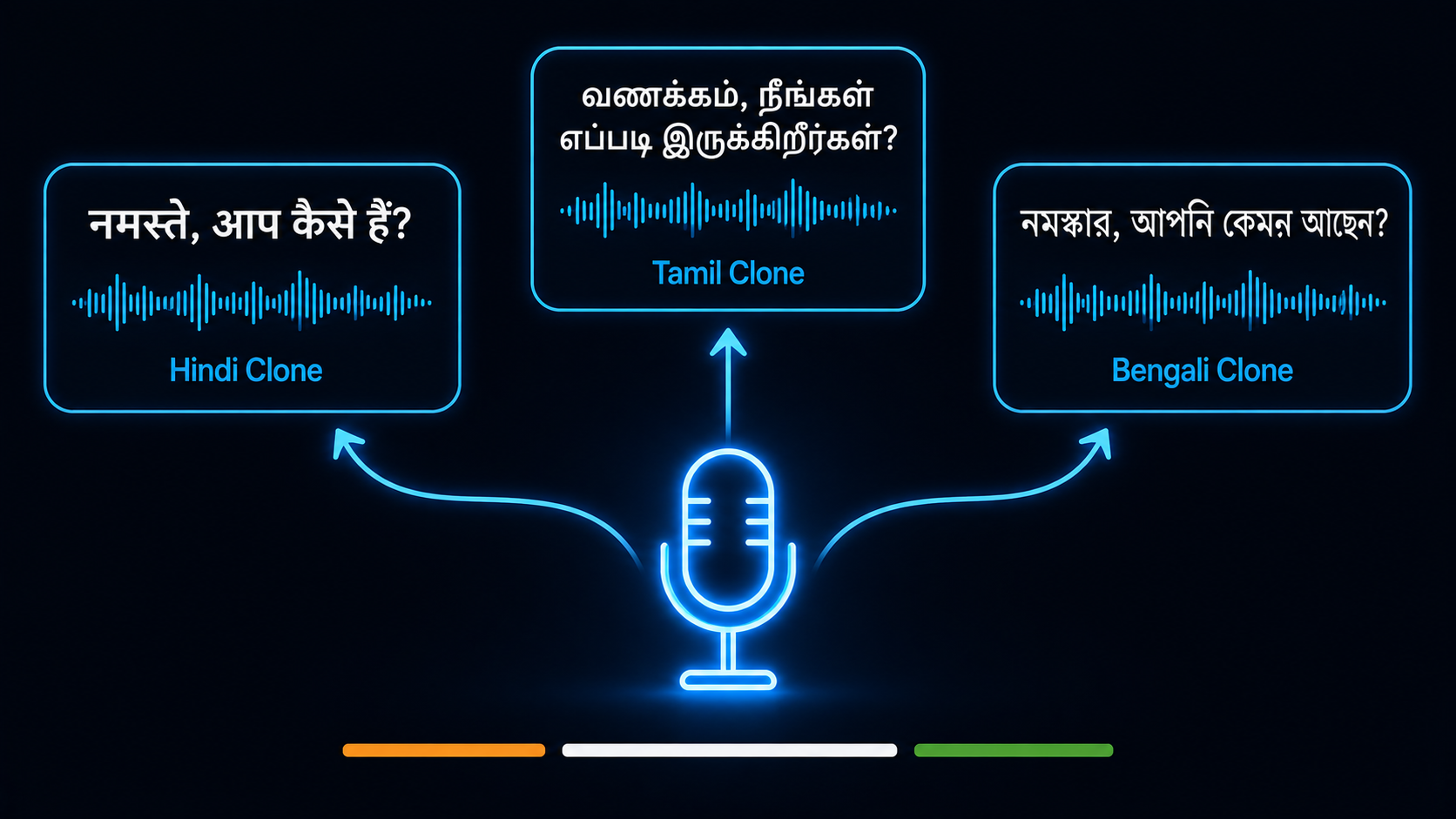
If you clone your voice using English or Hindi samples, the model can generate speech in other languages — but with your accent from the source language. A Hindi-recorded clone speaking Tamil will have a Hindi accent. That may be fine for some content and wrong for others.
For the cleanest multilingual results:
- Record separate voice samples in each language you want to create content in
- Train a separate clone for each language — Hindi clone, Tamil clone, Bengali clone
- Use the appropriate clone for each language’s content
This takes more upfront recording time — roughly 2–3 minutes per language. But once the clones exist, generating multilingual content is as fast as typing a script.
For a full workflow connecting voice cloning to multilingual video content, the Regional Indian Language AI Videos guide covers the complete process from script to final video.
Voice Cloning Safety — What You Cannot Do
This section matters. Read it before using the tool.
Here is what is clearly off-limits:
- Cloning a celebrity or public figure’s voice for any purpose
- Using a cloned voice to impersonate someone in a misleading context
- Creating fake endorsements, political content, or news using a cloned voice
- Cloning a voice from scraped audio without the speaker’s knowledge
Here is what is generally accepted:
- Cloning your own voice for content creation, productivity, or accessibility
- Cloning a collaborator’s voice with their written consent and clear scope agreement
- Using a cloned voice for clearly disclosed AI-generated content
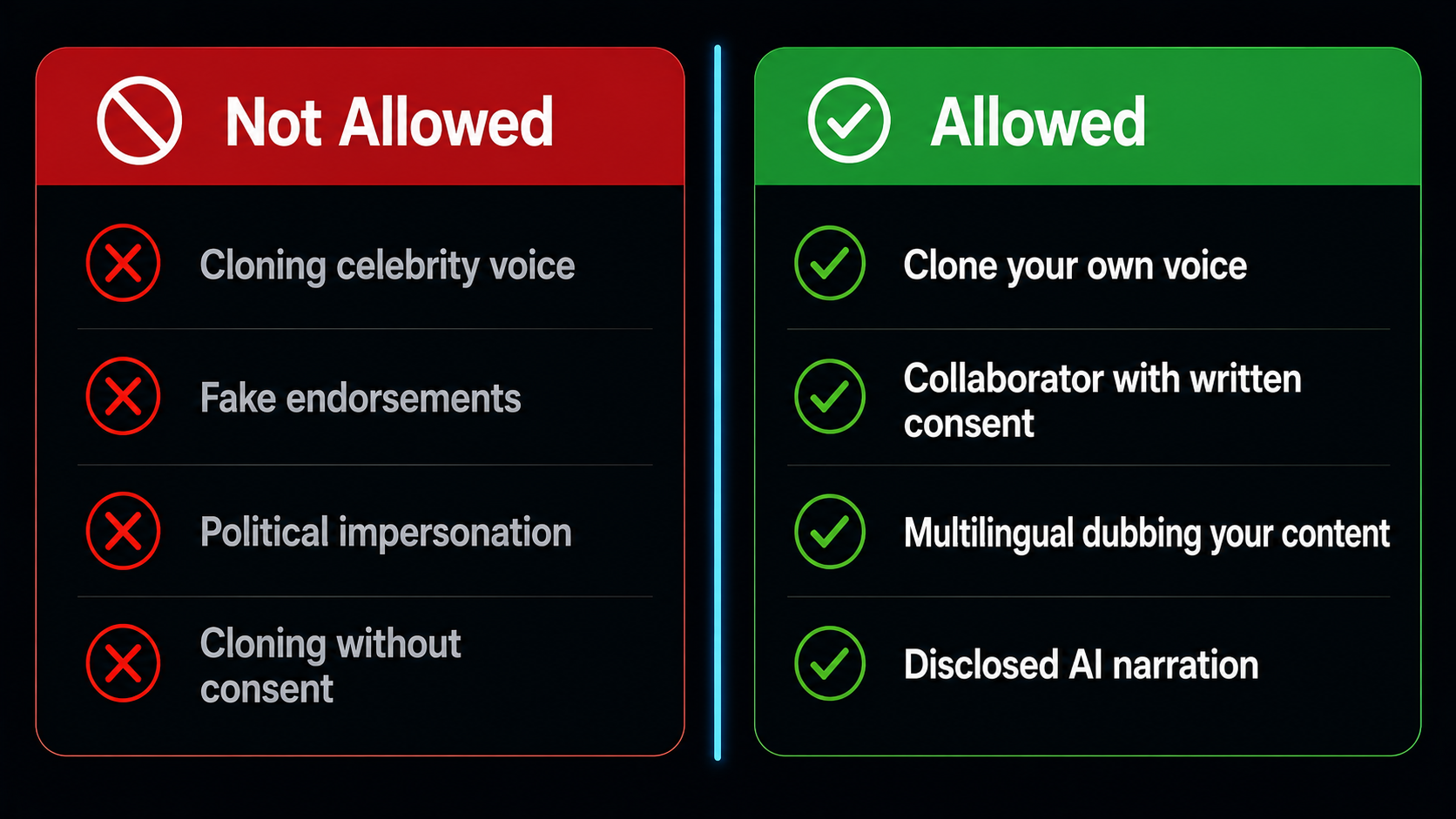
| Use Case | Status | Notes |
|---|---|---|
| Cloning your own voice for YouTube narration | Allowed | Standard creator use case |
| Cloning a colleague’s voice with their consent | Allowed | Get written consent before uploading |
| Using clone for multilingual dubbing of your own content | Allowed | Disclose AI dubbing to your audience where relevant |
| Cloning a celebrity voice | Not allowed | Account termination, potentially illegal |
| Cloning a family member’s voice without asking them | Not allowed | Consent is required regardless of relationship |
| Creating fake political statements | Not allowed | Illegal in most jurisdictions in 2026 |
How Good Is Voice Cloning AI Actually?
Honest answer: it depends on the voice.
For neutral, mid-range voices with a standard accent, modern voice cloning ai is very good. Most listeners cannot distinguish a well-made clone from the original in typical narration content. That is both impressive and unsettling depending on how you think about it.
For very distinctive voices — strong regional accents, unusual vocal characteristics, voices with a lot of natural variation in pitch — the quality drops. The model averages out the distinctiveness and produces something that sounds like a smoothed version of the original.
For singing, emotional outbursts, and spontaneous speech patterns, current voice cloning AI is not there yet. The technology is excellent at producing clean, consistent narration. It is less good at replicating the unpredictable qualities that make a voice recognisably human in casual conversation.
Frequently Asked Questions — Voice Cloning AI
How do I clone my voice on AIClips?
How long does the audio sample need to be for voice cloning AI?
Can I clone my voice in Hindi for Tamil content?
Is voice cloning AI legal in India?
Can I use my cloned voice commercially?
What happens if I try to clone a celebrity voice?
Clone Your Voice on AIClips
Lux TTS and ElevenLabs Voice Cloning — both available in one dashboard. Starts at ₹349/month.
Try AIClips Voice Clone Tools →